
Plugin
Updated
Shipping Tracking
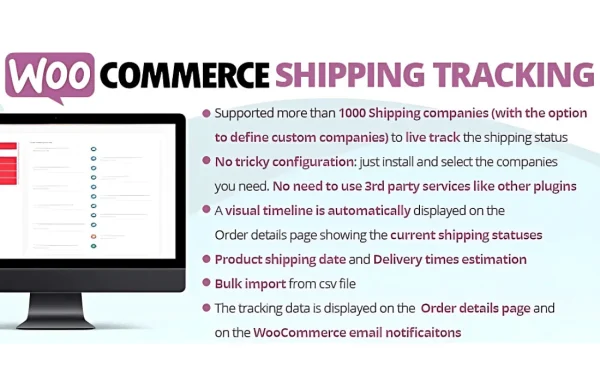
WooCommerce Shipping Tracking by Lagudi Domenico is a WooCommerce plugin for adding shipment tracking numbers to orders. It works with over 70 shipping carriers and passes tracking details to customers through email notifications and their order pages.
- Version
- 42.3
- Released
- Jul 21, 2026
- Developer
- Lagudi Domenico
- Type
- WordPress plugin
- Requires
- WooCommerce
- Licence
- GPL
- Included in
- Every plan, or $3.99 on its own
What’s new in Shipping Tracking 42.3
Version 42.3 · Jul 21, 2026
Latest
What it does
Once an order ships, customers want to know where their package is. Without tracking details in hand, many of them write in to ask. This plugin gives store owners a place to attach a tracking number to each WooCommerce order, linked to one of more than 70 supported carriers, so that information reaches the customer without extra back and forth.
Tracking codes can be entered one order at a time or in bulk, which helps when order volume changes from day to day. Customers then see tracking details in email notifications you can customize and on the order page in their account. Store owners also get tracking logs that keep a shipping history for each order, which is useful when answering customer questions.
Best for
- WooCommerce stores shipping physical products
- Merchants who ship with several different carriers
- Shops wanting fewer where is my order emails
Features
Support for 70+ carriers
Connect tracking numbers to more than 70 shipping carriers, covering both popular and regional providers, so customers get the right tracking link.
Tracking numbers on orders
Add tracking codes to WooCommerce orders, and they are linked to the order and included in the notifications your customers receive.
Manual and bulk input
Enter tracking numbers for single orders or add them in bulk, depending on how many orders you are fulfilling at once.
Customizable email notifications
Send customers branded emails that include their shipment details and tracking links, with content you can adjust to fit your store.
Tracking on the order page
Customers can check shipping progress from the order page in their account, which gives them a self-service way to follow their package.
Detailed tracking logs
Keep a shipping history for orders, giving you a clear record to refer to when managing orders or replying to customer questions.
Responsive display
Shipping information and notifications are designed to display properly on desktops, tablets and smartphones.
Shipping Tracking older versions
- 42.2Jun 27, 2025
- 42.1Apr 24, 2025
- 42.0Feb 27, 2025
- 41.9Feb 14, 2025
- 41.8Feb 6, 2025
- 41.7Feb 4, 2025
- 41.6Jan 31, 2025
- 41.5Nov 1, 2024
- 41.4Oct 24, 2024
- 41.3Sep 27, 2024
Members and buyers of this product can download older versions.
61 older versions in all. If you need one that is not listed, ask support.
Questions about Shipping Tracking
Does this plugin work without WooCommerce?
No. It is built specifically for WooCommerce and adds tracking information to WooCommerce orders, so you need a WooCommerce store for it to be useful.
Which shipping carriers can I use?
The plugin supports more than 70 shipping carriers, including popular international providers and regional ones. You pick the carrier for each tracking number so customers get the matching tracking link.
How do customers see their tracking details?
Tracking details are included in customizable email notifications, and customers can also view them on the order page in their account, where they can check shipping progress whenever they like.
Can I add tracking numbers to many orders at once?
Yes. Along with entering tracking numbers on individual orders, you can add them in bulk, which saves time on days when you are fulfilling a large batch of orders.
Is Shipping Tracking free?
The code of Shipping Tracking is licensed under the GPL, so anyone may use, change and share it. GPL Feast is a paid service: a plan or a single purchase gives you the download and automatic updates. The developer's own support, licence key and online services are not included.
Which version of Shipping Tracking is this?
Version 42.3, released Jul 21, 2026. New versions appear here when the developer publishes them, and members get them as automatic updates.
How do I update Shipping Tracking?
Install the free GPL Feast Updater on your site and connect it with your API key. It installs new versions of Shipping Tracking automatically and keeps a backup, so you can roll back.
What does Shipping Tracking need?
Shipping Tracking needs WooCommerce installed and active.
You might also like






