Plugin
Updated
Slider Revolution Paint-Brush Addon
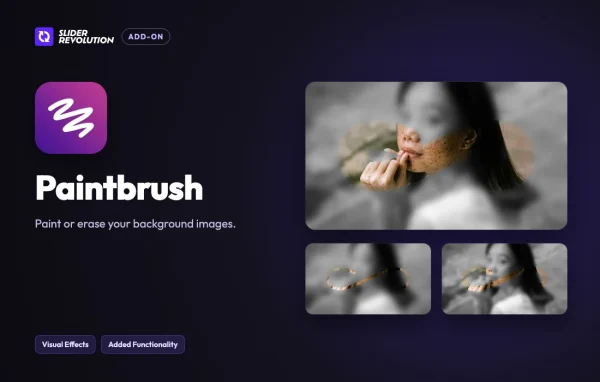
Slider Revolution Paint-Brush Addon is a plugin from ThemePunch that extends Slider Revolution 7. It lets you paint on or erase parts of your slider background images directly in the editor, so you can shape each background without opening separate image software.
- Version
- 7.2.5
- Released
- Oct 26, 2026
- Developer
- Slider Revolution
- Type
- WordPress plugin
- Licence
- GPL
- Included in
- Every plan
What’s new in Slider Revolution Paint-Brush Addon 7.2.5
Version 7.2.5 · Oct 26, 2026
Latest
- ImprovedAligned with Slider Revolution 7.2.5
What it does
Slider backgrounds often need small adjustments. You might want to remove an unwanted area of a photo, or add a hand-painted touch so the image fits the look of your site. Doing that usually means editing the image elsewhere and re-uploading it. This add-on moves that job into the slider editor, where you paint or erase on the background itself.
It works inside the existing Slider Revolution interface and requires the Slider Revolution plugin. You adjust brush size, opacity and hardness to control the effect, and the editing is non-destructive, so the original image stays as it was. It also supports multiple background layers, which suits more complex sliders. Web designers and developers who build custom sliders will find it most useful.
Best for
- Web designers building custom Slider Revolution sliders
- Developers who want to edit backgrounds inside the editor
- Site owners who want unique, hand-touched slider visuals
Features
Paint on slider backgrounds
Paint directly on a slider background image to add artistic touches and create visuals that match your brand's style, all within the Slider Revolution editor.
Erase unwanted areas
Remove sections of a background image you do not want, with precise control over what is erased, so the slide shows only the parts you choose.
Adjustable brush controls
Change the brush size, opacity and hardness to get fine detail or broad strokes, depending on the effect you want on each background.
Non-destructive editing
Paint or erase without permanently altering the original background image, which makes it easy to adjust your work or try different ideas later.
Multiple background layers
Edit several background layers independently, which helps when a complex slider relies on layered images to build visual depth.
Works inside Slider Revolution 7
The add-on runs within the existing Slider Revolution interface, so you do not need external software or a separate process to edit backgrounds.
Common image formats
Works with common image types, so you can use it across different projects and with the background images you already have.
Approachable interface
Built for beginners and experienced designers alike, so you can start painting and erasing without a steep learning curve.
Questions about Slider Revolution Paint-Brush Addon
Do I need Slider Revolution to use this add-on?
Yes. Slider Revolution Paint-Brush Addon is an add-on for Slider Revolution 7 and needs the Slider Revolution plugin to work. It runs inside the slider editor rather than as a standalone tool.
Does painting or erasing change my original image?
No. Editing is non-destructive, so you paint or erase without permanently altering the original background image. That makes it easy to adjust your work or experiment with different looks.
Can I control how the brush behaves?
Yes. You can adjust brush size, opacity and hardness. This lets you make detailed, fine edits or broader strokes, depending on what a particular slider background needs.
Can I edit more than one background layer?
Yes. The add-on supports multiple background layers and lets you edit each one independently. This is useful for more complex sliders where layered images add visual depth.
Is Slider Revolution Paint-Brush Addon free?
The code of Slider Revolution Paint-Brush Addon is licensed under the GPL, so anyone may use, change and share it. GPL Feast is a paid service: a plan gives you the download and automatic updates. The developer's own support, licence key and online services are not included.
Which version of Slider Revolution Paint-Brush Addon is this?
Version 7.2.5, released Oct 26, 2026. New versions appear here when the developer publishes them, and members get them as automatic updates.
How do I update Slider Revolution Paint-Brush Addon?
Install the free GPL Feast Updater on your site and connect it with your API key. It installs new versions of Slider Revolution Paint-Brush Addon automatically and keeps a backup, so you can roll back.
More from Slider Revolution