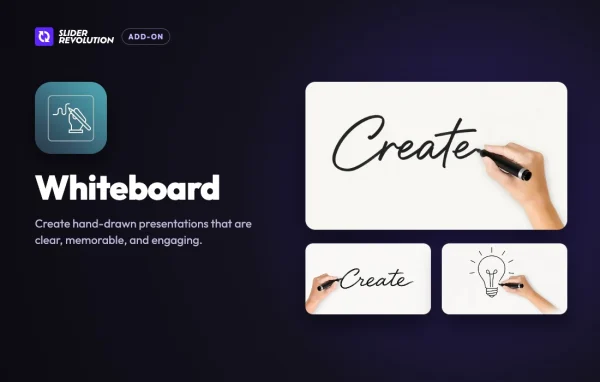
Plugin
Updated
Slider Revolution Whiteboard Addon
Slider Revolution Whiteboard Addon is a plugin from ThemePunch that extends Slider Revolution 7. It lets you build slides that look like they are being sketched by hand, so presentations, lessons and stories on your site are easier to follow and remember.
- Version
- 7.2.4
- Released
- Oct 13, 2026
- Developer
- Slider Revolution
- Type
- WordPress plugin
- Licence
- GPL
- Included in
- Every plan
What’s new in Slider Revolution Whiteboard Addon 7.2.4
Version 7.2.4 · Oct 13, 2026
Latest
- FixedImport and export run by WP-CLI or a REST route left the hand images behind. They travel with the module now, import it again
What it does
Complex ideas can be hard to get across with static slides. A whiteboard-style animation draws each element as the viewer watches, which helps explain a process or a story step by step. The Slider Revolution Whiteboard Addon brings that effect into your website without any special drawing skills.
The add-on works inside the Slider Revolution 7 interface you may already know, so you build whiteboard slides alongside your other slider content. You can combine text, images and shapes, adjust sketch styles to fit your brand, and give viewers playback controls. It requires the Slider Revolution plugin to run.
Best for
- Educators building visual lessons on their websites
- Marketers explaining products with animated storytelling
- Web designers already using Slider Revolution 7
Features
Hand-drawn animation effects
Slides animate as if they are being sketched live on a whiteboard, which gives your content a drawn-by-hand look and helps hold attention.
Works inside Slider Revolution
Whiteboard animations are added within the Slider Revolution 7 interface, so you can build them using the same editor you use for your other slides.
Customizable sketch styles
Choose from multiple drawing styles and stroke effects so the animation fits your brand or the tone of your presentation.
Viewer playback controls
Pause, rewind and speed controls let visitors follow your narrative at their own pace instead of watching it run once.
Text, images and shapes
Mix different content types in a single whiteboard animation, so a slide can combine written points, pictures and simple shapes.
Built-in templates and guides
No advanced drawing skills are needed. Templates and guides help you put together hand-drawn presentations without starting from a blank canvas.
Responsive display
Whiteboard presentations are made to display across different devices and screen sizes, including phones and tablets.
Hand images travel with the module
When you import or export a module through WP-CLI or a REST route, the hand images stay with it.
Questions about Slider Revolution Whiteboard Addon
Does this plugin work on its own?
No. It is an add-on for Slider Revolution 7 by ThemePunch, so the Slider Revolution plugin needs to be on your site. The whiteboard features then appear inside the Slider Revolution editor.
Do I need drawing skills to make whiteboard slides?
No. The add-on includes built-in templates and guides, so you can create hand-drawn presentations without drawing ability. You can also adjust sketch styles and stroke effects to suit your project.
Can visitors control the animation?
Yes. Interactive presentation tools include pause, rewind and speed controls, so viewers can move through your narrative at a pace that suits them.
What kind of content can I put in a whiteboard animation?
You can combine text, images and shapes within the same animation. That makes it suitable for educational material, business presentations and storytelling visuals.
Is Slider Revolution Whiteboard Addon free?
The code of Slider Revolution Whiteboard Addon is licensed under the GPL, so anyone may use, change and share it. GPL Feast is a paid service: a plan gives you the download and automatic updates. The developer's own support, licence key and online services are not included.
Which version of Slider Revolution Whiteboard Addon is this?
Version 7.2.4, released Oct 13, 2026. New versions appear here when the developer publishes them, and members get them as automatic updates.
How do I update Slider Revolution Whiteboard Addon?
Install the free GPL Feast Updater on your site and connect it with your API key. It installs new versions of Slider Revolution Whiteboard Addon automatically and keeps a backup, so you can roll back.
More from Slider Revolution