Plugin
Updated
Smart Slider 3 Pro
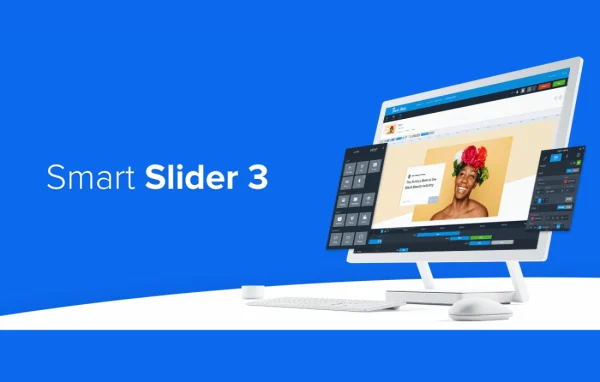
Smart Slider 3 Pro is a WordPress plugin for building responsive sliders, carousels and content blocks. You put them together in a drag-and-drop visual editor, start from ready-made templates if you like, and can fill slides automatically with posts or WooCommerce products.
- Version
- 3.5.1.40
- Released
- Oct 9, 2026
- Type
- WordPress plugin
- Licence
- GPL
- Included in
- Every plan, or $4.79 a year on its own
What’s new in Smart Slider 3 Pro 3.5.1.40
Version 3.5.1.40 · Oct 9, 2026
Latest
- NewFeature: Divi 5 module.
- NewFeature: New Flickr image size variables.
- FixedHidden slide could trap scroll/touch/keyboard navigation.
- FixedEmojis in media titles, alt texts, or descriptions no longer break slide creation.
What it does
Adding a slider or carousel to a WordPress site often means fighting with code or settling for rigid layouts. This plugin gives you a visual editor where you drag elements into place, add layers and set animations and transitions without writing code. A library of templates gives you a starting point, so you can adjust an existing design instead of building every slide from scratch. Sliders are responsive, so the same slider adapts to desktops, tablets and phones.
Beyond static image slides, the plugin can pull content from WordPress posts, WooCommerce products and custom post types, which keeps a slider in step with what you publish. You can choose among slider types such as carousel, block and hero layouts, then tune navigation controls and autoplay. It works alongside WordPress themes and page builders, and it includes multilingual and right-to-left language support, which suits sites written in languages like Arabic or Hebrew.
Best for
- Blogs that want to feature recent posts in a slider
- WooCommerce stores displaying products in carousels
- Freelancers and agencies building client sites with hero sections
Features
Drag-and-drop visual editor
Build slides by placing and arranging elements visually, with no coding needed, and see how the slider will look as you work on it.
Ready-to-use templates
Start from a range of pre-built slider templates and customize the content and styling to match your site instead of designing from a blank canvas.
Dynamic content sources
Generate slides from WordPress posts, WooCommerce products and custom post types, so new content can appear in a slider without manual rebuilding.
Layer animations and transitions
Animate individual layers on a slide and set transitions between slides to control how text, images and other elements appear and move.
Multiple slider types
Choose carousel, block or hero slider layouts depending on whether you need a rotating product row, a content section or a large header area.
Navigation and autoplay controls
Customize the arrows, bullets and other navigation controls, and decide whether slides advance automatically with autoplay settings.
Responsive display
Sliders adjust their layout for desktops, tablets and mobile phones, so one slider serves visitors across different screen sizes.
Multilingual and RTL support
Use the plugin on multilingual sites and on sites written in right-to-left languages, with layouts that follow the reading direction.
Smart Slider 3 Pro older versions
- 3.5.1.39Aug 72 new, 2 fixes
- 3.5.1.38Jun 242 fixes
- 3.5.1.37Jun 13 new, 8 fixes
- 3.5.1.36Apr 7
- 3.5.1.34Mar 19
- 3.5.1.33Mar 12
- 3.5.1.32Jan 9
- 3.5.1.31Nov 17, 2025
- 3.5.1.30Oct 28, 2025
- 3.5.1.29Jul 15, 2025
Members and buyers of this product can download older versions.
11 older versions in all. If you need one that is not listed, ask support.
Questions about Smart Slider 3 Pro
Can I build sliders without knowing how to code?
Yes. Slides are created in a drag-and-drop visual editor where you place elements, add layers and set animations directly. Templates are also included, so you can pick a design and replace the text and images with your own content.
Can it show my WooCommerce products automatically?
Yes. The plugin supports dynamic content from WooCommerce products, as well as WordPress posts and custom post types. Slides are generated from that content, so a product carousel or featured posts slider can reflect what is currently on your site.
Will my sliders work on phones and tablets?
Sliders are responsive and adapt to desktops, tablets and mobile phones. You build the slider once, and it adjusts its layout for smaller screens, which saves you from maintaining separate versions for different devices.
Does it work with my theme and page builder?
The plugin is built to work alongside popular WordPress themes and page builders, and it includes a module for Divi 5. It also supports multilingual sites and right-to-left languages.
Is Smart Slider 3 Pro free?
The code of Smart Slider 3 Pro is licensed under the GPL, so anyone may use, change and share it. GPL Feast is a paid service: a plan or a single purchase gives you the download and automatic updates. The developer's own support, licence key and online services are not included.
Which version of Smart Slider 3 Pro is this?
Version 3.5.1.40, released Oct 9, 2026. New versions appear here when the developer publishes them, and members get them as automatic updates.
How do I update Smart Slider 3 Pro?
Install the free GPL Feast Updater on your site and connect it with your API key. It installs new versions of Smart Slider 3 Pro automatically and keeps a backup, so you can roll back.
You might also like






