
Plugin
Updated
snip pro
SNIP: Structured Data Plugin for WordPress, by floriansimeth, is a plugin for adding schema.org markup to your posts, pages and custom post types. It uses a graphical interface and generates JSON-LD for you, so you can describe your content to search engines without writing code.
- Version
- 2.31.11
- Released
- Jan 28, 2026
- Developer
- floriansimeth
- Type
- WordPress plugin
- Licence
- GPL
- Included in
- Every plan, or $5.59 on its own
- Topics
- SEO Plugins
What’s new in snip pro 2.31.11
Version 2.31.11 · Jan 28, 2026
Latest
What it does
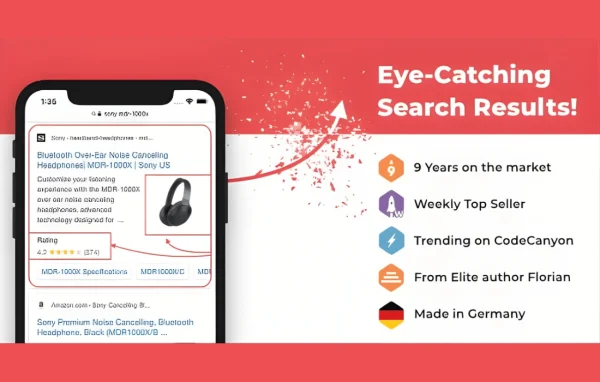
Search engines read structured data to understand what a page is about, and that markup is what makes a page eligible for rich results such as review stars or event details. Writing JSON-LD by hand is fiddly and easy to get wrong, especially across a large site. This plugin gives you a visual interface where you pick a schema type, fill in the fields and let it produce the JSON-LD markup following Google's guidelines.
You can apply markup globally or only on specific posts, pages or custom post types. Templates let you reuse the same schema setup across similar content, which keeps things consistent as your site grows. Built-in validation and testing tools let you preview the output and fix problems before publishing, and multilingual sites are supported so markup is applied correctly in each language.
Best for
- Bloggers and publishers who want article and review markup
- Recipe, event or product sites seeking rich results
- Agencies managing schema across several client sites
Features
Graphical markup interface
Add structured data through a visual interface instead of code, so you can set up schema for your content without editing JSON by hand.
Many schema.org types
Mark up articles, products, events, reviews, recipes and other schema.org types, matching the markup to the kind of content each page holds.
Reusable schema templates
Build templates once and apply them across your site, which keeps markup consistent on similar posts and saves repeating the same setup.
Automatic JSON-LD output
The plugin generates JSON-LD that follows Google's guidelines, which cuts down on syntax mistakes and helps pages qualify for rich snippets.
Validation and preview tools
Preview your structured data and test it with built-in tools, then correct any issues before the page goes live.
Global or selective placement
Apply structured data sitewide or only to chosen posts, pages or custom post types, giving you control over where each schema appears.
Multilingual site support
Structured data is applied correctly on multilingual websites, so content in each language carries the right markup.
Theme and builder compatibility
Designed to work with popular WordPress themes and page builders, so you can add markup without changing how you build pages.
snip pro older versions
- 2.31.10Nov 6, 2025
- 2.31.9Nov 11, 2024
- 2.31.8Sep 22, 2024
- 2.31.7May 29, 2024
- 2.31.6Nov 14, 2023
- 2.31.4Aug 31, 2023
- 2.31.3Jul 27, 2023
- 2.31.1Jun 10, 2023
- 2.31.0Jun 1, 2023
- 2.30.6Apr 18, 2023
Members and buyers of this product can download older versions.
Questions about snip pro
Do I need to know how to write JSON-LD to use this?
No. You choose a schema type and fill in fields through the graphical interface, and the plugin generates the JSON-LD markup automatically, following Google's guidelines. Developers can still customize schema types and templates if they want finer control.
Which kinds of content can I mark up?
It supports multiple schema.org types, including articles, products, events, reviews and recipes, among others. You can add markup to posts, pages and custom post types, either globally or on individual items.
Can I check the markup before a page is published?
Yes. Built-in validation and testing tools let you preview the structured data and spot problems, so you can fix errors before the content goes live.
Will it work on a site with several languages?
The plugin supports multilingual websites and is built so structured data is applied correctly regardless of the language of the content.
Is snip pro free?
The code of snip pro is licensed under the GPL, so anyone may use, change and share it. GPL Feast is a paid service: a plan or a single purchase gives you the download and automatic updates. The developer's own support, licence key and online services are not included.
Which version of snip pro is this?
Version 2.31.11, released Jan 28, 2026. New versions appear here when the developer publishes them, and members get them as automatic updates.
How do I update snip pro?
Install the free GPL Feast Updater on your site and connect it with your API key. It installs new versions of snip pro automatically and keeps a backup, so you can roll back.
You might also like






