Plugin
Updated
Social Login
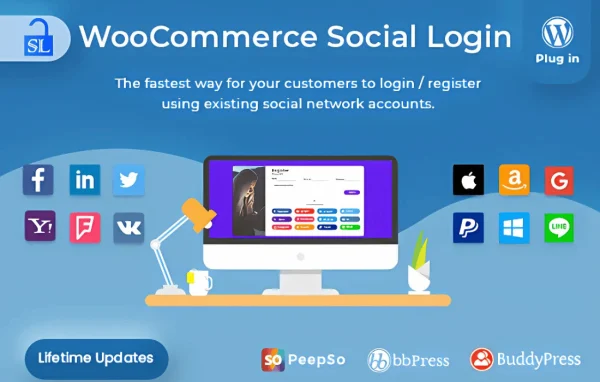
WooCommerce Social Login by WPWeb is a WordPress plugin for WooCommerce stores that lets customers log in or create an account with a social media profile. Shoppers can use Facebook, Twitter, Google, LinkedIn or Instagram instead of setting up another username and password.
- Version
- 2.8.8
- Released
- Jul 27, 2026
- Developer
- WPWeb
- Type
- WordPress plugin
- Requires
- WooCommerce
- Licence
- GPL
- Included in
- Every plan, or $3.99 on its own
What’s new in Social Login 2.8.8
Version 2.8.8 · Jul 27, 2026
Latest
- FixedFixed & Improved validation and verification of Apple Sign-In ID tokens.
What it does
Many shoppers stall at the account form. They have to pick a username, invent a password and confirm an email before they can buy, and some simply leave. This plugin adds social login buttons to your WooCommerce store so customers can sign in with an account they already have. When someone logs in this way for the first time, a store account is created for them automatically, so there is no separate registration step to fill out.
The plugin requires WooCommerce and works alongside your existing store setup. You can turn on several social networks at once and give customers a choice, and the login buttons can be styled to match your store's design. Authentication runs through OAuth, and the plugin also handles Apple Sign-In ID tokens. A dashboard tracks how often each social login is used, and the setup can be done without writing code. The buttons are built to work on phones as well as desktops.
Best for
- WooCommerce stores wanting faster customer sign-in
- Shops where many buyers already use social accounts
- Agencies building WooCommerce sites for retail clients
Features
Multiple social networks
Offer login through Facebook, Twitter, Google, LinkedIn and Instagram, with several networks active at the same time so customers can pick the one they prefer.
One-click login and registration
Customers sign in or register with a single click on a social button, which removes the usual account form from the path to checkout.
Automatic account creation
A WooCommerce user account is created automatically the first time someone logs in with a social profile, so no manual registration is needed.
OAuth authentication
Social logins are handled through OAuth protocols, and the plugin validates and verifies Apple Sign-In ID tokens during the sign-in process.
Customizable login buttons
Adjust the look of the social login buttons so they fit in with your store's design and stay consistent with your branding.
Social login usage dashboard
An analytics dashboard tracks how customers use social login, giving you a view of which networks your shoppers actually rely on.
No-code setup
Configure the social networks and buttons from the plugin settings without writing any code, which suits store owners without a developer on hand.
Mobile-friendly design
The login buttons are designed to work on mobile devices, so customers can sign in comfortably from a phone or tablet as well as a desktop.
Social Login older versions
- 2.8.7Dec 10, 20251 fix
- 2.8.6Oct 30, 20251 fix
- 2.8.5Sep 25, 20251 fix
- 2.8.4Jul 8, 2025
- 2.8.3Jun 10, 2025
- 2.8.2Apr 3, 2025
- 2.8.1Jan 28, 2025
- 2.8.0Nov 13, 2024
- 2.7.9Nov 6, 2024
- 2.7.8Nov 4, 2024
Members and buyers of this product can download older versions.
30 older versions in all. If you need one that is not listed, ask support.
Questions about Social Login
Which social networks can my customers use to log in?
The plugin supports Facebook, Twitter, Google, LinkedIn and Instagram, and it also handles Apple Sign-In ID tokens. You can enable several networks at the same time so shoppers choose the account that suits them.
Does a customer still need to register separately?
No. When a customer logs in with a social profile for the first time, the plugin creates their store account automatically. They can then return and sign in with the same social account on later visits.
Do I need WooCommerce for this plugin to work?
Yes. The plugin is built for WooCommerce stores and requires WooCommerce to be active. It adds social login and registration to the customer accounts your WooCommerce store already uses.
Can I make the login buttons match my store's look?
Yes. The social login buttons are customizable, so you can adjust them to fit your store's design and branding. They are also designed to work well on mobile devices.
Is Social Login free?
The code of Social Login is licensed under the GPL, so anyone may use, change and share it. GPL Feast is a paid service: a plan or a single purchase gives you the download and automatic updates. The developer's own support, licence key and online services are not included.
Which version of Social Login is this?
Version 2.8.8, released Jul 27, 2026. New versions appear here when the developer publishes them, and members get them as automatic updates.
How do I update Social Login?
Install the free GPL Feast Updater on your site and connect it with your API key. It installs new versions of Social Login automatically and keeps a backup, so you can roll back.
What does Social Login need?
Social Login needs WooCommerce installed and active.
You might also like

Plugin




