
Plugin
Updated
Social share for WPBakery
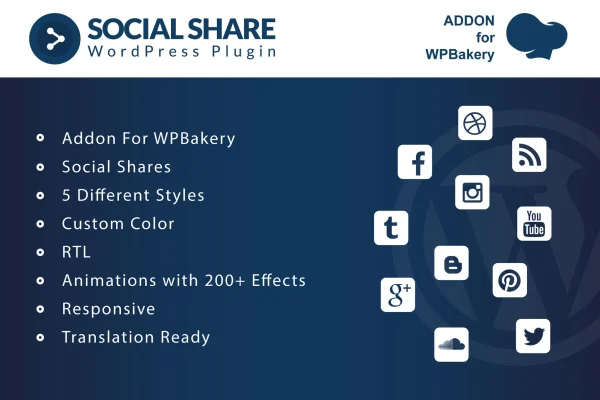
This plugin is an addon for WPBakery Page Builder that adds social media share buttons to your pages. You place the buttons from inside the familiar drag-and-drop editor, then pick a style, colors and animations so they match the rest of your site.
- Version
- 1.0
- Released
- May 2, 2023
- Type
- WordPress plugin
- Licence
- GPL
- Included in
- Every plan, or $3.99 on its own
What’s new in Social share for WPBakery 1.0
Version 1.0 · May 2, 2023
Latest
What it does
If your site is built with WPBakery Page Builder, adding share buttons usually means hunting for a separate tool or writing custom code. This addon puts a social share element right into the builder, so you can add buttons to any page in one click. It works inside the same drag-and-drop interface you already use, which makes it approachable for beginners and handy for developers who want to skip coding for a routine task.
Once the buttons are on the page, you can choose from five distinct styles, set custom colors and apply one of more than 200 animation effects to draw attention to them. The buttons are responsive and retina ready, so they adapt to different screen sizes. RTL language support and translation-ready .po and .mo files make the addon a practical fit for multilingual sites and for sites written in Arabic, Hebrew and other right-to-left languages.
Best for
- Sites built with WPBakery Page Builder
- Bloggers and publishers wanting shareable content
- Multilingual or right-to-left language websites
Features
One-click button placement
Add social share buttons to any page from within WPBakery Page Builder in a single click, using the drag-and-drop editor without writing code.
Five button styles
Pick from five distinct designs for your share buttons so they suit the look and branding of the site you are building.
Custom color options
Set your own colors for the share buttons so they sit comfortably within your existing color scheme instead of clashing with it.
Over 200 animation effects
Apply any of more than 200 animation effects to the buttons to make them more noticeable to visitors as they read your content.
Responsive and retina ready
The share buttons adapt to different device sizes and display sharply on high-resolution screens, from phones to large desktop monitors.
RTL language support
Full right-to-left support means the buttons display properly on sites written in Arabic, Hebrew and other RTL languages.
Translation-ready files
Included .po and .mo files let you translate and localize the addon's text for multilingual websites and international audiences.
Lightweight CSS and JS
The addon ships with lightweight CSS and JavaScript files, keeping the added code on your pages small.
Questions about Social share for WPBakery
Do I need WPBakery Page Builder to use this?
Yes. The addon is made specifically for WPBakery Page Builder and works inside its drag-and-drop interface. You add the social share element to your pages the same way you add other builder elements, so you will need WPBakery Page Builder on your site.
Can I change how the share buttons look?
Yes. You can choose from five distinct styles, set custom colors to match your site's palette and apply any of more than 200 animation effects. That gives you room to make the buttons subtle or eye-catching depending on your design.
Will it work on a site in Arabic or Hebrew?
It includes full RTL support, so the buttons display correctly on right-to-left language sites such as Arabic and Hebrew. It also comes with .po and .mo files, which let you translate the addon's text for other languages too.
Do the buttons work on mobile devices?
The share buttons are responsive, so they adjust to different screen sizes, and they are retina ready for sharp display on high-resolution screens. Visitors on phones, tablets and desktops should all see properly sized buttons.
Is Social share for WPBakery free?
The code of Social share for WPBakery is licensed under the GPL, so anyone may use, change and share it. GPL Feast is a paid service: a plan or a single purchase gives you the download and automatic updates. The developer's own support, licence key and online services are not included.
Which version of Social share for WPBakery is this?
Version 1.0, released May 2, 2023. New versions appear here when the developer publishes them, and members get them as automatic updates.
How do I update Social share for WPBakery?
Install the free GPL Feast Updater on your site and connect it with your API key. It installs new versions of Social share for WPBakery automatically and keeps a backup, so you can roll back.
You might also like






