
Plugin
Updated
Spero
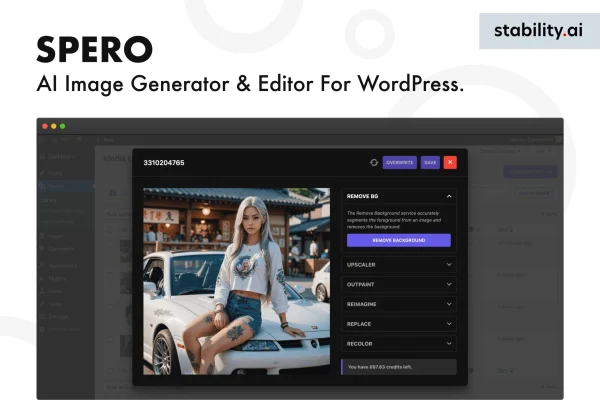
Spero is a WordPress plugin that generates images with AI and lets you edit them without leaving your dashboard. It suits bloggers, marketers and creative people who need featured images, blog illustrations or social graphics and would rather not open a separate design app for every post.
- Version
- 1.0
- Released
- Sep 3, 2025
- Type
- WordPress plugin
- Licence
- GPL
- Included in
- Every plan, or $3.99 on its own
What’s new in Spero 1.0
Version 1.0 · Sep 3, 2025
Latest
What it does
Finding the right image for a post often means digging through stock photo sites or opening a separate design tool. Spero brings that work into WordPress. You generate an image with AI based on what your content needs, then adjust it with built-in editing tools. You need no graphic design background, and the result can go straight into a post or page, which keeps the whole job in one place.
The plugin pairs AI generation with manual control. After an image is created you can crop it, apply filters, add overlays and place text so it matches your brand style. A template library gives you a starting point when you want a polished layout quickly. When you are done, you can insert the image into your content or export it in several formats and resolutions, depending on where it will be used.
Best for
- Bloggers who need featured images and post illustrations
- Marketers creating social media graphics for campaigns
- Site owners without graphic design experience
Features
AI image generation
Create unique images tailored to your content from inside WordPress, which can reduce how often you rely on stock photos or manual design work.
Works in the dashboard
Generate and edit images directly in your WordPress dashboard, so you do not have to switch between platforms while building posts and pages.
Built-in editing tools
Customize generated images with cropping, filters, overlays and text additions to bring each visual in line with your brand style.
Template library
Start from a collection of professionally designed templates when you want a finished-looking layout without building one from a blank canvas.
Insert into posts and pages
Place finished images directly into your posts or pages, keeping image creation and content editing in the same workflow.
Multiple export formats
Export images in several formats and resolutions so the same visual can work for your site, social channels or other uses.
Manual tweaks to AI output
Balance automation with your own adjustments, refining what the AI produces until the image looks the way you want.
Questions about Spero
Do I need design skills to use this plugin?
No. Spero is built for people without graphic design experience. The AI generates the image for you, and the editing tools for cropping, filters, overlays and text are made to be easy to use. Templates also give you a ready starting point.
Can I edit the images the AI creates?
Yes. After generation you can crop images, apply filters, add overlays and place text on them. You can mix the automated output with your own manual adjustments until the visual fits your brand style.
What kinds of images can I make with it?
It is suited to featured images, blog illustrations and social media graphics. You can generate images tailored to your content or begin from the template library, then export them in multiple formats and resolutions.
Can I add images straight to my posts?
Yes. Finished images can be inserted directly into your posts or pages from within WordPress, so you do not need to save files elsewhere and upload them separately.
Is Spero free?
The code of Spero is licensed under the GPL, so anyone may use, change and share it. GPL Feast is a paid service: a plan or a single purchase gives you the download and automatic updates. The developer's own support, licence key and online services are not included.
Which version of Spero is this?
Version 1.0, released Sep 3, 2025. New versions appear here when the developer publishes them, and members get them as automatic updates.
How do I update Spero?
Install the free GPL Feast Updater on your site and connect it with your API key. It installs new versions of Spero automatically and keeps a backup, so you can roll back.
You might also like






