
Plugin
Updated
Sticky Header on Scroll
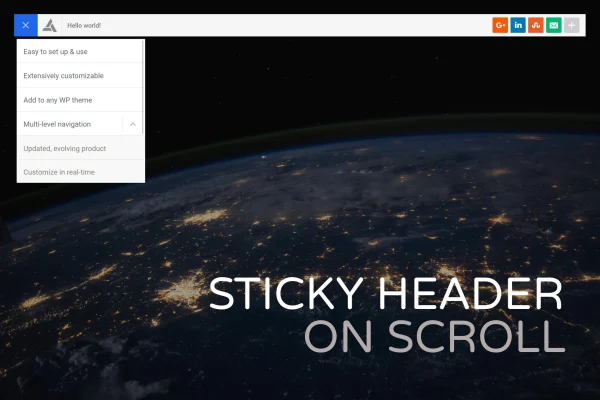
Sticky Header on Scroll is a WordPress plugin by BonfireThemes that adds a floating header to your site. The header stays at the top of the screen as visitors scroll, so your logo and menu remain within reach on every page.
- Version
- 1.3
- Released
- May 2, 2023
- Type
- WordPress plugin
- Licence
- GPL
- Included in
- Every plan, or $3.99 on its own
What’s new in Sticky Header on Scroll 1.3
Version 1.3 · May 2, 2023
Latest
What it does
On long pages, visitors often have to scroll all the way back up to find the menu. This plugin solves that by placing a sticky header at the top of the screen that stays visible while people read and scroll. Your navigation links, including multi-level menus with dropdowns, are always one click away. It works without editing your theme files, so you can add the header to an existing site without touching template code.
All setup happens in the WordPress Customizer, where you see changes in real time. You can set the header height, add a logo, choose colors, attach a menu and switch individual header elements on or off. The design is responsive and retina ready, so the header looks sharp on desktops, tablets and phones. The plugin ships with lightweight CSS and JS files, which suits site owners who want a simple navigation upgrade.
Best for
- Content-heavy blogs and magazines with long scrolling pages
- Business sites that want the menu always visible
- Freelancers adding sticky navigation to client sites
Features
No theme code changes
Add a sticky header to your site without editing theme files, which keeps your existing theme setup intact and makes the plugin easy to add or remove.
Live Customizer settings
Adjust the header through the WordPress Customizer and preview each change in real time before you publish it to your site.
Adjustable header height
Set the height of the sticky header so it fits your layout and takes up as much or as little screen space as you prefer.
Logo and color options
Add your logo to the header and choose its colors so the sticky bar matches the look of the rest of your site.
Multi-level menu support
Attach menus with dropdowns and nested items, and they keep working inside the sticky header as visitors scroll down the page.
Visibility toggles
Turn individual header elements on or off to keep the navigation clean and show only the items your visitors need.
Responsive and retina ready
The header adapts to desktops, tablets and mobile devices, and displays crisp graphics on high-resolution screens.
Lightweight files
The plugin uses lightweight CSS and JS files, so it adds the sticky header without loading heavy extra assets.
Questions about Sticky Header on Scroll
Do I need to edit my theme to use this sticky header?
No. The plugin adds the floating header without changes to your theme files. You configure everything through the WordPress Customizer, so there is no template code to edit.
Can I use a dropdown menu in the sticky header?
Yes. Sticky Header on Scroll supports multi-level menus, so you can attach a menu with dropdowns and nested items and it will keep working as visitors scroll.
Will the header look right on phones and tablets?
The header uses a responsive design that adapts to desktops, tablets and mobile devices. It is also retina ready, so logos and graphics stay sharp on high-resolution screens.
How much control do I have over the header's appearance?
You can set the header height, add a logo, pick colors, choose the menu and toggle individual elements on or off. All of these settings are in the Customizer with a live preview.
Is Sticky Header on Scroll free?
The code of Sticky Header on Scroll is licensed under the GPL, so anyone may use, change and share it. GPL Feast is a paid service: a plan or a single purchase gives you the download and automatic updates. The developer's own support, licence key and online services are not included.
Which version of Sticky Header on Scroll is this?
Version 1.3, released May 2, 2023. New versions appear here when the developer publishes them, and members get them as automatic updates.
How do I update Sticky Header on Scroll?
Install the free GPL Feast Updater on your site and connect it with your API key. It installs new versions of Sticky Header on Scroll automatically and keeps a backup, so you can roll back.
You might also like






