
Plugin
Updated
Sticky Video Prime
Sticky Video Prime Addon For Elementor by BWD is a WordPress plugin that keeps an embedded video fixed on screen while visitors scroll down the page. It works inside Elementor and handles videos from YouTube, Vimeo or your own server.
- Version
- 1.6
- Released
- Aug 24, 2026
- Type
- WordPress plugin
- Requires
- Elementor
- Licence
- GPL
- Included in
- Every plan, or $3.99 on its own
What’s new in Sticky Video Prime 1.6
Version 1.6 · Aug 24, 2026
Latest
What it does
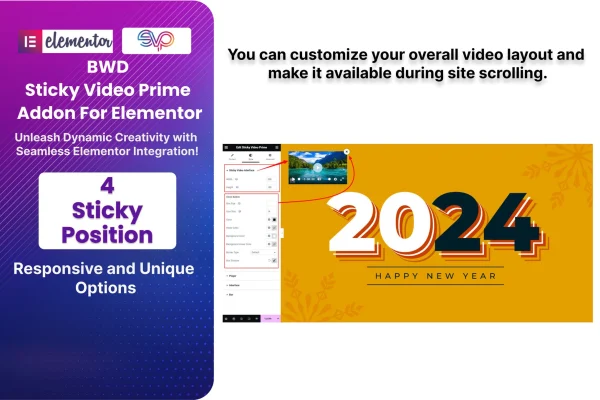
A video placed near the top of a page usually scrolls out of view as soon as a visitor starts reading. That is a problem for tutorials, product demos and walkthroughs, where people want to keep watching while they look at the rest of the content. This addon solves it by pinning the video to a corner of the screen once the visitor scrolls past it, so playback stays in view while they move through the page.
Everything is set up from the Elementor editor, with no coding needed. You add the video, choose its source, then adjust its size, position, autoplay, mute settings and how the sticky behavior works. The plugin requires Elementor and is responsive and retina ready, so it fits sites built with Elementor that rely on video for teaching, explaining a product or telling a story across desktop and mobile screens.
Best for
- Elementor sites publishing video tutorials or courses
- Product pages that rely on demo videos
- Designers adding sticky video to client Elementor builds
Features
Sticky corner positioning
Pin a video to any corner of the screen so it stays visible while visitors scroll through the rest of the page.
YouTube, Vimeo and self-hosted
Embed sticky videos from YouTube or Vimeo, or use video files hosted on your own site, depending on where your content lives.
Built for Elementor
The addon works inside the Elementor interface, so you configure sticky videos in the same editor you already use to build pages.
Size and position controls
Adjust the size and placement of the sticky video so it sits comfortably alongside your page content and matches your layout.
Autoplay and mute options
Choose whether videos start playing automatically and whether they begin muted, giving you control over how visitors first experience the video.
Adjustable sticky behavior
Configure how the sticky effect behaves as visitors scroll, so the video follows the reader in a way that suits your page.
Responsive and retina ready
Videos are designed to display sharply and work properly across different devices and screen resolutions, from phones to large desktop monitors.
Sticky Video Prime older versions
- 1.0Mar 12, 2024
Members and buyers of this product can download older versions.
Questions about Sticky Video Prime
Which video sources can I make sticky?
The plugin supports videos from YouTube and Vimeo, plus self-hosted video files. That lets you keep using whichever platform already hosts your content, or upload your own files and still get the sticky scrolling effect on your Elementor pages.
Do I need Elementor to use this plugin?
Yes. Sticky Video Prime is an addon for Elementor and requires it to run. All of the video settings, including position, size, autoplay and mute, are configured from within the Elementor editor.
Do I need to write any code to set up a sticky video?
No coding is required. You add and configure the sticky video through controls in the Elementor interface, choosing the video source, where it sticks on the screen, its size and how it behaves as visitors scroll.
Will sticky videos work on mobile devices?
The addon is responsive and retina ready, so sticky videos are designed to display clearly and function properly across devices and screen sizes, including phones, tablets and desktop screens.
Is Sticky Video Prime free?
The code of Sticky Video Prime is licensed under the GPL, so anyone may use, change and share it. GPL Feast is a paid service: a plan or a single purchase gives you the download and automatic updates. The developer's own support, licence key and online services are not included.
Which version of Sticky Video Prime is this?
Version 1.6, released Aug 24, 2026. New versions appear here when the developer publishes them, and members get them as automatic updates.
How do I update Sticky Video Prime?
Install the free GPL Feast Updater on your site and connect it with your API key. It installs new versions of Sticky Video Prime automatically and keeps a backup, so you can roll back.
What does Sticky Video Prime need?
Sticky Video Prime needs Elementor installed and active.
You might also like






