
Plugin
Updated
Struninn - Schedule for Twitch
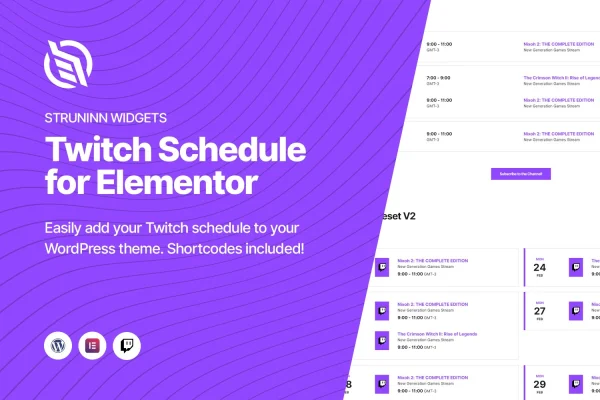
Struninn - Schedule for Twitch is a WordPress plugin that adds a Twitch schedule widget to Elementor. You connect your Twitch account, and it pulls in your streaming schedule so visitors can see when you go live without leaving your site.
- Version
- 1.0.1
- Released
- May 2, 2023
- Type
- WordPress plugin
- Requires
- Elementor
- Licence
- GPL
- Included in
- Every plan, or $3.99 on its own
What’s new in Struninn - Schedule for Twitch 1.0.1
Version 1.0.1 · May 2, 2023
Latest
What it does
Streamers often keep their schedule on Twitch while their website shows something outdated or nothing at all. This plugin closes that gap by connecting to your Twitch account and fetching your schedule automatically. When you change your stream times on Twitch, the schedule on your site follows, so you skip retyping times and events by hand. It requires Elementor, and the widget appears in the Elementor editor once the plugin is active.
You can place the schedule in a few ways. Drag the widget onto any page in Elementor, or use a shortcode or a template function if you prefer working in code or need the schedule somewhere Elementor does not reach. There are two display views to pick from, so you can choose the one that fits your site's design. A built-in subscribe button links visitors straight to your Twitch subscription page, and the layout is responsive for desktops, tablets and phones.
Best for
- Twitch streamers with an Elementor-built WordPress site
- Gaming and streaming community websites
- Developers building sites for content creators
Features
Twitch account connection
Connect your Twitch account and the plugin fetches your schedule automatically, so your site reflects your current stream times without manual entry.
Elementor widget
The schedule shows up as a widget in the Elementor editor, letting you drag it onto any page and adjust it alongside your other content.
Two display views
Choose between two layout versions for the schedule and pick the one that suits your site's look and personal branding.
Shortcode support
Embed the schedule with a WordPress shortcode to place it in posts, pages or other areas that accept shortcodes.
Template functions for developers
Developers can call template functions to output the schedule directly within theme files or custom templates.
Built-in subscribe button
A subscribe button sends visitors directly to your Twitch subscription page, giving fans a quick route to support your channel.
Responsive layout
The schedule adapts to desktops, tablets and smartphones, so viewers can check your stream times on whatever device they use.
Questions about Struninn - Schedule for Twitch
Do I have to enter my stream times manually?
No. After you connect your Twitch account, the plugin fetches your schedule from Twitch automatically. Any changes you make to your schedule on Twitch carry over to the widget on your site, so you only maintain it in one place.
Does this plugin need Elementor?
Yes, it requires Elementor. The schedule is delivered as an Elementor widget that appears in the editor. You can also place the schedule with a shortcode or a template function when you want it outside an Elementor layout.
Can I change how the schedule looks?
The plugin includes two display views, so you can pick the layout that best matches your site's style. It is also responsive, so the schedule adjusts to fit desktops, tablets and phones.
Can visitors subscribe to my channel from the schedule?
Yes. A built-in subscribe button links visitors directly to your Twitch subscription page, which gives people who check your schedule an easy way to subscribe to your channel.
Is Struninn - Schedule for Twitch free?
The code of Struninn - Schedule for Twitch is licensed under the GPL, so anyone may use, change and share it. GPL Feast is a paid service: a plan or a single purchase gives you the download and automatic updates. The developer's own support, licence key and online services are not included.
Which version of Struninn - Schedule for Twitch is this?
Version 1.0.1, released May 2, 2023. New versions appear here when the developer publishes them, and members get them as automatic updates.
How do I update Struninn - Schedule for Twitch?
Install the free GPL Feast Updater on your site and connect it with your API key. It installs new versions of Struninn - Schedule for Twitch automatically and keeps a backup, so you can roll back.
What does Struninn - Schedule for Twitch need?
Struninn - Schedule for Twitch needs Elementor installed and active.
You might also like






