
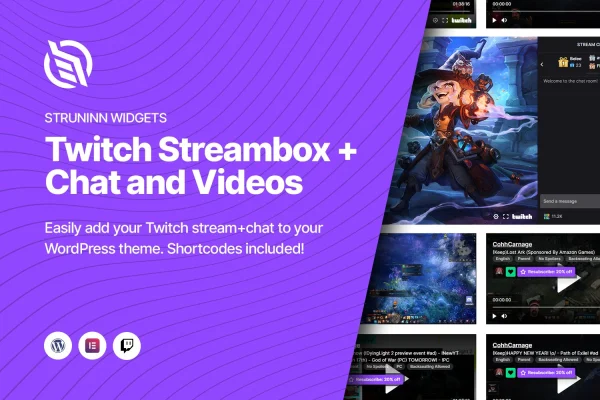
Plugin
Updated
Struninn - Stream for Twitch
This WordPress plugin brings your Twitch channel onto your own website through Elementor. It connects to your Twitch account and displays live streams, past broadcasts and live chat, so visitors can watch and talk with you without heading over to Twitch.
- Version
- 1.0.1
- Released
- May 2, 2023
- Type
- WordPress plugin
- Requires
- Elementor
- Licence
- GPL
- Included in
- Every plan, or $3.99 on its own
What’s new in Struninn - Stream for Twitch 1.0.1
Version 1.0.1 · May 2, 2023
Latest
What it does
Streamers often send people from their website to Twitch and hope they come back. This plugin keeps the stream on your pages instead. You link your Twitch account, and it pulls in your channel data, including live stream info and past videos. From there you can show the live player, your broadcast archive or the chat, either on their own or together, to build a single page where fans can watch and talk.
It works inside the Elementor page builder, so you drag the stream and chat widgets onto a page and adjust them with the builder controls. You can change the look to match your branding, and the layouts adapt to desktops, tablets and phones. For more control, shortcodes and template functions let you place Twitch content in other parts of your theme. A subscribe button can also link visitors directly to your Twitch subscriber page.
Best for
- Twitch streamers building a home base website
- Gaming and content creator sites built with Elementor
- Community sites that gather fans around a live channel
Features
Twitch account connection
Link your Twitch account so the plugin fetches your channel information, live stream details and videos automatically, without manual copying of embed codes.
Elementor stream and chat widgets
Drag Twitch stream and chat widgets into any Elementor layout and adjust them with the page builder controls, with no coding needed.
Flexible display options
Show live streams, past broadcast videos and live chat separately, or combine them into one interactive streaming hub on a single page.
Subscribe button
Add a button that sends visitors straight to your Twitch subscriber page, giving fans a simple way to support your channel from your site.
Responsive layouts
The streambox and chat adjust to desktops, tablets and mobile screens, so viewers get a usable layout whatever device they watch on.
Shortcodes and template functions
Place Twitch content with WordPress shortcodes or template functions when you want to go beyond Elementor widgets and build deeper custom integrations.
Custom appearance
Change the look of the streambox and chat so they fit your site's colors, branding and overall style.
Questions about Struninn - Stream for Twitch
Do I need Elementor to use this plugin?
Yes. The plugin requires Elementor and adds Twitch stream and chat widgets to the page builder. It also includes shortcodes and template functions for placing Twitch content in other areas of your site.
Can I show past broadcasts as well as live streams?
Yes. After you connect your Twitch account, the plugin fetches your videos along with live stream info. You can display past broadcast videos, the live player and chat individually or combined on one page.
Will the stream and chat work on phones?
The streambox and chat use a responsive design that adapts to desktops, tablets and mobile devices, so visitors can watch and follow the chat on smaller screens too.
Can I match the player and chat to my site design?
Yes. You can customize the appearance of the streambox and chat to suit your branding and style, using the Elementor controls or shortcodes and template functions for deeper changes.
Is Struninn - Stream for Twitch free?
The code of Struninn - Stream for Twitch is licensed under the GPL, so anyone may use, change and share it. GPL Feast is a paid service: a plan or a single purchase gives you the download and automatic updates. The developer's own support, licence key and online services are not included.
Which version of Struninn - Stream for Twitch is this?
Version 1.0.1, released May 2, 2023. New versions appear here when the developer publishes them, and members get them as automatic updates.
How do I update Struninn - Stream for Twitch?
Install the free GPL Feast Updater on your site and connect it with your API key. It installs new versions of Struninn - Stream for Twitch automatically and keeps a backup, so you can roll back.
What does Struninn - Stream for Twitch need?
Struninn - Stream for Twitch needs Elementor installed and active.
You might also like






