
Plugin
Updated
Super Forms
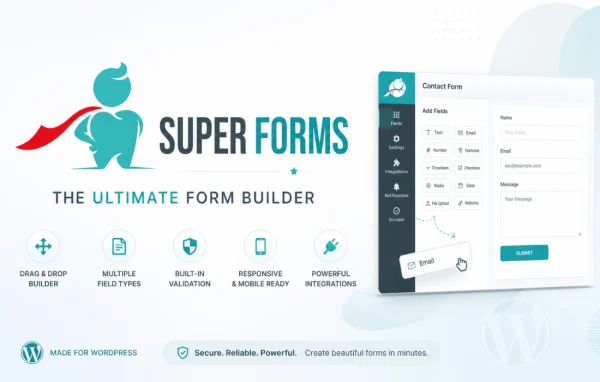
Super Forms by feeling4design is a WordPress plugin for building custom forms with a drag and drop editor. You can create contact forms, registration sheets, payment forms and surveys, then add conditional logic, multiple steps and your own styling without writing code.
- Version
- 6.4.007
- Released
- Jul 17, 2026
- Developer
- Super Forms
- Type
- WordPress plugin
- Licence
- GPL
- Included in
- Every plan, or $7.19 a year on its own
What’s new in Super Forms 6.4.007
Version 6.4.007 · Jul 17, 2026
Latest
- FixedCorrected server-side validation so optional fields can be left empty while required fields, including Toggle elements and fields in repeated rows, are enforced.
- ImprovedCompatibility with WordPress 7.0.1
What it does
Most sites need more than one kind of form, and writing each one by hand takes time and coding skill. This plugin gives you a visual builder where you drag fields into place and arrange them the way you want. You can start from a pre-built template or from a blank form, then adjust colors, fonts, layouts and buttons so the form matches the rest of your site.
Beyond layout, the builder handles the behavior of a form. Conditional logic shows or hides fields based on earlier answers, and long forms can be split into steps. Fields are validated as people type, and server-side checks enforce required fields while optional ones can stay empty. CAPTCHA and honeypot methods help block spam, file uploads support applications and document collection, and submissions can be exported to CSV for follow-up.
Best for
- Business sites needing contact and inquiry forms
- Organizations collecting registrations, applications or survey responses
- Freelancers building custom forms for client websites
Features
Drag and drop builder
Place and arrange form fields visually in the editor, so you can build contact, registration, payment or survey forms without writing any code.
Conditional logic
Show or hide fields depending on how a visitor answers earlier questions, so each person only sees the parts of the form that apply to them.
Multi-step forms
Split long forms into separate steps so visitors can work through a lengthy application or survey one section at a time.
Styling controls
Customize colors, fonts, layouts and buttons so your forms match your site's branding, and rely on responsive layouts for desktops, tablets and phones.
Pre-built form templates
Start from a library of ready-made form templates and adjust them to your needs instead of building every form from scratch.
Validation and spam protection
Real-time field validation catches errors before submission, while built-in CAPTCHA and honeypot techniques help keep spam submissions out of your inbox.
File uploads
Let visitors attach files to their submissions, which suits job applications, content submissions and any form that collects documents.
Submission export
Track the entries your forms receive and export the data to CSV or other formats for analysis and follow-up.
Super Forms older versions
- 6.3.717May 9, 2023
- 6.3.312Apr 18, 2023
Members and buyers of this product can download older versions.
Questions about Super Forms
Do I need to know how to code to build forms?
No. Forms are built with a drag and drop interface, and styling is handled through options for colors, fonts, layouts and buttons. You can also begin with one of the pre-built templates and adjust it.
Can a form change based on what someone answers?
Yes. Conditional logic lets you show or hide fields based on a visitor's responses. Server-side validation also enforces required fields, including Toggle elements and fields inside repeated rows, while letting optional fields stay empty.
Can people upload files through my forms?
Yes. File upload support lets visitors attach documents to a submission, which works well for job applications, content submissions and other forms where you need to collect files.
How does it deal with spam submissions?
It includes built-in CAPTCHA and honeypot techniques to help filter out unwanted spam. Real-time validation also checks field input before a form is submitted, which helps keep the data you receive accurate.
Is Super Forms free?
The code of Super Forms is licensed under the GPL, so anyone may use, change and share it. GPL Feast is a paid service: a plan or a single purchase gives you the download and automatic updates. The developer's own support, licence key and online services are not included.
Which version of Super Forms is this?
Version 6.4.007, released Jul 17, 2026. New versions appear here when the developer publishes them, and members get them as automatic updates.
How do I update Super Forms?
Install the free GPL Feast Updater on your site and connect it with your API key. It installs new versions of Super Forms automatically and keeps a backup, so you can roll back.
You might also like






