
Plugin
Updated
Team Builder
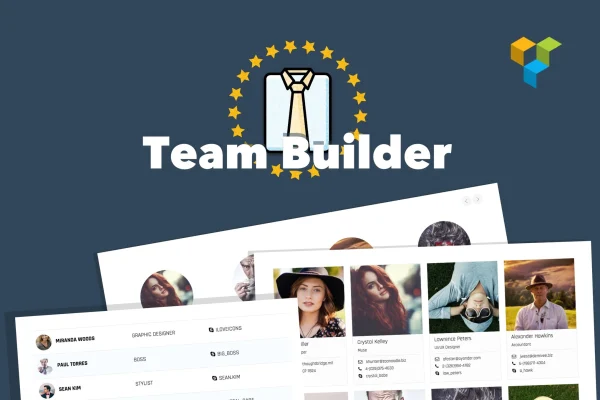
Team Builder is a WordPress plugin for presenting the people behind your business. It gives you a visual admin builder, several layout styles and sliding profile panels, so you can put together a meet the team section without writing code.
- Version
- 1.6.0
- Released
- Aug 24, 2026
- Type
- WordPress plugin
- Licence
- GPL
- Included in
- Every plan, or $3.99 on its own
What’s new in Team Builder 1.6.0
Version 1.6.0 · Aug 24, 2026
Latest
What it does
Most sites need a page that introduces the team, but building one by hand usually means wrestling with columns, images and spacing. Team Builder handles that work for you. You add team members in a drag-and-drop admin builder, pick a layout such as a grid, slider, table or widget, and adjust colors, fonts and spacing to match your branding. The finished section displays responsively on desktops, tablets and phones.
Once your team section is ready, you can place it anywhere with a shortcode or design it inside Visual Composer. Each member can have a sliding profile panel, with five themes to choose from, and the panel content is written with the native WordPress visual and HTML editors. Animated skill bars show each person's strengths. The same tools also work for testimonials, logo displays and other image grid content.
Best for
- Agencies introducing their staff to prospective clients
- Company websites with an about or team page
- Sites displaying testimonials or client logos in grids
Features
Grid, slider, table and widget layouts
Pick the layout that fits your page, from a classic grid or a moving slider to a table view or a compact sidebar widget.
Sliding profile panels
Open a detailed panel for each team member, styled with one of five themes and edited with the native WordPress visual and HTML editors.
Drag-and-drop admin builder
Add, arrange and update team members from a visual backend interface, with no coding needed to build or change the layout.
Design controls
Adjust colors, fonts, spacing and the arrangement of elements so the team section matches the look of the rest of your site.
Animated skill bars
Display each member's skills and areas of expertise as animated progress bars inside their profile.
Shortcode placement
Embed a finished team section on any page, post or area of your site by pasting its shortcode where you want it to appear.
Visual Composer support
Build and position your team layouts inside the Visual Composer page builder if that is already part of your design workflow.
Responsive display
Team layouts adapt to desktops, tablets and smartphones, so visitors can browse profiles comfortably on any screen size.
Questions about Team Builder
Can I use this plugin for things other than team profiles?
Yes. Along with team member profiles, it can be used for testimonials, logo displays and other image grid content, using the same layouts and design options.
Do I need to know how to code to build a team page?
No. Team members are added and arranged in a visual drag-and-drop admin builder, and design settings such as colors, fonts and spacing are adjusted from the interface. You then place the result with a shortcode.
Does it work with a page builder?
It supports Visual Composer, so you can design and place team layouts inside that builder. For other pages, the shortcode lets you embed a team section wherever you need it.
Will the team section look right on phones?
The layouts are responsive and adapt to desktops, tablets and smartphones, so profiles, sliders and skill bars display properly on smaller screens.
Is Team Builder free?
The code of Team Builder is licensed under the GPL, so anyone may use, change and share it. GPL Feast is a paid service: a plan or a single purchase gives you the download and automatic updates. The developer's own support, licence key and online services are not included.
Which version of Team Builder is this?
Version 1.6.0, released Aug 24, 2026. New versions appear here when the developer publishes them, and members get them as automatic updates.
How do I update Team Builder?
Install the free GPL Feast Updater on your site and connect it with your API key. It installs new versions of Team Builder automatically and keeps a backup, so you can roll back.
You might also like






