
Plugin
Updated
Team Showcase
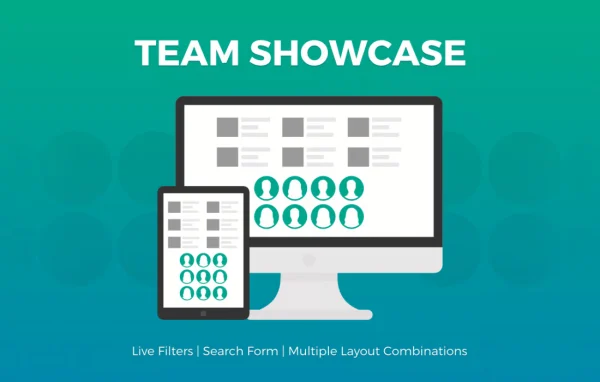
Team Showcase is a WordPress plugin for presenting team members, staff or any group of people on your site. It pairs each person's photo with a bio, social links and other details, and gives you several layouts to choose from so the profiles fit your design.
- Version
- 25.05.14
- Released
- May 14, 2025
- Type
- WordPress plugin
- Licence
- GPL
- Included in
- Every plan, or $3.99 on its own
What’s new in Team Showcase 25.05.14
Version 25.05.14 · May 14, 2025
Latest
- SecuritySecurity improvements
- FixedPHP error fixed for PHP8 compatibility
What it does
Most sites need a clear way to introduce the people behind them, and a plain image gallery rarely does the job. This plugin combines photos with written information so visitors can see who works there and what each person does. You can display your company staff, project teams or even client testimonials, since any content that pairs an image with text works well in its layouts.
You choose how the profiles appear: a standard grid, a grid that reveals information on hover, a responsive table or a thumbnail pager. Member details can sit to the left or right of an image, below it, or appear on hover. For larger teams, you can sort members into categories or groups to keep things organized. Layouts are responsive and retina ready, so profiles display cleanly on phones, tablets and high-resolution screens.
Best for
- Company websites introducing staff and leadership
- Agencies and nonprofits presenting their teams
- Sites displaying testimonials with photos
Features
Several layout options
Present team members in a grid, a grid with hover information, a responsive table or a thumbnail pager, depending on how much detail you want to show.
Flexible information placement
Place member details to the right, left or below each photo, or keep them hidden until a visitor hovers over the image.
Categories and groups
Organize members into separate categories or groups, which makes larger teams easier to manage and easier for visitors to browse.
Responsive and retina ready
Profiles adjust to different screen sizes and display sharp, high-resolution images on modern retina screens.
Bios, photos and social links
Each member profile can include a photo, a short bio and social links so visitors get a fuller picture of the person.
Works for testimonials too
Use the same layouts for client testimonials or any other content that pairs an image with a block of text.
Team Showcase older versions
- 2.2.6May 2, 20231 fix
Members and buyers of this product can download older versions.
Questions about Team Showcase
What layouts can I use to display my team?
You can pick a grid, a grid with hover information, a responsive table or a thumbnail pager. Member information can be positioned to the left, right or below images, or revealed on hover, so you can match the layout to your site.
Can I organize a large team into departments?
Yes. The plugin lets you sort members into categories or groups. This keeps bigger teams manageable on the back end and helps visitors find the people or departments they are looking for.
Will the team profiles look right on mobile devices?
The layouts are responsive, so they adapt to different screen sizes. They are also retina ready, which means photos display sharply on high-resolution phone, tablet and desktop screens.
Can I use it for something other than team members?
Yes. Any content that pairs an image with text fits its layouts, so it works for client testimonials, project teams or other groups of people you want to present.
Is Team Showcase free?
The code of Team Showcase is licensed under the GPL, so anyone may use, change and share it. GPL Feast is a paid service: a plan or a single purchase gives you the download and automatic updates. The developer's own support, licence key and online services are not included.
Which version of Team Showcase is this?
Version 25.05.14, released May 14, 2025. New versions appear here when the developer publishes them, and members get them as automatic updates.
How do I update Team Showcase?
Install the free GPL Feast Updater on your site and connect it with your API key. It installs new versions of Team Showcase automatically and keeps a backup, so you can roll back.
You might also like






