
Plugin
Updated
Team Vision for Elementor
Team Vision for Elementor is a WordPress plugin that adds team member sections to the Elementor page builder. It gives you 14 addons covering grid layouts and carousels, so you can present your staff on a company, agency or portfolio site without writing code.
- Version
- 1.0
- Released
- May 2, 2023
- Type
- WordPress plugin
- Requires
- Elementor
- Licence
- GPL
- Included in
- Every plan, or $3.99 on its own
What’s new in Team Vision for Elementor 1.0
Version 1.0 · May 2, 2023
Latest
What it does
Most business and agency sites need a page or section that introduces the people behind the work, and building one by hand in Elementor can take a while. This plugin gives you ready-made team designs that you drop into a page and fill with your own details. It requires Elementor and works inside the editor you already use, so there is no code to write and no separate interface to learn.
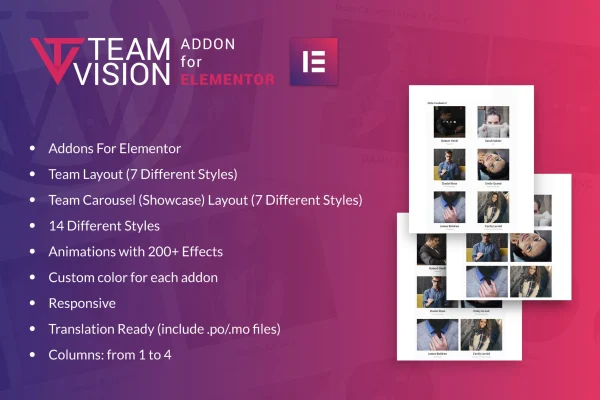
The plugin includes 14 addons split between seven team layout styles and seven carousel styles. Layouts suit a static grid of team members, while carousels present people in a scrollable slider. You can set custom colors for each addon, choose from 1 to 4 columns, and apply animation effects from a library of over 200. Designs are responsive and retina ready, and .po/.mo files are included for translating your team sections into other languages.
Best for
- Corporate websites with a meet the team page
- Agencies presenting staff in a portfolio site
- Freelancers building Elementor sites for business clients
Features
Seven team layout styles
Choose from seven distinct layout designs for presenting team members in a static arrangement that fits the look of your site.
Seven team carousel styles
Show team members in a scrollable slider using one of seven carousel designs, useful when you have more people than fit on screen.
Over 200 animation effects
Apply animation effects from a library of over 200 options to your team sections so they match the tone of your website.
Custom colors per addon
Set custom colors for each addon individually so your team sections line up with your brand colors.
Column control from 1 to 4
Adjust how many columns your team section uses, from 1 to 4, to balance spacing against the number of people shown.
Responsive and retina ready
Team sections adapt to desktops, tablets and smartphones, and visuals stay sharp on high-resolution screens.
Translation files included
The plugin ships with .po/.mo files so you can localize your team presentation for visitors who speak other languages.
Questions about Team Vision for Elementor
Do I need Elementor to use this plugin?
Yes. Team Vision for Elementor is an addon for the Elementor page builder and requires it. The team layouts and carousels are added and configured inside the Elementor editor, with no coding needed.
How many team designs are included?
There are 14 addons in total. Seven are team layout styles for static grid-style sections, and seven are carousel styles that display team members in a scrollable slider.
Can I match the team sections to my brand?
You can set custom colors for each addon, choose from 1 to 4 columns, and pick from over 200 animation effects. These options let you adjust the look and layout density to suit your site's design.
Will my team section work on mobile devices?
Yes. The designs are responsive, so they adjust to different screen sizes from desktops to smartphones, and they are retina ready for crisp display on high-resolution screens.
Is Team Vision for Elementor free?
The code of Team Vision for Elementor is licensed under the GPL, so anyone may use, change and share it. GPL Feast is a paid service: a plan or a single purchase gives you the download and automatic updates. The developer's own support, licence key and online services are not included.
Which version of Team Vision for Elementor is this?
Version 1.0, released May 2, 2023. New versions appear here when the developer publishes them, and members get them as automatic updates.
How do I update Team Vision for Elementor?
Install the free GPL Feast Updater on your site and connect it with your API key. It installs new versions of Team Vision for Elementor automatically and keeps a backup, so you can roll back.
What does Team Vision for Elementor need?
Team Vision for Elementor needs Elementor installed and active.
You might also like






