
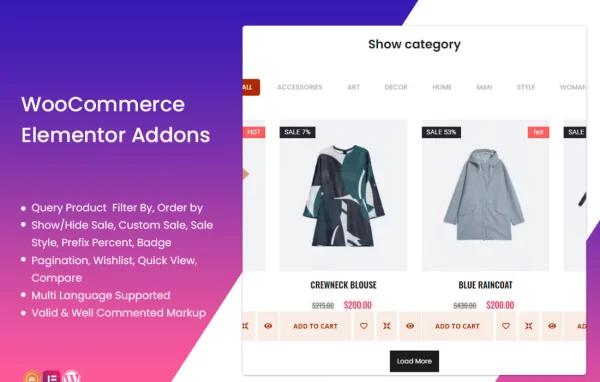
Plugin
Updated
TF Woo Product Grid Addon For Elementor
This plugin adds WooCommerce product display widgets to the Elementor page builder. It lets you place products in grids or carousels, choose which products appear, and adjust columns, ordering and carousel controls without writing code.
- Version
- 1.0.2
- Released
- May 2, 2023
- Type
- WordPress plugin
- Requires
- Elementor
- Licence
- GPL
- Included in
- Every plan, or $3.99 on its own
What’s new in TF Woo Product Grid Addon For Elementor 1.0.2
Version 1.0.2 · May 2, 2023
Latest
What it does
The default WooCommerce shop pages give you limited control over how products are arranged. If you build your site with Elementor, this addon brings product listings into the editor so you can drop a grid or carousel onto any page and configure it with drag and drop. You can pick a layout, set how many products show, choose the number of columns and decide the order, all from the widget settings.
Product selection is flexible. You can display recent, featured, best selling, sale, top rated or mixed products, or limit a block to a specific category. Longer lists can use pagination or a load more button, and the layouts are responsive and retina ready for desktops, tablets and phones. Additional Themesflat Addons are included too, adding video widgets, sliders, image boxes and header and footer customization. Elementor is required.
Best for
- WooCommerce stores built with Elementor
- Freelancers designing custom shop pages for clients
- Store owners featuring sale or best selling products
Features
Grid and carousel layouts
Show products in a grid or a carousel, picking the format that suits each page of your store, from a homepage section to a category landing page.
Pagination and load more
Split long product lists with pagination or let shoppers reveal more items with a load more button instead of loading everything at once.
Product source filtering
Display recent, featured, best selling, sale, top rated or mixed products, so each block can highlight a different set of items.
Category-specific listings
Limit a product block to a single category, which helps when building dedicated pages or sections for particular product lines.
Adjustable product settings
Set the number of products, the ordering and the column count, and fine tune carousel controls to fit your page design.
Responsive, retina ready output
Product layouts adapt to desktops, tablets and smartphones, and visuals are prepared for high resolution retina screens.
Drag and drop in Elementor
Configure everything inside the Elementor editor by dragging widgets onto the page and changing options, with no coding needed.
Extra Themesflat Addons included
Get additional widgets for videos, sliders and image boxes, along with tools for customizing headers and footers.
Questions about TF Woo Product Grid Addon For Elementor
Do I need Elementor to use this plugin?
Yes. The addon works as a set of widgets inside the Elementor page builder, so Elementor must be active. It displays WooCommerce products, so it is meant for sites running a WooCommerce shop.
Can I show only products from one category?
Yes. Along with recent, featured, best selling, sale, top rated and mixed options, you can set a product block to show items from a specific category, which suits category landing pages.
What happens when I have a lot of products to list?
You can control how many products appear and then choose pagination or a load more button. Both let visitors move through a longer list without everything appearing on the page at once.
Will the product grids look right on phones?
The layouts are fully responsive and retina ready, so grids and carousels adjust across desktops, tablets and smartphones, and images stay sharp on high resolution screens.
Is TF Woo Product Grid Addon For Elementor free?
The code of TF Woo Product Grid Addon For Elementor is licensed under the GPL, so anyone may use, change and share it. GPL Feast is a paid service: a plan or a single purchase gives you the download and automatic updates. The developer's own support, licence key and online services are not included.
Which version of TF Woo Product Grid Addon For Elementor is this?
Version 1.0.2, released May 2, 2023. New versions appear here when the developer publishes them, and members get them as automatic updates.
How do I update TF Woo Product Grid Addon For Elementor?
Install the free GPL Feast Updater on your site and connect it with your API key. It installs new versions of TF Woo Product Grid Addon For Elementor automatically and keeps a backup, so you can roll back.
What does TF Woo Product Grid Addon For Elementor need?
TF Woo Product Grid Addon For Elementor needs Elementor installed and active.
You might also like






