
Plugin
Updated
TFAnimated Headline Addon For Elementor
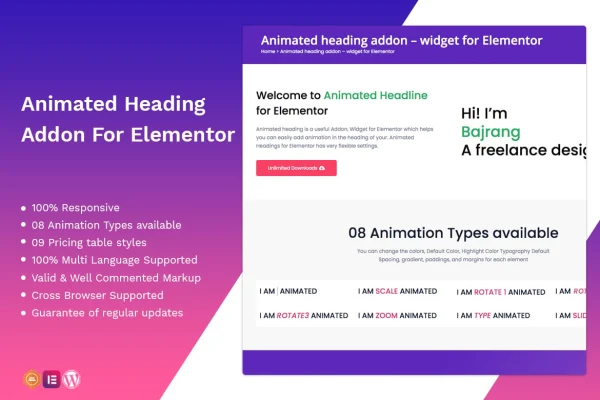
This plugin adds an animated heading widget to the Elementor page builder. It lets you turn static headings into moving text with eight animation types, plus styling controls for colors, typography, spacing and gradients, all set from inside the Elementor editor without writing code.
- Version
- 1.0.2
- Released
- May 2, 2023
- Type
- WordPress plugin
- Requires
- Elementor
- Licence
- GPL
- Included in
- Every plan, or $3.99 on its own
What’s new in TFAnimated Headline Addon For Elementor 1.0.2
Version 1.0.2 · May 2, 2023
Latest
What it does
A plain heading often gets skipped. This addon gives Elementor users a widget that applies motion to heading text, so a headline or a highlighted word draws the eye. You can keep it subtle with a light highlight or go bolder with a more noticeable effect, depending on the animation type you pick. Everything is configured within the Elementor interface, so designers who already build pages there can add animated headings without touching code or learning a separate tool.
The widget gives you control over default and highlight settings, colors, typography, spacing, gradients, paddings and margins, so headings can match the rest of your site's design. It is responsive across desktops, tablets and phones, retina ready for high-resolution screens, and built to work across major browsers. It also supports multilingual sites. The code is valid and commented, which helps developers who want to customize it. It suits blogs, portfolios, corporate sites and creative agency pages.
Best for
- Elementor users wanting animated headings without coding
- Blogs, portfolios and corporate websites
- Creative agencies building client sites in Elementor
Features
Eight animation types
Choose from eight different text animations to give headings motion, from understated highlights to more eye-catching effects that suit your page's tone.
Default and highlight styling
Set separate default and highlight settings so the animated part of a heading can look different from the surrounding static text.
Typography, colors and gradients
Adjust fonts, colors and gradients on your headings so the animated text fits your brand's look and the rest of your page design.
Spacing, padding and margins
Fine tune spacing, paddings and margins around each heading to place it exactly where you want within your Elementor layout.
Responsive on all devices
Animated headings adapt to desktops, tablets and smartphones, so the effect holds up for visitors on any screen size.
Retina ready display
Support for high-resolution displays keeps animated heading text crisp and sharp on modern screens with dense pixel counts.
Multilingual site support
The widget works on multilingual websites, so you can use animated headings on sites that serve visitors in more than one language.
Clean, commented code
Valid, well-commented code makes it easier for developers to understand the widget and customize its behavior for a project.
Questions about TFAnimated Headline Addon For Elementor
Do I need Elementor to use this addon?
Yes. It is a widget built for the Elementor page builder, and all of its settings are configured inside the Elementor interface. You add it to a page like any other Elementor widget and adjust the animation and styling from there.
How many animation styles can I choose from?
The widget includes eight animation types. You can pick a subtle text highlight or a bolder effect, then style it with your own colors, typography, gradients and spacing so it fits the look of your site.
Will the animated headings look right on phones and tablets?
The widget is responsive, so headings adapt to desktops, tablets and smartphones. It is also retina ready for sharp text on high-resolution screens and is built to work consistently across major web browsers.
Can I use it on a site with several languages?
Yes. The addon supports multilingual websites, so you can add animated headings to pages in different languages and keep a consistent heading style across the translated versions of your site.
Is TFAnimated Headline Addon For Elementor free?
The code of TFAnimated Headline Addon For Elementor is licensed under the GPL, so anyone may use, change and share it. GPL Feast is a paid service: a plan or a single purchase gives you the download and automatic updates. The developer's own support, licence key and online services are not included.
Which version of TFAnimated Headline Addon For Elementor is this?
Version 1.0.2, released May 2, 2023. New versions appear here when the developer publishes them, and members get them as automatic updates.
How do I update TFAnimated Headline Addon For Elementor?
Install the free GPL Feast Updater on your site and connect it with your API key. It installs new versions of TFAnimated Headline Addon For Elementor automatically and keeps a backup, so you can roll back.
What does TFAnimated Headline Addon For Elementor need?
TFAnimated Headline Addon For Elementor needs Elementor installed and active.
You might also like






