
Plugin
Updated
TFPosts Addon For Elementor
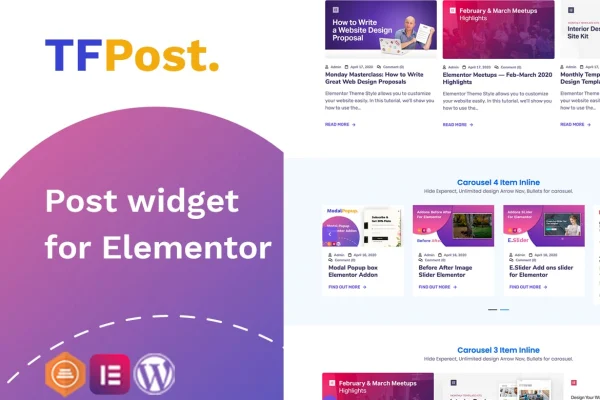
TFPosts Addon For Elementor is a WordPress plugin that adds a post display widget to the Elementor page builder. It lets you place blog posts on any page as a grid, list, masonry layout or carousel slider, with control over which posts appear and how each one looks.
- Version
- 1.0.3
- Released
- Apr 2, 2022
- Type
- WordPress plugin
- Requires
- Elementor
- Licence
- GPL
- Included in
- Every plan, or $3.99 on its own
What’s new in TFPosts Addon For Elementor 1.0.3
Version 1.0.3 · Apr 2, 2022
Latest
- FixedFixed bug on Elementor 3.6.1
What it does
Elementor sites often need a clean way to list posts outside the default blog page, such as recent articles on a homepage or a set of posts from one category on a landing page. This plugin handles that inside Elementor's drag and drop editor. You choose a layout, set the query, and style the post cards without writing code or relying on your theme's archive templates.
The query settings let you filter posts by category, sort them by date, title or post ID, and exclude specific posts you don't want shown. From there you decide which parts of each post appear: the image, title, excerpt, button and meta details like author, date, category and comments. Carousel mode adds navigation controls and pagination styles, and the displays are responsive and retina ready. The plugin requires Elementor.
Best for
- Blogs built with Elementor that need flexible post listings
- Portfolio and magazine style sites featuring recent articles
- Freelancers and agencies designing Elementor sites for clients
Features
Four layout choices
Display posts as a grid, a list, a masonry layout or a carousel slider, so you can match the layout to the page and the amount of content.
Post query controls
Filter posts by category, order them by date, post ID or title, and exclude specific posts to control exactly which content shows up.
Image display options
Show or hide featured images and adjust their size and position within each post item to fit the design of your page.
Title, excerpt and button settings
Control how titles appear, set the excerpt length and change the button text so each post card reads the way you want.
Flexible post meta
Display author, date, category and comment count, and choose whether this meta information sits before or after the post title.
Carousel with navigation
Turn on carousel mode to let visitors slide through posts, with navigation controls and a choice of pagination styles.
Responsive and retina ready
Post displays adapt to different screen sizes and stay sharp on high resolution screens, so layouts hold up on phones, tablets and desktops.
Questions about TFPosts Addon For Elementor
Do I need Elementor to use this plugin?
Yes. It is built as an Elementor addon and works inside Elementor's drag and drop editor, so Elementor must be active on your site. You add the post widget to a page and configure the layout, query and styling from the editor panel.
Can I show posts from only certain categories?
Yes. The query settings let you filter posts by category. You can also order them by date, title or post ID and exclude individual posts, which is useful for building sections like featured articles or category highlights on a homepage.
Which layouts are available?
You can choose a grid, a list, a masonry layout or a carousel slider. The carousel includes navigation controls and several pagination styles, so visitors can move through posts without the section taking up a lot of vertical space.
Can I control what details appear on each post?
Yes. You can show or hide the image and adjust its size and position, set the excerpt length, change the button text and display meta such as author, date, category and comments, placed either before or after the title.
Is TFPosts Addon For Elementor free?
The code of TFPosts Addon For Elementor is licensed under the GPL, so anyone may use, change and share it. GPL Feast is a paid service: a plan or a single purchase gives you the download and automatic updates. The developer's own support, licence key and online services are not included.
Which version of TFPosts Addon For Elementor is this?
Version 1.0.3, released Apr 2, 2022. New versions appear here when the developer publishes them, and members get them as automatic updates.
How do I update TFPosts Addon For Elementor?
Install the free GPL Feast Updater on your site and connect it with your API key. It installs new versions of TFPosts Addon For Elementor automatically and keeps a backup, so you can roll back.
What does TFPosts Addon For Elementor need?
TFPosts Addon For Elementor needs Elementor installed and active.
You might also like






