
Plugin
Updated
The Plus Addons for Block Editor Pro
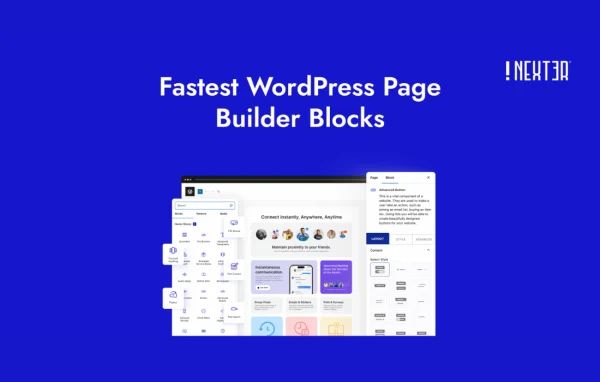
The Plus Addons for Block Editor Pro, also known as Nexter Blocks Pro, is a WordPress plugin by POSIMYTH that adds a large library of custom blocks to the Block Editor. It lets you build layouts, forms, popups, headers and store pages in Gutenberg without writing code.
- Version
- 5.0.7
- Released
- Sep 24, 2026
- Developer
- POSIMYTH
- Type
- WordPress plugin
- Requires
- The Plus Addons for Block Editor
- Licence
- GPL
- Included in
- Every plan, or $4.79 a year on its own
What’s new in The Plus Addons for Block Editor Pro 5.0.7
Version 5.0.7
Latest
- ImprovedWidgets Screen : Editor dependencies now load on the widgets screen, matching the free plugin's block widget area support.
- ImprovedEditor Dependencies : Script dependency list updated for the current block editor (adds moment, wp-compose, wp-data, wp-hooks, wp-preferences, wp-rich-text).
- ImprovedOrder Review Block : Tax rows and totals now carry dedicated classes for consistent styling.
- FixedForm : Editor no longer crashes when a form has an old or invalid saved action value.
- FixedForm : Required checkbox no longer shows "field is required" when a box is already ticked.
- FixedForm : Multi Step progress bar now stays on one row and labels no longer clip on mobile.
- ImprovedSingle Product Image : Advanced & global options (animation, custom CSS, position) now apply on the frontend.
- ImprovedSingle Product Image : Active gallery thumbnail stays visible and centered across all column settings.
What it does
The default Block Editor covers basic content well, but many sites need more: pricing tables, carousels, mega menus, filterable post grids or a styled login form. This plugin fills that gap with a wide set of blocks that live right inside Gutenberg. You get essential pieces like headings, infoboxes, testimonials and progress bars, plus interactive ones such as animated headings, hotspots, scroll effects and Lottie animations, all customizable through styling options instead of code.
Beyond page design, it handles several jobs that usually call for separate plugins. There is a popup and off-canvas builder with more than 50 pre-designed templates, a header and mega menu builder, a form builder, and grid, filter and Ajax live search tools. WooCommerce stores get product grids, carousels and filters. Display conditions let you show or hide blocks by user role, date, time or device, and agencies can white label the plugin for client work.
Best for
- Bloggers and designers building pages in Gutenberg
- WooCommerce stores wanting custom product grids and filters
- Agencies that white label tools for client sites
Features
Essential and creative blocks
Add infoboxes, flipboxes, progress bars, pricing tables, testimonials, animated headings and carousel sliders to build engaging pages directly in the Block Editor.
Popup and off-canvas builder
Design modal popups and slide-in panels, starting from more than 50 pre-designed templates that you can adjust to match your site.
Grid, filter and live search
Build custom post listings, product filters and Ajax search bars that return results in real time as visitors type.
WooCommerce layouts
Create product grids, carousels, filters and single product layouts, including product image galleries and order review sections for your store.
Form builder
Add and style contact, registration, login and subscription forms, including multi step forms with a progress bar, so they match your design.
Header and mega menu builder
Create responsive headers and multi-level mega menus with sticky, transparent and scroll-based effects.
Display conditions
Show or hide any block based on user role, date and time, device type and other rules to tailor what each visitor sees.
Social feeds and white label
Embed feeds from Facebook, Instagram, YouTube and Vimeo, and rebrand the plugin with your agency name for client projects.
The Plus Addons for Block Editor Pro older versions
- 5.0.6Sep 9
- 5.0.5Sep 9
- 5.0.5Sep 9
- 5.0.4Aug 21
- 5.0.3Aug 15
- 5.0.2Jul 24
- 5.0.1Jul 20
- 5.0.0Jul 15
- 4.7.11Jul 1
- 4.7.9Jun 24
Members and buyers of this product can download older versions.
30 older versions in all. If you need one that is not listed, ask support.
Questions about The Plus Addons for Block Editor Pro
Does this work with the Block Editor or with a page builder?
It is built for the WordPress Block Editor (Gutenberg). All of its blocks appear in the editor alongside the core blocks, so you design pages the same way you already write posts, with extra styling and animation options.
Can I use it to build my WooCommerce store pages?
Yes. It includes WooCommerce blocks for product grids, carousels, filters and advanced layouts, along with single product image galleries and an order review block whose tax rows and totals can be styled consistently.
Can I create popups and forms without another plugin?
The plugin has its own popup and off-canvas builder with more than 50 pre-designed templates, and a form builder for contact, registration, login and subscription forms, including multi step forms.
Can I hide certain content from some visitors?
Yes. Display conditions let you show or hide blocks based on user roles, date and time, device type and more, which is useful for member content, timed offers or mobile-specific sections.
Is The Plus Addons for Block Editor Pro free?
The code of The Plus Addons for Block Editor Pro is licensed under the GPL, so anyone may use, change and share it. GPL Feast is a paid service: a plan or a single purchase gives you the download and automatic updates. The developer's own support, licence key and online services are not included.
Which version of The Plus Addons for Block Editor Pro is this?
Version 5.0.7, released Sep 24, 2026. New versions appear here when the developer publishes them, and members get them as automatic updates.
How do I update The Plus Addons for Block Editor Pro?
Install the free GPL Feast Updater on your site and connect it with your API key. It installs new versions of The Plus Addons for Block Editor Pro automatically and keeps a backup, so you can roll back.
What does The Plus Addons for Block Editor Pro need?
The Plus Addons for Block Editor Pro needs The Plus Addons for Block Editor installed and active.
You might also like






