
Plugin
Updated
Timelentor - Timeline Layouts for Elementor
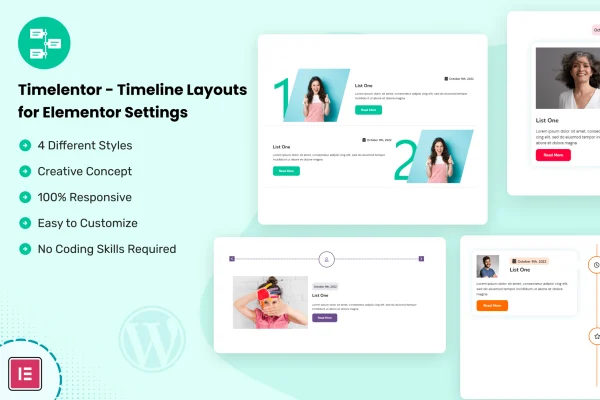
Timelentor - Timeline Layouts for Elementor is a WordPress plugin that adds timeline widgets to the Elementor page builder. It gives you four timeline styles for presenting chronological content, such as company history, project milestones or event schedules, and you build them with drag and drop instead of code.
- Version
- 1.0.8
- Released
- Aug 29, 2026
- Type
- WordPress plugin
- Requires
- Elementor
- Licence
- GPL
- Included in
- Every plan, or $3.99 on its own
What’s new in Timelentor - Timeline Layouts for Elementor 1.0.8
Version 1.0.8 · Aug 29, 2026
Latest
- ImprovedLatest WordPress 7.1 compatibility check
What it does
Chronological content can be hard to read when it sits in plain paragraphs or long lists. A timeline lays out events in order so visitors can follow a progression at a glance. This plugin brings that format into Elementor as widgets you drag onto a page, then fill with your own entries. You can add and organize items to match the story you want to tell, and adjust the look to fit your branding without writing any code.
The plugin includes four distinct timeline designs, each built to respond to different screen sizes so your layout works on phones, tablets and desktops. It suits a wide range of sites, including digital agencies, personal portfolios, blogs and corporate websites. Use it for an about page that traces a company's history, a portfolio that walks through project stages or a page listing upcoming events. It requires Elementor to run.
Best for
- Corporate sites presenting company history
- Agencies and freelancers building Elementor sites for clients
- Portfolios and blogs showing milestones or event schedules
Features
Four timeline styles
Pick from four distinct timeline designs, giving you different visual options for presenting histories, milestones and other content that follows a sequence of events.
Elementor drag and drop widgets
Timeline widgets work inside the Elementor editor, so you can drag them onto any page and build your layout visually without touching code.
Responsive layouts
Each timeline style is built to adapt to different screen sizes, so your content stays readable on mobile phones, tablets and desktop computers.
Flexible content entries
Add, arrange and organize timeline items to fit your narrative, and adjust styling so the timeline matches your brand and the rest of your site.
Suited to many use cases
Present project milestones, company history, event schedules or personal career steps, using the same set of widgets across different types of pages.
No coding required
The visual, drag and drop approach means people without development skills can still build and edit timelines on their own pages.
Timelentor - Timeline Layouts for Elementor older versions
- 1.0.7Aug 271 improvement
- 1.0.5Apr 28, 20251 improvement
- 1.0.4Feb 7, 20251 fix
- 1.0.1Feb 22, 2024
Members and buyers of this product can download older versions.
Questions about Timelentor - Timeline Layouts for Elementor
Do I need Elementor to use this plugin?
Yes. Timelentor works as an add-on for the Elementor page builder, and its timeline widgets are added through the Elementor editor. You will need Elementor active on your WordPress site to build and display the timelines.
How many timeline designs are included?
The plugin includes four distinct timeline styles. Each one offers a different visual flow for chronological content, so you can choose the design that best matches your site and the kind of story you are telling.
Will my timelines look right on mobile devices?
The timeline layouts are built to be responsive, adapting to mobile phones, tablets and desktop screens. Your entries rearrange to fit smaller displays so visitors can still follow the sequence of events.
What kinds of content can I put in a timeline?
Any content that follows an order works well, such as company history, project milestones, event schedules or personal career highlights. You can add and organize entries to fit your narrative and branding.
Is Timelentor - Timeline Layouts for Elementor free?
The code of Timelentor - Timeline Layouts for Elementor is licensed under the GPL, so anyone may use, change and share it. GPL Feast is a paid service: a plan or a single purchase gives you the download and automatic updates. The developer's own support, licence key and online services are not included.
Which version of Timelentor - Timeline Layouts for Elementor is this?
Version 1.0.8, released Aug 29, 2026. New versions appear here when the developer publishes them, and members get them as automatic updates.
How do I update Timelentor - Timeline Layouts for Elementor?
Install the free GPL Feast Updater on your site and connect it with your API key. It installs new versions of Timelentor - Timeline Layouts for Elementor automatically and keeps a backup, so you can roll back.
What does Timelentor - Timeline Layouts for Elementor need?
Timelentor - Timeline Layouts for Elementor needs Elementor installed and active.
You might also like






