
Plugin
Updated
Timeline for Elementor
Timeline for Elementor is a WordPress plugin that adds a timeline widget to the Elementor page builder. It pulls your posts into a chronological timeline you can drop onto any page, with layout, color and animation settings to match your site.
- Version
- 1.0
- Released
- May 2, 2023
- Type
- WordPress plugin
- Requires
- Elementor
- Licence
- GPL
- Included in
- Every plan, or $3.99 on its own
What’s new in Timeline for Elementor 1.0
Version 1.0 · May 2, 2023
Latest
What it does
Some content makes more sense in order: a company history, a project's milestones, a news story as it unfolds, or a personal journey. A plain blog list doesn't show that flow very well. This plugin turns your posts into a vertical timeline so visitors can follow events from one point to the next. Because it works as an Elementor widget, you build the timeline the same way you build the rest of your pages, by dragging it into place and adjusting its settings.
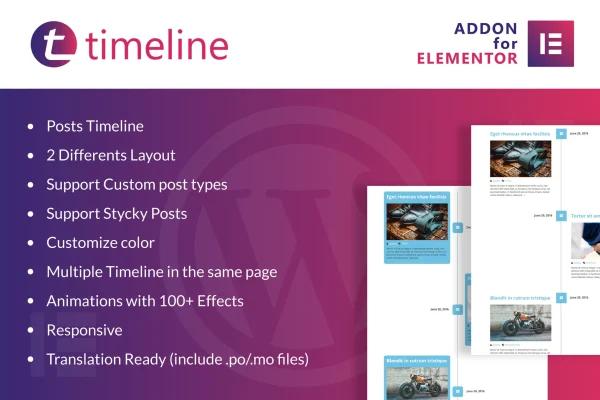
The widget can draw from regular posts or from custom post types, so it fits sites that store events, projects or case studies separately from the blog. Sticky posts stay highlighted within the timeline, and you can place more than one timeline on the same page. You pick from two layouts, set colors to match your branding and add animation effects. Timelines are responsive and retina ready, and the plugin includes .po/.mo files for translation. Elementor is required.
Best for
- Businesses presenting company history or project milestones
- Bloggers and journalists telling stories in chronological order
- Historians and educators organizing events by date
Features
Elementor timeline widget
Adds a timeline widget to Elementor so you can drag it onto any page and configure it inside the builder you already use.
Two post timeline layouts
Choose between two different layouts for your post timeline to suit the style of your site and the way your content reads.
Custom post type support
Build timelines from any post type, including custom ones for events, projects or portfolio entries, instead of only standard blog posts.
Sticky posts highlighting
Sticky posts are supported in the timeline, which helps you call attention to important events or entries in the sequence.
Multiple timelines per page
Place several timelines on the same page, for example one per department or project, each with its own content and settings.
Over 100 animation effects
Pick from more than 100 animation effects that play as visitors scroll through the timeline entries.
Responsive and retina ready
Timelines adapt to desktops, tablets and phones, and display sharply on high resolution screens.
Custom colors and translation
Set timeline colors to match your branding, and translate the plugin text using the included .po/.mo files for multilingual sites.
Questions about Timeline for Elementor
Do I need Elementor to use this timeline plugin?
Yes. The plugin works as an addon for the Elementor page builder and adds its timeline as an Elementor widget, so Elementor needs to be active on your site.
Can the timeline show content other than blog posts?
Yes. It supports custom post types, so you can build a timeline from events, projects or any other post type your site uses. Sticky posts are supported too, which lets you highlight specific entries.
Can I put more than one timeline on a page?
Yes. Multiple timelines can sit on the same page. That is handy if you want separate timelines for different projects, teams or topics on one layout.
Will the timeline work on a multilingual site?
The plugin is translation ready and includes .po/.mo files, so you can translate its text for sites in other languages or for multilingual setups.
Is Timeline for Elementor free?
The code of Timeline for Elementor is licensed under the GPL, so anyone may use, change and share it. GPL Feast is a paid service: a plan or a single purchase gives you the download and automatic updates. The developer's own support, licence key and online services are not included.
Which version of Timeline for Elementor is this?
Version 1.0, released May 2, 2023. New versions appear here when the developer publishes them, and members get them as automatic updates.
How do I update Timeline for Elementor?
Install the free GPL Feast Updater on your site and connect it with your API key. It installs new versions of Timeline for Elementor automatically and keeps a backup, so you can roll back.
What does Timeline for Elementor need?
Timeline for Elementor needs Elementor installed and active.
You might also like






