
Plugin
Updated
Timeline
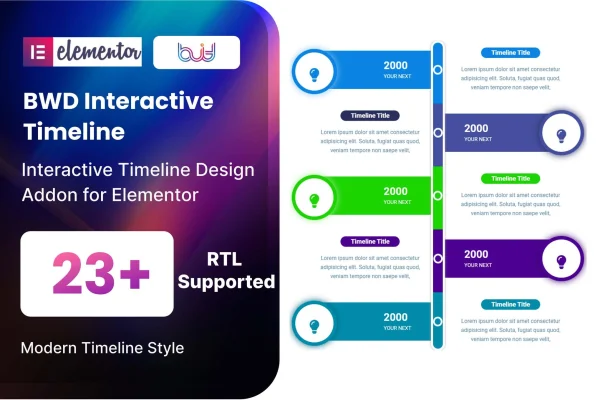
Timeline is a WordPress plugin that adds timeline building to Elementor. It lets you lay out events, milestones or processes in order, using preset designs and simple controls, so you can present a sequence of content on any page without writing code.
- Version
- 1.5
- Released
- Aug 26, 2026
- Type
- WordPress plugin
- Requires
- Elementor
- Licence
- GPL
- Included in
- Every plan, or $3.99 on its own
What’s new in Timeline 1.5
Version 1.5 · Aug 26, 2026
Latest
What it does
Some content reads best in order: the story of a company, the stages of a project, a career path or a step-by-step process. Writing it as a long block of text makes the sequence hard to follow. This addon works inside Elementor, so you build a timeline the same way you build the rest of your page. You pick one of the preset designs, then fill in titles, descriptions and images for each entry and adjust colors to match your site.
The plugin includes 24 preset timeline designs, which gives you a range of starting points for different site styles. Timelines are responsive, so they adjust to phone, tablet and desktop screens, and they work across major browsers. Sites in right-to-left languages are supported, and a POT file is included for translating the plugin's text. It is meant to sit alongside your existing theme, and it comes with documentation to help you set things up.
Best for
- Company websites presenting their history
- Portfolios and personal sites listing achievements
- Project pages tracking milestones or processes
Features
24 preset timeline designs
Start from one of 24 ready-made timeline styles and choose the look that fits your site's design and the kind of story you are telling.
Simple content controls
Edit titles, descriptions, images and colors for each timeline entry through straightforward controls in Elementor, with no coding needed.
Responsive layouts
Timelines adapt to different screen sizes, so your milestones and events stay readable on mobile phones, tablets and desktop computers.
Right-to-left language support
Build timelines for sites written in right-to-left languages, with layouts that follow the reading direction your visitors expect.
Translation ready
An included POT file lets you translate the plugin's text into other languages for multilingual or non-English websites.
Cross-browser display
Timelines are built to display consistently in all major browsers, giving visitors a similar experience whatever they use.
Works with your theme
The addon is designed to fit into any WordPress theme, so you can add timelines without changing your current site design.
Questions about Timeline
Do I need Elementor to use this timeline plugin?
Yes. This is an addon for Elementor, so Elementor must be active on your site. You build and edit timelines inside the Elementor editor, the same way you work with other page content.
Can I change how the timeline looks?
You can choose from 24 preset designs and then adjust titles, descriptions, images and colors for your entries. That lets you match the timeline to your site's style without writing any code.
Will the timelines work on mobile devices?
Yes. The timelines are fully responsive and adapt to mobile, tablet and desktop screens. They are also built to work in all major browsers, so visitors see a consistent layout.
Can I use it on a site in Arabic, Hebrew or another language?
The plugin supports right-to-left languages, and it includes a POT file for translation. That makes it a practical choice for sites in right-to-left languages and for sites that need the plugin text in another language.
Is Timeline free?
The code of Timeline is licensed under the GPL, so anyone may use, change and share it. GPL Feast is a paid service: a plan or a single purchase gives you the download and automatic updates. The developer's own support, licence key and online services are not included.
Which version of Timeline is this?
Version 1.5, released Aug 26, 2026. New versions appear here when the developer publishes them, and members get them as automatic updates.
How do I update Timeline?
Install the free GPL Feast Updater on your site and connect it with your API key. It installs new versions of Timeline automatically and keeps a backup, so you can roll back.
What does Timeline need?
Timeline needs Elementor installed and active.
You might also like






