
Plugin
Updated
Timeliner for Elementor
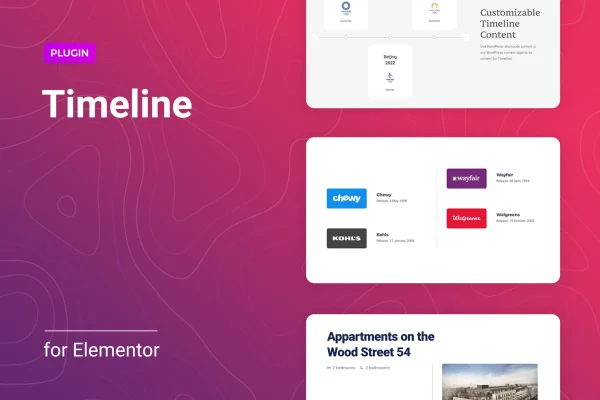
Timeliner for Elementor is a WordPress plugin that lets you build timelines inside the Elementor page builder. You can lay out company history, project milestones or any sequence of events as horizontal or vertical timelines, with images, titles, descriptions and buttons in each entry.
- Version
- 1.0.7
- Released
- Feb 21, 2026
- Type
- WordPress plugin
- Requires
- Elementor
- Licence
- GPL
- Included in
- Every plan, or $3.99 on its own
What’s new in Timeliner for Elementor 1.0.7
Version 1.0.7 · Feb 21, 2026
Latest
- SecurityFixed plugin security issues.
What it does
Presenting events in order is awkward with standard page layouts. You end up stacking columns and text blocks by hand, and the result rarely holds together on a phone. This plugin gives you a dedicated timeline element in Elementor, so you can build a chronological layout in the same editor you already use for the rest of your pages. It requires Elementor to run, and you edit the timeline visually without writing code.
Each timeline is made of entries, and every entry can hold an image, a title, a description and a button. You can add, delete, reorder or duplicate entries as your story changes. Choose a horizontal or vertical layout, set how many entries show per screen and pick which item appears first. The timeline adapts its orientation to the viewer's screen size, and graphics are retina ready for high resolution displays. It suits about pages, project updates, personal achievement records and event histories.
Best for
- Business sites presenting company history
- Agencies and freelancers building Elementor sites for clients
- Portfolios tracking project milestones or personal achievements
Features
Built into Elementor
Design and edit timelines directly in the Elementor drag and drop editor, with changes shown in real time as you work on the page.
Horizontal and vertical layouts
Pick between two display modes for your timeline, and the layout adjusts its orientation automatically based on the size of the visitor's screen.
Responsive on all devices
Timelines are designed to work on desktops, tablets and mobile phones, so your chronological content stays readable without separate mobile versions.
Rich content per entry
Add an image, a title, a description and a button to each timeline entry to tell the story behind every date or milestone.
Flexible entry management
Create, delete, reorder or duplicate timeline items whenever you need to, which makes it simple to rearrange events or reuse an entry's setup.
Display controls
Set the number of timeline entries visible per screen and choose which item appears first, so visitors start at the point you want.
Retina ready graphics
Timeline visuals support high resolution displays, keeping graphics crisp and clear on screens with dense pixel counts.
Timeliner for Elementor older versions
- 1.0.6Dec 29, 20251 improvement
- 1.0.5Feb 12, 20251 improvement
- 1.0.4Jul 8, 20241 fix
- 1.0.3Jun 12, 2023
Members and buyers of this product can download older versions.
Questions about Timeliner for Elementor
Do I need Elementor to use this plugin?
Yes. Timeliner for Elementor works as part of the Elementor page builder, so Elementor must be active on your site. You build and edit your timelines inside the Elementor editor alongside your other page content.
Can I switch between horizontal and vertical timelines?
Yes. You can choose a horizontal or vertical layout for each timeline. The plugin also adapts the timeline orientation to the viewer's screen size, which helps it display properly on desktops, tablets and phones.
What can I put in each timeline entry?
Each entry can include an image, a title, a description and a button. That lets you pair a date or milestone with a photo, some explanatory text and a link to a related page or post.
Can I control how many entries visitors see at once?
Yes. The display settings let you specify how many timeline entries are visible per screen and select which item appears first, so you can start visitors at a particular event or milestone.
Is Timeliner for Elementor free?
The code of Timeliner for Elementor is licensed under the GPL, so anyone may use, change and share it. GPL Feast is a paid service: a plan or a single purchase gives you the download and automatic updates. The developer's own support, licence key and online services are not included.
Which version of Timeliner for Elementor is this?
Version 1.0.7, released Feb 21, 2026. New versions appear here when the developer publishes them, and members get them as automatic updates.
How do I update Timeliner for Elementor?
Install the free GPL Feast Updater on your site and connect it with your API key. It installs new versions of Timeliner for Elementor automatically and keeps a backup, so you can roll back.
What does Timeliner for Elementor need?
Timeliner for Elementor needs Elementor installed and active.
You might also like






