
Plugin
Updated
Timetics Pro
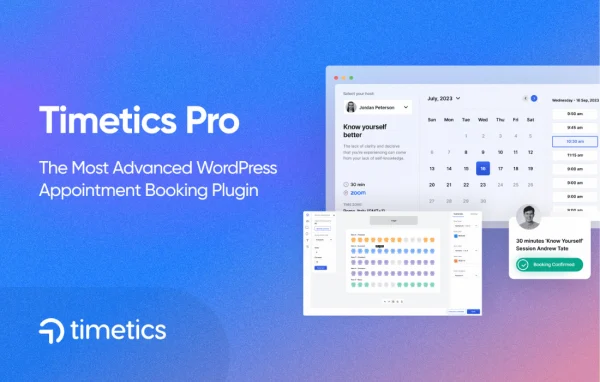
Timetics Pro by Arraytics is a WordPress plugin for taking and managing appointment bookings on your own site. It extends the base Timetics plugin with unlimited bookings, AI-assisted scheduling, custom seat plans, Google Calendar and Google Meet integration, reminders and online payments.
- Version
- 1.0.37
- Released
- May 21, 2026
- Type
- WordPress plugin
- Requires
- Timetics
- Licence
- GPL
- Included in
- Every plan, or $5.59 a year on its own
What’s new in Timetics Pro 1.0.37
Version 1.0.37 · May 21, 2026
Latest
- FixedFixed Outlook integration auth issues.
- FixedExport - Bulk export now includes only selected items instead of all entries.
- FixedTranslation issue for some admin panel texts.
- ImprovedPerformance optimization for admin panel.
What it does
Service businesses often juggle bookings across email, phone calls and separate calendars, which leads to double bookings and missed appointments. This plugin moves that work onto your WordPress site. Clients pick a time from a booking form that works on phones and desktops, and the appointment lands in your admin area. Email and SMS reminders go out automatically to keep clients informed, and payments can be collected online through multiple gateways when the booking is made.
It suits schools, clinics, consultants and other service providers who schedule people or spaces. Seat plans let you lay out a classroom, consultation room or event venue so clients can choose a spot. Appointments sync to Google Calendar, and virtual sessions can be linked to Google Meet calls. AI-powered scheduling helps suggest booking times that reduce conflicts. The plugin builds on the free Timetics plugin, which needs to be in place on your site.
Best for
- Schools and tutors scheduling classes or lessons
- Clinics and healthcare practices booking patient appointments
- Consultants offering in-person or Google Meet sessions
Features
Unlimited bookings
Take and manage as many appointments as your business needs, with no cap on the number of bookings handled through your site.
AI-powered scheduling
Automates the choice of booking times to make better use of available slots and cut down on scheduling conflicts between appointments.
Custom seat plans
Design seating arrangements for different venues and event formats, from classroom layouts to consultation rooms, so clients can book a specific spot.
Google Calendar sync
Appointments sync with your Google Calendar, so your schedule stays current and you can manage bookings from the calendar you already use.
Google Meet links
Link bookings directly to Google Meet video calls, making it simple to run virtual consultations, lessons or meetings with clients.
Email and SMS reminders
Automated notifications send email and SMS reminders to clients, helping reduce no-shows and keeping everyone informed about upcoming appointments.
Online payments
Accept payments for bookings online through multiple payment gateways, so clients can secure their appointment at the time they book.
Mobile-friendly booking
The booking interface is responsive, letting clients schedule appointments from phones, tablets or desktops, with a clear layout for administrators too.
Timetics Pro older versions
- 1.0.36Jan 91 fix
- 1.0.33Jul 31, 20251 new, 2 fixes
- 1.0.32Jul 18, 20251 fix
- 1.0.31May 22, 2025
- 1.0.30May 19, 2025
Members and buyers of this product can download older versions.
Questions about Timetics Pro
Do I need the free Timetics plugin as well?
Yes. Timetics Pro builds on the base Timetics plugin, so that plugin needs to be active on your site. The Pro version adds features such as AI-powered scheduling, seat plans, Google integrations, reminders and payment options.
Can clients join virtual meetings through their booking?
Yes. Bookings can be linked directly to Google Meet video calls, so remote sessions get a meeting link. Appointments also sync with Google Calendar, which keeps both in-person and online sessions in one schedule.
Can I let people choose a specific seat?
Yes. Customizable seat plans let you design seating arrangements for different venues and formats, such as classrooms, consultation rooms or events, so attendees can pick where they sit when booking.
Does it help reduce missed appointments?
The plugin sends automated email and SMS reminders to clients ahead of their appointments. These notifications keep clients informed about their booking details and are intended to cut down on no-shows.
Is Timetics Pro free?
The code of Timetics Pro is licensed under the GPL, so anyone may use, change and share it. GPL Feast is a paid service: a plan or a single purchase gives you the download and automatic updates. The developer's own support, licence key and online services are not included.
Which version of Timetics Pro is this?
Version 1.0.37, released May 21, 2026. New versions appear here when the developer publishes them, and members get them as automatic updates.
How do I update Timetics Pro?
Install the free GPL Feast Updater on your site and connect it with your API key. It installs new versions of Timetics Pro automatically and keeps a backup, so you can roll back.
What does Timetics Pro need?
Timetics Pro needs Timetics installed and active.
You might also like






