
Plugin
Updated
TM Intro
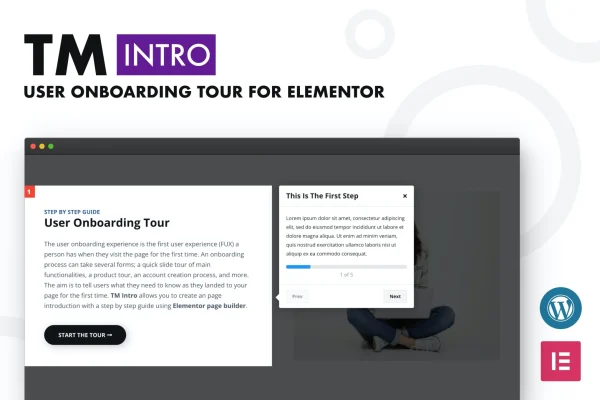
TM Intro is a WordPress plugin that works as an addon for Elementor and lets you build guided onboarding tours for your visitors. Each tour walks people through your site step by step, pointing out features, services or navigation areas so newcomers know where to go.
- Version
- 1.1
- Released
- Jun 8, 2023
- Type
- WordPress plugin
- Requires
- Elementor
- Licence
- GPL
- Included in
- Every plan, or $3.99 on its own
What’s new in TM Intro 1.1
Version 1.1 · Jun 8, 2023
Latest
What it does
New visitors often land on a site and have no idea where to start. A guided tour fixes that by showing them, one step at a time, where the important parts are. This plugin lets you build those tours for product walkthroughs, account setup instructions, feature introductions or navigation tutorials, so the first visit feels clear instead of confusing. It requires Elementor, since the tours are built inside the Elementor editor.
Because it runs inside Elementor's drag and drop builder, you can place any Elementor section, column or widget into a tour step. That means your tour can use the same layouts and content you already design with. Styling controls cover colors, fonts, borders, shadows and more, so tours can match your branding. Tours are responsive across desktop, tablet and mobile, and no coding is needed to set them up.
Best for
- Elementor sites that want guided tours for new visitors
- SaaS or service sites explaining account setup
- Agencies building onboarding flows for client websites
Features
Step-by-step guided tours
Build walkthroughs that lead visitors through your site one step at a time, highlighting features, services or areas you want them to notice.
Any Elementor element in tours
Add any Elementor section, column or widget to a tour step, so your onboarding content uses the same design tools as the rest of your pages.
Drag and drop setup
Tours are built with the Elementor drag and drop builder, so you can create and edit them without writing any code.
Detailed styling controls
Adjust colors, fonts, borders, shadows and other visual settings so each tour fits your brand and the look of your site.
Responsive on every screen
Tours are designed to display and work on desktop, tablet and mobile devices, so visitors get the same guidance on any screen.
Flexible use cases
Use tours for product walkthroughs, account creation guides, feature introductions or navigation tutorials, depending on what your visitors need to learn.
Clean CSS and JS code
The plugin is built with clean CSS and JavaScript, keeping the tour code tidy alongside your existing Elementor pages.
Questions about TM Intro
Do I need Elementor to use this plugin?
Yes. The plugin is an addon for Elementor, and tours are built inside the Elementor editor using its drag and drop builder. You will need Elementor active on your site.
Can I put my own designed content inside a tour step?
Yes. You can add any Elementor section, column or widget to a tour, so steps can contain text, images or layouts you design yourself, styled with colors, fonts, borders and shadows.
Will the tours work on phones and tablets?
The tours are responsive and are designed to display and function on desktop, tablet and mobile devices, so visitors on smaller screens can follow the same guided steps.
What kinds of tours can I create with TM Intro?
Common uses include product walkthroughs, account creation guides, feature introductions and navigation tutorials. Any situation where you want to show visitors around your site step by step is a good fit.
Is TM Intro free?
The code of TM Intro is licensed under the GPL, so anyone may use, change and share it. GPL Feast is a paid service: a plan or a single purchase gives you the download and automatic updates. The developer's own support, licence key and online services are not included.
Which version of TM Intro is this?
Version 1.1, released Jun 8, 2023. New versions appear here when the developer publishes them, and members get them as automatic updates.
How do I update TM Intro?
Install the free GPL Feast Updater on your site and connect it with your API key. It installs new versions of TM Intro automatically and keeps a backup, so you can roll back.
What does TM Intro need?
TM Intro needs Elementor installed and active.
You might also like






