
Plugin
Updated
TM Pointer
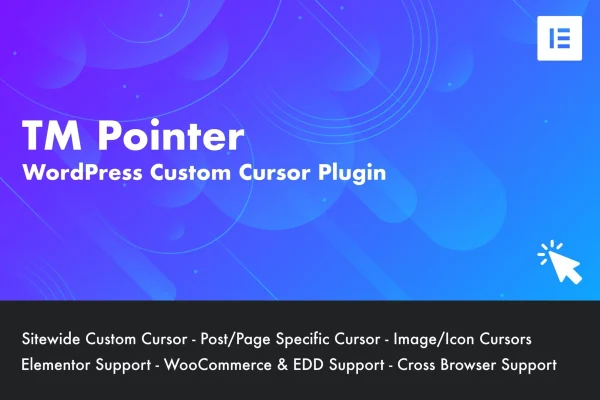
TM Pointer is a WordPress plugin that swaps the default mouse cursor for a custom one. You can apply a cursor across the whole site or set different cursors on individual posts and pages, and adjust size and color from the admin area without writing code.
- Version
- 1.1
- Released
- Jan 30, 2023
- Type
- WordPress plugin
- Requires
- Elementor
- Licence
- GPL
- Included in
- Every plan, or $3.99 on its own
What’s new in TM Pointer 1.1
Version 1.1 · Jan 30, 2023
Latest
- ImprovedUpdated CMB2
- FixedBug fixes
What it does
The standard arrow cursor looks the same on nearly every website. Some site owners want a cursor that matches their brand colors or the feel of their design. This plugin handles that job with a sitewide setting for a consistent look, plus per post and per page controls in the Gutenberg editor when a specific page calls for something different. Style settings let you change the cursor's dimensions and color so it fits your existing palette.
The plugin requires Elementor and works alongside it, so you can keep building pages in your usual workflow. Cursor settings live in the familiar WordPress admin area, and no coding is needed. Custom cursors can be applied to posts, pages, WooCommerce products and other custom post types, which makes it a fit for blogs, portfolios, agency sites and online stores that want a small, distinctive design detail.
Best for
- Elementor sites wanting a branded cursor
- Creative portfolios and agency websites
- WooCommerce stores adding a distinctive design detail
Features
Sitewide custom cursor
Pick a cursor once and apply it across your entire website, so every page shares the same look and stays consistent with your branding.
Per post and page settings
Set a different cursor on individual posts or pages directly from the Gutenberg editor when certain content needs its own visual treatment.
Adjustable size and color
Change the cursor's dimensions and color through the style settings so it matches your site's colors and overall design.
Elementor compatibility
Works with the Elementor page builder, letting you make cursor adjustments without leaving the tools you already use to build pages.
Custom post type support
Apply custom cursors to posts, pages, WooCommerce products and any other custom content type registered on your site.
No coding required
All cursor options are managed inside the WordPress admin area, so you can set things up without touching code or editing theme files.
Questions about TM Pointer
Can I use a different cursor on just one page?
Yes. Along with the sitewide cursor setting, you can customize the cursor on individual posts or pages from the Gutenberg editor. That lets you give a landing page or featured post its own cursor while the rest of the site keeps the default custom style.
Do I need Elementor to use this plugin?
Yes, the plugin requires Elementor. It is built to work alongside the Elementor page builder, so you can keep designing pages as usual while managing cursor settings from the WordPress admin area.
Will it work on my WooCommerce product pages?
It supports all WordPress post types, including WooCommerce products and other custom post types. You can apply a custom cursor to product pages the same way you would to regular posts and pages.
Can I match the cursor to my brand colors?
Yes. The style settings let you adjust both the size and the color of the cursor, so you can tune it to fit your site's palette and design without writing any code.
Is TM Pointer free?
The code of TM Pointer is licensed under the GPL, so anyone may use, change and share it. GPL Feast is a paid service: a plan or a single purchase gives you the download and automatic updates. The developer's own support, licence key and online services are not included.
Which version of TM Pointer is this?
Version 1.1, released Jan 30, 2023. New versions appear here when the developer publishes them, and members get them as automatic updates.
How do I update TM Pointer?
Install the free GPL Feast Updater on your site and connect it with your API key. It installs new versions of TM Pointer automatically and keeps a backup, so you can roll back.
What does TM Pointer need?
TM Pointer needs Elementor installed and active.
You might also like






