
Plugin
Updated
TM User Blog
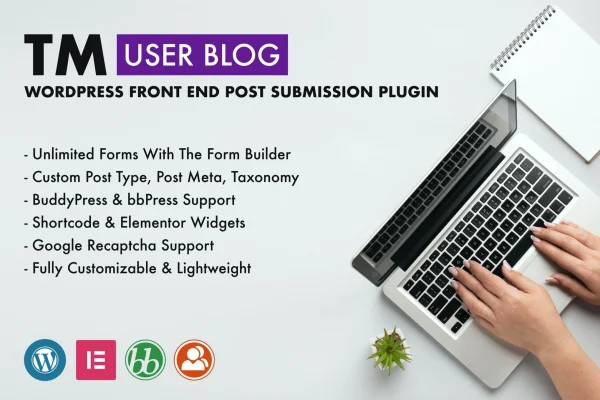
TM User Blog is a WordPress plugin for front end post submission. It lets your visitors write and submit posts through forms on your site, so they never need access to the WordPress dashboard, while you keep editorial control over what gets published.
- Version
- 1.3
- Released
- Jan 31, 2023
- Type
- WordPress plugin
- Requires
- Elementor
- Licence
- GPL
- Included in
- Every plan, or $3.99 on its own
What’s new in TM User Blog 1.3
Version 1.3 · Jan 31, 2023
Latest
- FixedFixed additional meta key field issue
- ImprovedUpdated CMB2
- FixedGeneral bug fixes
What it does
Accepting posts from readers or contributors usually means creating accounts with backend access, which many site owners would rather avoid. This plugin moves the submission process to the front end. You build a form, place it on a page, and contributors fill it in to send their post. That keeps the admin area closed to them and gives community blogs, multi-author sites and niche platforms a simple way to collect user content.
The form builder handles standard posts as well as custom post types, custom taxonomies and custom meta fields, so forms can match how your content is structured. You pick from field types such as text boxes, rich text editors and radio buttons, and mark each field as required or optional. Forms can be placed with shortcodes or with dedicated Elementor widgets, and they work alongside bbPress and BuddyPress. The plugin requires Elementor.
Best for
- Community blogs that publish reader-submitted posts
- Multi-author sites wanting contributors kept out of the dashboard
- BuddyPress or bbPress communities collecting member content
Features
Unlimited submission forms
Create as many front end post submission forms as you need, each set up for standard posts or for a custom post type.
Range of field types
Build forms with text boxes, rich text editors, radio buttons and other field options to collect the exact details you want from contributors.
Custom taxonomies and meta fields
Let users add posts with custom post meta and custom taxonomy terms, so submissions fit content structures you have already set up.
Elementor widgets
Embed and style submission forms with dedicated Elementor widgets, placing them on your pages without writing code.
Shortcode placement
Drop a form anywhere on your site with a shortcode, which is handy for pages and areas built outside of Elementor.
Required and optional fields
Decide which fields contributors must complete before submitting, which helps keep incoming posts consistent and complete.
bbPress and BuddyPress compatibility
Use submission forms on sites running bbPress or BuddyPress, giving community members another way to contribute content.
Responsive forms
Forms adapt to desktop, tablet and mobile screens, so contributors can submit posts from whatever device they use.
Questions about TM User Blog
Do contributors need access to the WordPress admin area?
No. Contributors submit posts through forms on the front end of your site, so they never need backend access. You keep editorial control over the submissions that come in.
Can the forms submit to custom post types?
Yes. The form builder supports standard posts and custom post types, and it can also handle custom taxonomies and custom meta fields, so submissions can match the structure of your existing content.
Do I need Elementor to use this plugin?
Elementor is listed as a requirement. The plugin adds dedicated Elementor widgets for embedding and customizing forms, and it also supports shortcodes for placing forms elsewhere on your site.
Will it work on a BuddyPress or bbPress site?
The plugin is compatible with both bbPress and BuddyPress, so you can use its submission forms to let community members contribute posts on sites built around those plugins.
Is TM User Blog free?
The code of TM User Blog is licensed under the GPL, so anyone may use, change and share it. GPL Feast is a paid service: a plan or a single purchase gives you the download and automatic updates. The developer's own support, licence key and online services are not included.
Which version of TM User Blog is this?
Version 1.3, released Jan 31, 2023. New versions appear here when the developer publishes them, and members get them as automatic updates.
How do I update TM User Blog?
Install the free GPL Feast Updater on your site and connect it with your API key. It installs new versions of TM User Blog automatically and keeps a backup, so you can roll back.
What does TM User Blog need?
TM User Blog needs Elementor installed and active.
You might also like






