
Plugin
Updated
TMPL Pros & Cons Tables
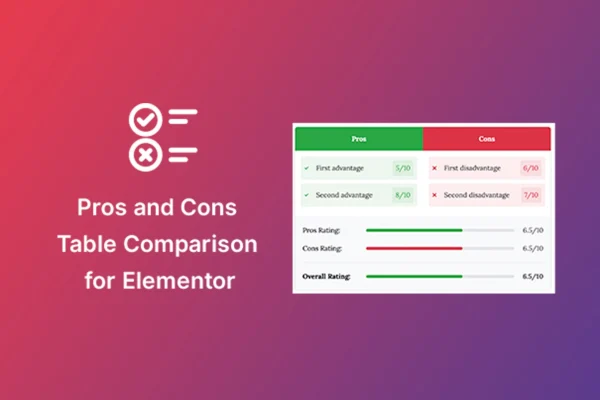
TMPL Pros & Cons Tables is a WordPress plugin that adds a pros and cons widget to Elementor. It lets you lay out the advantages and disadvantages of a product, service or topic in a clear, styled list, right inside the page builder you already use.
- Version
- 1.2.0
- Released
- Sep 3, 2025
- Type
- WordPress plugin
- Requires
- Elementor
- Licence
- GPL
- Included in
- Every plan, or $3.99 on its own
What’s new in TMPL Pros & Cons Tables 1.2.0
Version 1.2.0 · Sep 3, 2025
Latest
What it does
Review posts and comparison pages often bury the good and bad points inside long paragraphs, which makes them hard to scan. This plugin gives you a dedicated Elementor widget for that job. You drop it onto a page, type your pros and cons, and get a balanced list that readers can take in at a glance. It works well for product reviews, service comparisons and feature breakdowns, anywhere a visitor is weighing a choice.
Because it is built for Elementor, the widget works inside the normal drag and drop editor, so there is no separate tool to learn and no code to write. You can change icons, colors, fonts and layout styles to fit your site's design, and the lists adapt to phones and tablets. You can also add as many pros and cons sections as you need on a single page. The plugin requires Elementor.
Best for
- Product review blogs and affiliate sites
- Service comparison and buying guide pages
- Elementor users who want styled lists without code
Features
Works inside Elementor
Add pros and cons lists as a regular widget within your existing Elementor workflow, using the same drag and drop editor you already build pages with.
Custom colors and fonts
Adjust colors and fonts so each pros and cons list matches your site's branding and sits naturally alongside the rest of your content.
Layout style options
Choose between layout styles to control how the pros and cons sections are arranged on the page, with no coding required.
Multiple icon choices
Pick from a variety of icons to mark pros and cons visually, making it easier for readers to tell the two sides apart quickly.
Responsive on all devices
Lists are mobile friendly and adjust to different screen sizes, so your comparisons stay readable on phones, tablets and desktops.
Unlimited lists per page
Add as many pros and cons sections as you need on one page, which is handy for roundups that cover several products or topics.
Simple list editing
Create and edit list items quickly through a straightforward interface that suits beginners as well as experienced Elementor users.
Questions about TMPL Pros & Cons Tables
Do I need Elementor to use this plugin?
Yes. The plugin adds a widget to Elementor, so Elementor must be active on your site. You place and edit the pros and cons lists inside the Elementor editor like any other widget.
Can I change how the pros and cons lists look?
You can. The widget lets you adjust icons, colors, fonts and layout styles, so the lists can match your site's design. All of this is done through the Elementor editor without writing code.
Can I put several pros and cons lists on one page?
Yes. The plugin supports unlimited lists, so you can add as many pros and cons sections as you need on a single page, for example one per product in a comparison roundup.
Will the lists display properly on mobile?
The widget is responsive and mobile friendly, so your pros and cons lists adjust to smaller screens and remain easy to read on phones and tablets.
Is TMPL Pros & Cons Tables free?
The code of TMPL Pros & Cons Tables is licensed under the GPL, so anyone may use, change and share it. GPL Feast is a paid service: a plan or a single purchase gives you the download and automatic updates. The developer's own support, licence key and online services are not included.
Which version of TMPL Pros & Cons Tables is this?
Version 1.2.0, released Sep 3, 2025. New versions appear here when the developer publishes them, and members get them as automatic updates.
How do I update TMPL Pros & Cons Tables?
Install the free GPL Feast Updater on your site and connect it with your API key. It installs new versions of TMPL Pros & Cons Tables automatically and keeps a backup, so you can roll back.
What does TMPL Pros & Cons Tables need?
TMPL Pros & Cons Tables needs Elementor installed and active.
You might also like






