
Plugin
Updated
Toggle - Collapse Section For Elementor
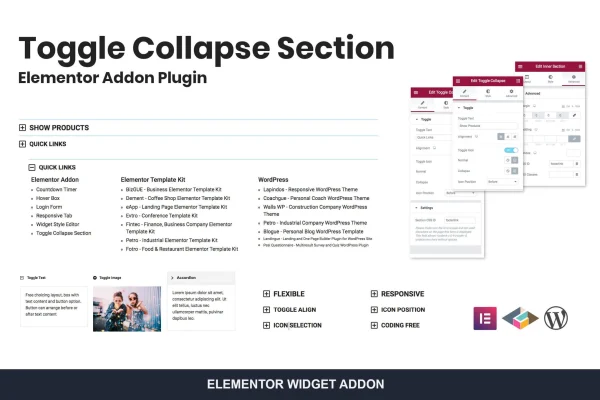
This is an Elementor addon plugin that lets you add toggle buttons to show or hide content on your pages. You can collapse and expand text, images, links or entire sections, which helps keep long pages tidy and easy to scan.
- Version
- 1.1.0
- Released
- Aug 25, 2026
- Type
- WordPress plugin
- Requires
- Elementor
- Licence
- GPL
- Included in
- Every plan, or $3.99 on its own
What’s new in Toggle - Collapse Section For Elementor 1.1.0
Version 1.1.0 · Aug 25, 2026
Latest
What it does
Long pages can get crowded fast, especially when they hold FAQs, detailed product descriptions or lots of supporting information. Toggle - Collapse Section For Elementor gives you a way to tuck that content away behind a toggle button, so visitors open only the parts they want to read. The rest stays collapsed, and the page looks shorter and cleaner as a result.
The plugin works inside Elementor, so you add toggles through the same drag-and-drop editor you already use, with no coding needed. A Toggle All widget lets one button control several sections, which suits accordion-style layouts and FAQ blocks. You can style the toggle icons and typography to match your design, and the layout adapts to mobile, tablet and desktop screens.
Best for
- Elementor sites with long FAQ or help pages
- Businesses and bloggers organizing content-heavy pages
- Freelancers building tidy, collapsible layouts for clients
Features
Toggle All widget
Control multiple sections with a single toggle button, which makes it simple to build accordion-style layouts or grouped FAQ content on a page.
Customizable toggle icons
Change the look of your toggle buttons so they fit your site's style and branding instead of relying on a single default icon.
Typography control
Adjust fonts and text styles inside toggle sections so the content stays readable and consistent with the rest of your site design.
Flexible content support
Show or hide different kinds of content within toggled areas, including text, images, links and entire Elementor sections.
Responsive layouts
Toggle sections are built to work on mobile, tablet and desktop screens, so collapsed content behaves properly for visitors on any device.
No coding required
Add toggle and collapse features through the Elementor drag-and-drop editor, without writing custom code or scripts to handle content visibility.
Questions about Toggle - Collapse Section For Elementor
Do I need Elementor to use this plugin?
Yes. This addon is built for Elementor and works through its editor. You add the toggle and collapse features using the Elementor drag-and-drop interface, so you need Elementor active on your site.
Can one button open and close several sections at once?
Yes. The Toggle All widget lets a single toggle button control multiple sections. That is handy for accordion-style layouts, grouped FAQs or any page where you want visitors to expand related content together.
What kind of content can I hide behind a toggle?
You can show or hide text, images, links and entire sections. That covers common uses like FAQ answers, detailed descriptions and supporting information you want available without making the page feel long.
Can I match the toggles to my site design?
Yes. You can customize the toggle icons and adjust the typography inside toggle sections, so fonts, text styles and button appearance line up with the rest of your site's look and branding.
Is Toggle - Collapse Section For Elementor free?
The code of Toggle - Collapse Section For Elementor is licensed under the GPL, so anyone may use, change and share it. GPL Feast is a paid service: a plan or a single purchase gives you the download and automatic updates. The developer's own support, licence key and online services are not included.
Which version of Toggle - Collapse Section For Elementor is this?
Version 1.1.0, released Aug 25, 2026. New versions appear here when the developer publishes them, and members get them as automatic updates.
How do I update Toggle - Collapse Section For Elementor?
Install the free GPL Feast Updater on your site and connect it with your API key. It installs new versions of Toggle - Collapse Section For Elementor automatically and keeps a backup, so you can roll back.
What does Toggle - Collapse Section For Elementor need?
Toggle - Collapse Section For Elementor needs Elementor installed and active.
You might also like






