
Plugin
Updated
Tooltip Mastery
Tooltip Mastery is a plugin that adds a tooltip builder to the Elementor page builder. It lets you attach styled tooltips to elements on your pages so visitors can see extra context, labels or media on hover, and you can set it all up without writing code.
- Version
- 1.6
- Released
- Aug 24, 2026
- Type
- WordPress plugin
- Requires
- Elementor
- Licence
- GPL
- Included in
- Every plan, or $3.99 on its own
What’s new in Tooltip Mastery 1.6
Version 1.6 · Aug 24, 2026
Latest
What it does
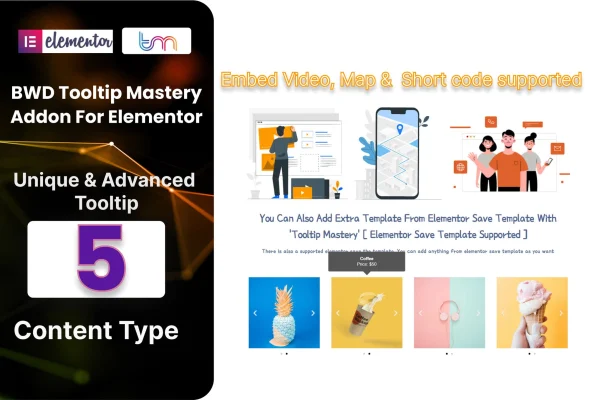
Tooltips are a tidy way to explain an icon, define a term or add a short note without cluttering the page. Building them by hand usually means custom CSS and JavaScript. This addon handles that inside Elementor, so you design and place tooltips from the same editor you already use for your layouts. It offers five content types, so a tooltip can hold plain text or multimedia, and the styling options let you match colors and appearance to the rest of your site.
The plugin requires Elementor and is designed to work with Elementor-based WordPress themes. Shortcode support means you can place tooltips in spots outside a standard widget area. You can save a tooltip design as a template and import it later, which helps when you want consistent tooltips across several pages or client projects. Tooltips are responsive and retina ready, the code is written to work across modern browsers, and a POT file is included for translating the plugin into other languages.
Best for
- Elementor sites that need contextual hints or labels
- Designers building interactive product or feature pages
- Agencies reusing tooltip designs across client sites
Features
Five content types
Choose from five tooltip content types, so you can show anything from a short line of text to multimedia content when a visitor interacts with an element.
Shortcode support
Insert tooltips with shortcodes, giving you more control over where they appear on your site beyond the regular Elementor editing flow.
Save and import templates
Save a tooltip design you like as a template, then import and reuse it on other pages or projects instead of rebuilding it each time.
Styling options
Adjust the look of each tooltip so it fits your brand colors and design, giving your pages a consistent appearance.
No coding needed
Build and edit tooltips through a visual interface inside Elementor, which keeps the process approachable for beginners as well as experienced designers.
Responsive and retina ready
Tooltips adapt to different screen sizes and display crisply on high resolution screens, so they work on phones, tablets and desktops.
Cross-browser compatibility
The tooltips are built to behave consistently across modern browsers, so visitors see the same result whichever browser they use.
Translation ready
A POT file is included, so you can translate the plugin text and run tooltips on sites published in other languages.
Tooltip Mastery older versions
- 1.0Sep 11, 2023
Members and buyers of this product can download older versions.
Questions about Tooltip Mastery
Does this work with my Elementor theme?
The plugin requires Elementor and is designed to work with Elementor-based WordPress themes. If your site is built with Elementor, you can add tooltips to elements from inside the editor you already use.
What can I put inside a tooltip?
There are five content types to choose from, ranging from simple text to multimedia. That lets you use tooltips for short definitions, labels, notes or richer content, depending on what the page needs.
Can I reuse the same tooltip design on several pages?
Yes. You can save a tooltip design as a template and import it later, which keeps tooltips consistent across a site or between projects. Shortcode support also lets you place tooltips in more locations.
Will the tooltips work on mobile devices?
Yes. The tooltips are responsive and retina ready, so they adjust to different screen sizes and stay sharp on high resolution displays. They are also built to work across modern browsers.
Is Tooltip Mastery free?
The code of Tooltip Mastery is licensed under the GPL, so anyone may use, change and share it. GPL Feast is a paid service: a plan or a single purchase gives you the download and automatic updates. The developer's own support, licence key and online services are not included.
Which version of Tooltip Mastery is this?
Version 1.6, released Aug 24, 2026. New versions appear here when the developer publishes them, and members get them as automatic updates.
How do I update Tooltip Mastery?
Install the free GPL Feast Updater on your site and connect it with your API key. It installs new versions of Tooltip Mastery automatically and keeps a backup, so you can roll back.
What does Tooltip Mastery need?
Tooltip Mastery needs Elementor installed and active.
You might also like






