
Plugin
Updated
Top Sliding Bar, Widgets Builder
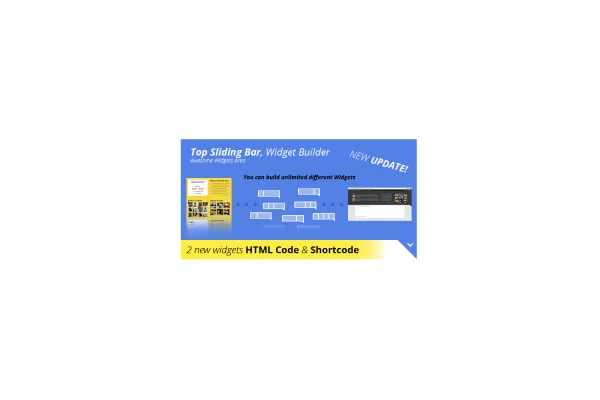
This WordPress plugin creates a sliding widget area at the very top of your pages. Visitors click an opening button to reveal it, and you fill it with widgets such as a login section, lists, opening times, articles or image galleries.
- Version
- 1.2.7
- Released
- May 2, 2023
- Type
- WordPress plugin
- Licence
- GPL
- Included in
- Every plan, or $3.99 on its own
What’s new in Top Sliding Bar, Widgets Builder 1.2.7
Version 1.2.7 · May 2, 2023
Latest
What it does
Many sites need a place for extra content that should be easy to reach without taking up space in the main layout. A sliding bar at the top of the page solves this. It stays tucked away until a visitor opens it, then shows whatever widgets you have placed inside. You can build as many widget zones as you need and choose which pages each one appears on, so a shop page and a blog page can show different content.
Setup happens through the plugin settings, where you pick a layout of 1 to 4 columns on a responsive grid, choose colors with a color picker and select from over 650 Google Fonts. The bar can use absolute, fixed, static or floating positioning. It adapts across 4 breakpoints for desktops, tablets and phones. A custom CSS field and an admin-only visibility mode help you fine tune and test the bar before visitors see it.
Best for
- Blogs wanting a tucked-away login or article panel
- Local businesses displaying opening hours at the top
- Online stores and corporate sites needing page-specific announcements
Features
Ready-made widgets
Includes widgets for a login section, lists, opening times, articles, and galleries with 6 or 12 items, so you can fill the bar quickly.
Unlimited widget zones
Create as many widget configurations as you like and control which pages each one appears on for page-specific content.
Column layouts
Arrange content in 1 to 4 columns using a responsive grid system that adjusts to different screen sizes.
Colors and Google Fonts
Match your branding with a built-in color picker and choose typography from more than 650 Google Fonts.
Flexible positioning modes
Set the bar to absolute, fixed, static or floating position depending on how it should behave as visitors scroll.
Flashing opening button
An optional flashing button draws attention to the bar so visitors notice there is content waiting to be opened.
Transparent backgrounds and arrows
Use a transparent background and load custom arrow images by URL so the bar blends with your theme's look.
Custom CSS and admin preview
Add or override styles in a custom CSS field, and use admin-only visibility to test changes without affecting public visitors.
Questions about Top Sliding Bar, Widgets Builder
What kind of content can I put in the sliding bar?
The plugin includes widgets for a login section, lists, opening times, articles and galleries of 6 or 12 items. You can also use the bar for announcements or social links, and create unlimited widget zones for different purposes.
Can I show different widgets on different pages?
Yes. Each widget configuration can be shown or hidden on specific pages, so you can tailor the bar's content to the section of the site a visitor is browsing.
Will the bar work on phones and tablets?
The design is responsive with 4 breakpoints covering desktops, tablets and mobile devices. The column grid adjusts to the screen, so layouts of 1 to 4 columns stay readable on smaller displays.
Can I test the bar before visitors see it?
Yes. An admin-only visibility mode lets you view and adjust the bar while it stays hidden from the public. You can also refine its look with the custom CSS field.
Is Top Sliding Bar, Widgets Builder free?
The code of Top Sliding Bar, Widgets Builder is licensed under the GPL, so anyone may use, change and share it. GPL Feast is a paid service: a plan or a single purchase gives you the download and automatic updates. The developer's own support, licence key and online services are not included.
Which version of Top Sliding Bar, Widgets Builder is this?
Version 1.2.7, released May 2, 2023. New versions appear here when the developer publishes them, and members get them as automatic updates.
How do I update Top Sliding Bar, Widgets Builder?
Install the free GPL Feast Updater on your site and connect it with your API key. It installs new versions of Top Sliding Bar, Widgets Builder automatically and keeps a backup, so you can roll back.
You might also like






