
Plugin
Updated
Trigger Lottie Animation
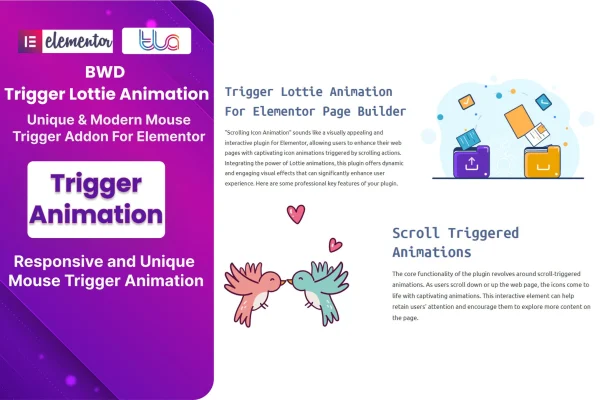
Trigger Lottie Animation is an Elementor addon plugin that places Lottie animations on your pages without writing code. You add an animation from a JSON file or a direct link, then choose when it plays, such as when a visitor scrolls to it or hovers over it.
- Version
- 1.5
- Released
- Aug 24, 2026
- Type
- WordPress plugin
- Requires
- Elementor
- Licence
- GPL
- Included in
- Every plan, or $3.99 on its own
What’s new in Trigger Lottie Animation 1.5
Version 1.5 · Aug 24, 2026
Latest
What it does
Lottie animations are lightweight, JSON-based motion graphics, and they can bring buttons, images and other page elements to life. Adding them to an Elementor site by hand usually means working with code. This addon brings the process into the Elementor builder, so you can drop an animation onto a page and adjust it in the same interface you already use for layouts. It requires Elementor to run.
You can pick from thousands of free animations in the lottiefiles.com library, or bring your own JSON file or animation link. Once an animation is on the page, you can match its colors to your brand and set it to trigger on scroll or hover. Animations are retina ready and responsive, so they display cleanly on different screen sizes. The plugin is built with HTML, CSS and JS, and it suits freelancers, agencies and business owners working on Elementor sites.
Best for
- Elementor sites that need animated buttons, icons or images
- Freelancers and agencies building client sites in Elementor
- Business owners adding motion to landing pages without code
Features
Large animation library
Browse thousands of free Lottie animations sourced from lottiefiles.com, giving you plenty of options for icons, illustrations and small motion details on your pages.
JSON files and animation links
Add animations by uploading a JSON animation file or by pasting a direct animation link, depending on where your animation lives.
Scroll-triggered playback
Set animations to start as visitors scroll through the page, so motion appears at the moment a section comes into view.
Hover triggers
Make animations respond when a visitor hovers over them, which works well for buttons, images and other interactive elements.
Brand color customization
Adjust animation colors and style to match your brand so the motion graphics fit the rest of your site design.
Retina ready and responsive
Animations are built to look sharp on high-resolution screens and adapt to different device sizes across desktop, tablet and mobile.
Works inside Elementor
Add and customize animations directly in the Elementor builder interface, with no coding needed to get them on the page.
Trigger Lottie Animation older versions
- 1.0Sep 11, 2023
Members and buyers of this product can download older versions.
Questions about Trigger Lottie Animation
Do I need Elementor to use this plugin?
Yes. This is an addon built for Elementor, and it requires Elementor to be active. You add and customize animations inside the Elementor builder, the same place where you design your pages.
Where do the animations come from?
You can choose from thousands of free Lottie animations in the lottiefiles.com library. You can also use your own animations by uploading a JSON animation file or adding a direct animation link.
What can trigger an animation to play?
Animations can be set to play when a visitor scrolls to them or when they hover over them. Scroll triggers suit sections that should animate as they come into view, while hover triggers work well on buttons and images.
Can I change the colors of an animation to match my site?
Yes. The plugin includes customization options for matching animations to your brand colors and style, so they blend in with the rest of your design. Animations are also retina ready and responsive across devices.
Is Trigger Lottie Animation free?
The code of Trigger Lottie Animation is licensed under the GPL, so anyone may use, change and share it. GPL Feast is a paid service: a plan or a single purchase gives you the download and automatic updates. The developer's own support, licence key and online services are not included.
Which version of Trigger Lottie Animation is this?
Version 1.5, released Aug 24, 2026. New versions appear here when the developer publishes them, and members get them as automatic updates.
How do I update Trigger Lottie Animation?
Install the free GPL Feast Updater on your site and connect it with your API key. It installs new versions of Trigger Lottie Animation automatically and keeps a backup, so you can roll back.
What does Trigger Lottie Animation need?
Trigger Lottie Animation needs Elementor installed and active.
You might also like






