
Plugin
Updated
Twitter Feeds for Elementor
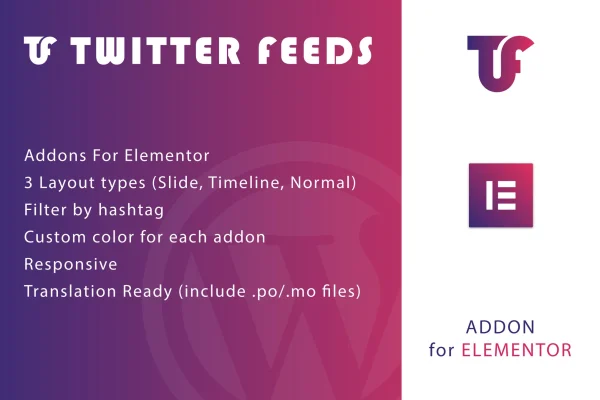
This is an Elementor addon plugin that displays tweets from your Twitter account on your WordPress pages. You place the feed inside the Elementor editor, pick one of three layouts, filter by hashtag and adjust colors to fit your site's design.
- Version
- 1.0
- Released
- May 2, 2023
- Type
- WordPress plugin
- Requires
- Elementor
- Licence
- GPL
- Included in
- Every plan, or $3.99 on its own
What’s new in Twitter Feeds for Elementor 1.0
Version 1.0 · May 2, 2023
Latest
What it does
Many sites already post regularly on Twitter, yet visitors to the website never see that activity. Copying tweets into pages by hand gets old fast. This plugin connects your Twitter account to your WordPress site and shows your latest tweets inside pages you build with Elementor, so your social posts appear alongside the rest of your content. Elementor is required, since the plugin works as an addon to that page builder.
Once it is in place, you add the Twitter feed while editing a page in Elementor and choose a Slide, Timeline or Normal layout. Hashtag filtering lets you limit the feed to tweets on a particular topic, and color options help the feed match your branding. The output is responsive and retina ready, and the plugin ships with .po and .mo files, so you can translate it for sites in other languages.
Best for
- Bloggers who want recent tweets shown on their posts
- Businesses and brands with an active Twitter account
- Elementor users building social-focused landing or event pages
Features
Three layout styles
Display tweets in a Slide, Timeline or Normal layout, choosing whichever format suits the page design and the way visitors read your content.
Hashtag filtering
Filter the feed by custom hashtags so only tweets about a particular campaign, event or topic appear on a given page.
Custom color options
Adjust the colors of each feed so it fits your brand palette and sits comfortably with the rest of your site's styling.
Built for Elementor
The plugin works as an Elementor addon, so you insert and style Twitter feeds directly inside the page builder interface you already use.
Responsive and retina ready
Feeds adapt to different screen sizes and display sharply on high resolution screens, so tweets look clean on phones, tablets and desktops.
Translation ready
Included .po and .mo files let you translate the plugin's text, which helps when your site serves readers in other languages.
Questions about Twitter Feeds for Elementor
Do I need Elementor to use this plugin?
Yes. The plugin is built as an addon for the Elementor page builder, so Elementor must be active on your WordPress site. You add and style the Twitter feed from inside the Elementor editor.
Can I show only tweets about a certain topic?
Yes. The plugin includes hashtag filtering, so you can set a custom hashtag and the feed will show matching tweets. This is handy for focusing a page on a campaign, product launch or event.
What layout options are available for the feed?
You can choose between three layouts: Slide, Timeline and Normal. Each presents your tweets differently, so you can pick the one that fits the section of the page where the feed appears.
Will the feed work on a site in another language?
The plugin is translation ready and includes .po and .mo files. You can use those files to translate its text into the language your site uses.
Is Twitter Feeds for Elementor free?
The code of Twitter Feeds for Elementor is licensed under the GPL, so anyone may use, change and share it. GPL Feast is a paid service: a plan or a single purchase gives you the download and automatic updates. The developer's own support, licence key and online services are not included.
Which version of Twitter Feeds for Elementor is this?
Version 1.0, released May 2, 2023. New versions appear here when the developer publishes them, and members get them as automatic updates.
How do I update Twitter Feeds for Elementor?
Install the free GPL Feast Updater on your site and connect it with your API key. It installs new versions of Twitter Feeds for Elementor automatically and keeps a backup, so you can roll back.
What does Twitter Feeds for Elementor need?
Twitter Feeds for Elementor needs Elementor installed and active.
You might also like






