
Plugin
Updated
uiXpress
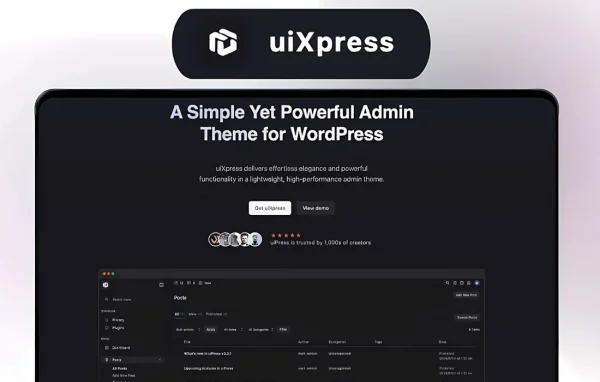
uiXpress by uipress is a WordPress plugin that replaces the default admin look with a cleaner, customizable interface. It gives you drag-and-drop builders, custom dashboards, white-label branding and role-based access control, so the backend can be shaped around the people who use it.
- Version
- 1.5.2
- Released
- Sep 16, 2026
- Developer
- uipress
- Type
- WordPress plugin
- Licence
- GPL
- Included in
- Every plan, or $5.59 a year on its own
What’s new in uiXpress 1.5.2
Version 1.5.2 · Sep 16, 2026
Latest
- FixedFixed issue with modern post tables where pagination could fail to work
- NewAdded better style support for affiliatewp and rewardswp
- ImprovedStopped frontend SEO tags overriding dedicated SEO plugins
- ImprovedFrontend SEO output now only loads with Admin Framework, which is the only place those fields exist
- ImprovedTags are skipped when Yoast, Rank Math, SEOPress, AIOSEO, The SEO Framework, or Slim SEO is active
- ImprovedTags are only output on posts that have uiXpress SEO fields, so a featured image alone no longer injects og:image
- NewAdded an Admin Framework setting to disable frontend SEO output
- ImprovedOpen Graph image width and height now match the large image URL instead of the full-size file
What it does
The standard WordPress admin shows every user the same crowded menus and screens, which can confuse clients and make a site feel less polished. This plugin lets you rebuild that space. You can arrange admin pages with a drag-and-drop builder, design dashboards for specific user roles, and decide what each role is allowed to see and do. The result is a backend where editors, clients and administrators each get the tools that matter to them, without wading through settings they will never touch.
Branding is a large part of the package. You can apply your own logos, colors and custom menus, then style admin pages so the whole backend matches your agency or your client. It also includes user management with fine-grained control over roles, multisite support for customizing admin experiences across several sites from one interface, and an Admin Framework area that can add SEO fields to posts. Those frontend SEO tags step aside when a dedicated SEO plugin such as Yoast or Rank Math is active.
Best for
- Agencies handing branded WordPress sites over to clients
- Developers who want role-specific admin dashboards
- Site owners managing several sites in a multisite network
Features
Drag-and-drop admin pages
Create and rearrange admin pages visually without writing code, so you can lay out the backend the way your team or client actually works.
Role-based custom dashboards
Design separate dashboards for different user roles, giving each group quick access to the information and tools that are relevant to their job.
White-label branding
Brand the WordPress admin area with your own logos, colors and custom menus to give clients a consistent, professional backend.
Granular access control
Set exactly what each user role can see and do in the admin, which helps keep permissions tidy and reduces accidental changes.
Admin page styling
Adjust the look and feel of the admin interface so it lines up with your brand or a particular client's preferences.
Multisite support
Manage and customize admin experiences across multiple WordPress sites from a single interface instead of configuring each one separately.
Modern post tables
Browse posts in redesigned post tables with working pagination, giving content lists a cleaner presentation inside the customized admin.
Optional frontend SEO output
Add SEO and Open Graph fields through the Admin Framework, with tags skipped when plugins like Yoast, Rank Math or SEOPress are active, and a setting to turn output off.
uiXpress older versions
- 1.5.1Sep 23 new, 16 improvements, 4 fixes
- 1.5.0Aug 278 new, 38 improvements, 9 fixes
- 1.4.4Aug 174 new, 10 improvements, 1 fix
- 1.4.3Aug 6
- 1.4.2Aug 1
- 1.4.1Jul 24
- 1.4.0Jul 19
- 1.3.0Jul 11
- 1.2.24Jul 7
- 1.2.23Jun 27
Members and buyers of this product can download older versions.
38 older versions in all. If you need one that is not listed, ask support.
Questions about uiXpress
Can I brand the admin area with my agency's logo and colors?
Yes. The white-label options let you add your own logos, colors and custom menus, and the styling tools let you change the overall look of admin pages so the backend matches your agency or client brand.
Can different user roles see different dashboards?
Yes. You can build custom dashboards for different roles and use role-based access control to decide what each role can see and do. That way clients and editors only get the tools they need.
Will it conflict with my SEO plugin?
Its frontend SEO tags are skipped when Yoast, Rank Math, SEOPress, AIOSEO, The SEO Framework or Slim SEO is active. Tags only appear on posts that use its own SEO fields, and you can disable the output entirely in the Admin Framework settings.
Does it work on WordPress multisite?
Yes. It includes multisite support, so you can manage and customize the admin experience across multiple WordPress sites from a single interface.
Is uiXpress free?
The code of uiXpress is licensed under the GPL, so anyone may use, change and share it. GPL Feast is a paid service: a plan or a single purchase gives you the download and automatic updates. The developer's own support, licence key and online services are not included.
Which version of uiXpress is this?
Version 1.5.2, released Sep 16, 2026. New versions appear here when the developer publishes them, and members get them as automatic updates.
How do I update uiXpress?
Install the free GPL Feast Updater on your site and connect it with your API key. It installs new versions of uiXpress automatically and keeps a backup, so you can roll back.
You might also like






