
Plugin
Updated
Ultimate Dashboard PRO
Ultimate Dashboard PRO by David is a WordPress plugin for customizing the admin area. It lets you remove dashboard clutter, add your own widgets, rebrand the backend and login screen, and control what each user role sees, so clients get a cleaner, more focused place to work.
- Version
- 3.11.4
- Released
- Sep 11, 2026
- Developer
- David
- Type
- WordPress plugin
- Requires
- Ultimate Dashboard
- Licence
- GPL
- Included in
- Every plan, or $5.59 a year on its own
What’s new in Ultimate Dashboard PRO 3.11.4
Version 3.11.4 · Sep 11, 2026
Latest
- FixedIncompatibility with Admin Menu Editor & Elementor Page Builder.
What it does
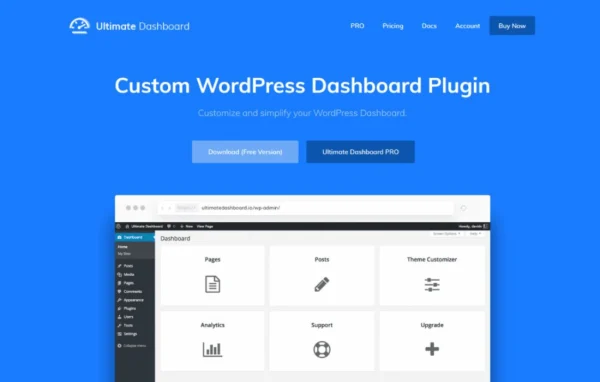
The default WordPress dashboard fills up quickly with widgets from core and third-party plugins, and the admin menu shows options most clients never need. This plugin gives you control over that space. You can remove default and third-party widgets, create custom ones such as videos, contact forms or helpful resources, and rearrange or hide menu items per user role. The result is an admin area built around the tasks your users actually perform, with less noise and fewer confusing options.
Beyond the dashboard, it covers branding and access. You can white label the admin, style the login screen with multiple layouts in the WordPress customizer, add custom CSS, and build your own top-level and sub-menu admin pages with HTML, CSS, Gutenberg or page builders such as Elementor, Beaver Builder, Divi and Brizy. Login redirects, custom login URLs and wp-admin restrictions are included, and it works across multisite networks. It runs as an add-on to the free Ultimate Dashboard plugin.
Best for
- Agencies building client sites with branded admin areas
- Freelancers handing off simplified dashboards to clients
- Multisite network owners wanting consistent admin experiences
Features
Remove unwanted widgets
Clear default WordPress and third-party widgets from the dashboard so users see a clean, focused workspace suited to their needs.
Custom dashboard widgets
Add your own widgets with videos, contact forms or helpful resources, giving clients quick access to tutorials and ways to reach you.
Page builder dashboards
Replace or add to the default dashboard with designs made in Elementor, Beaver Builder, Divi, Brizy and other page builders.
Custom admin pages
Build top-level and sub-menu admin pages using HTML, CSS, Gutenberg or page builders, useful for branded help sections or client resources.
White label and login styling
Rebrand the admin area with your or your client's identity, and customize the login screen with multiple layouts inside the WordPress customizer.
Admin menu and toolbar editor
Rearrange, hide or customize admin menus and submenus per user role, and modify the admin bar by moving, hiding or adding items.
Role-based access control
Limit which user roles or individual users can see specific dashboard widgets, so each person gets a view that fits their job.
Login redirects and URL changes
Change the login URL, block unauthorized access to wp-admin and send users to chosen pages after they log in.
Ultimate Dashboard PRO older versions
- 3.11.3Aug 273 fixes, 1 security fix
- 3.11.2Apr 72 fixes, 1 security fix
- 3.11Mar 11 new, 1 fix
- 3.10.4Jan 28, 2025
- 3.10.3Nov 19, 2024
- 3.10.1Aug 22, 2024
- 3.10Jun 20, 2024
- 3.8Jan 6, 2024
- 3.7.0.1Apr 18, 2023
Members and buyers of this product can download older versions.
Questions about Ultimate Dashboard PRO
Does Ultimate Dashboard PRO work on its own?
It is built as an add-on to the Ultimate Dashboard plugin, which needs to be active on your site. The PRO plugin then adds the extra features such as white labeling, the admin menu editor, page builder dashboards and multisite support.
Can I design the dashboard with Elementor or another page builder?
Yes. You can replace or add to the default dashboard using designs built in Elementor, Beaver Builder, Divi, Brizy and other page builders. Custom admin pages can also be built with page builders, Gutenberg, or plain HTML and CSS.
Can I show different menus to different user roles?
Yes. The admin menu editor lets you rearrange, hide or customize menus and submenus on a per-role basis. Dashboard widget visibility can also be limited to specific user roles or individual users.
Will it work on a WordPress multisite network?
Yes. It supports multisite, so you can apply your custom dashboard setup across a network of sites and keep the admin experience consistent for users on each one.
Is Ultimate Dashboard PRO free?
The code of Ultimate Dashboard PRO is licensed under the GPL, so anyone may use, change and share it. GPL Feast is a paid service: a plan or a single purchase gives you the download and automatic updates. The developer's own support, licence key and online services are not included.
Which version of Ultimate Dashboard PRO is this?
Version 3.11.4, released Sep 11, 2026. New versions appear here when the developer publishes them, and members get them as automatic updates.
How do I update Ultimate Dashboard PRO?
Install the free GPL Feast Updater on your site and connect it with your API key. It installs new versions of Ultimate Dashboard PRO automatically and keeps a backup, so you can roll back.
What does Ultimate Dashboard PRO need?
Ultimate Dashboard PRO needs Ultimate Dashboard installed and active.
You might also like






