
Plugin
Updated
Ultimate WooCommerce Brands PRO
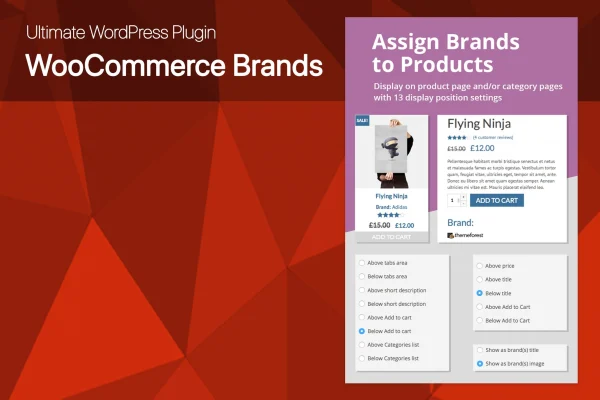
This WooCommerce plugin adds brand management to your product catalog. You can create brands with or without logos, attach them to products and display brand names or logos on product and category pages. It also builds brand pages that list every product under each brand.
- Version
- 2.0
- Released
- May 5, 2021
- Type
- WordPress plugin
- Requires
- WooCommerce
- Licence
- GPL
- Included in
- Every plan, or $3.99 on its own
What’s new in Ultimate WooCommerce Brands PRO 2.0
Version 2.0 · May 5, 2021
Latest
- NewNow 99.9% of themes supported by plugin, even if theme change WooCommerce layouts or use Ajax on product page
- NewPlugin code completely refactored to meet latest WordPress standards and support ANY themes
- NewNow plugin add brands using WooCommerce hooks and actions, instead of JQuery code
- NewBrands with different first letter case will be grouped to the same letter group in brand list
- NewBrands with first digital or symbol value in name will be grouped to the same # group
- NewSupport for all languages in brand names
- NewAbility to display brand logo image in product loops
- NewAbility to display just brand text in product loops (without link)
What it does
Many WooCommerce stores sell products from several makers, but WooCommerce on its own gives you no simple way to organize items by brand or show a logo next to a product. Shoppers who look for a familiar name end up searching or scrolling. This plugin adds brands as their own way of grouping products, so each item can carry the brand behind it and customers can browse by the names they already know.
You create as many brands as you need, add logos if you like, and assign one or more brands to each product. From the admin panel you pick where brand names or logos appear on product pages and listing pages, or use jQuery CSS selectors for a custom spot. Brand pages are generated automatically with alphabetical filtering. It requires WooCommerce and is described as working with any WordPress theme.
Best for
- WooCommerce stores selling products from many brands
- Retailers and resellers carrying supplier or designer labels
- Agencies building multi-brand shops for clients
Features
Unlimited brand categories
Create as many brand categories as your catalog needs, each with or without a logo, so you decide how brands are organized and presented.
Multiple brands per product
Assign more than one brand to a single product, which helps when an item comes from a collaboration or from several suppliers.
Eight product page positions
Choose from up to 8 configurable positions in the plugin admin panel to place brand names or logos on your product pages.
Custom placement with selectors
Use jQuery CSS selectors to put brand names or logos at any custom position on product or category pages to match your design.
Brands on listing pages
Show brand names on category pages and other product listing pages, with 6 selectable display positions to keep placement consistent.
Automatic brand pages
The plugin generates dedicated brand pages that list all products under each brand, with alphabetical filtering so shoppers can find a brand quickly.
Responsive and retina ready
Brand logos and names are built to display clearly across devices and on high resolution screens.
Questions about Ultimate WooCommerce Brands PRO
Can one product belong to more than one brand?
Yes. You can assign multiple brands to a single product. This is useful for collaboration items or products that come from more than one supplier, so the listing shows every brand involved.
Do I have to upload a logo for every brand?
No. Brand categories can be created with or without logos. You can use logos for some brands and plain brand names for others, depending on what you have available.
Where can brand names or logos appear in my store?
On product pages you can choose from up to 8 positions in the admin panel, and on category and listing pages there are 6 positions. For anything else, jQuery CSS selectors let you place brand details at a custom spot.
Will it work with my current theme?
The plugin is described as compatible with any WordPress theme. It does require WooCommerce, since it adds brand features to WooCommerce products, category pages and listing pages.
Is Ultimate WooCommerce Brands PRO free?
The code of Ultimate WooCommerce Brands PRO is licensed under the GPL, so anyone may use, change and share it. GPL Feast is a paid service: a plan or a single purchase gives you the download and automatic updates. The developer's own support, licence key and online services are not included.
Which version of Ultimate WooCommerce Brands PRO is this?
Version 2.0, released May 5, 2021. New versions appear here when the developer publishes them, and members get them as automatic updates.
How do I update Ultimate WooCommerce Brands PRO?
Install the free GPL Feast Updater on your site and connect it with your API key. It installs new versions of Ultimate WooCommerce Brands PRO automatically and keeps a backup, so you can roll back.
What does Ultimate WooCommerce Brands PRO need?
Ultimate WooCommerce Brands PRO needs WooCommerce installed and active.
You might also like






