
Plugin
Updated
Ultimate WordPress Preloader PRO
Ultimate WordPress Preloader PRO is a WordPress plugin that shows an animated loading screen while your pages load. It comes with a library of 99 preloaders built with CSS3 and animated GIFs, plus a control panel for adjusting size, colors and background so the animation fits your site's look.
- Version
- 1.1.1
- Released
- May 26, 2021
- Type
- WordPress plugin
- Licence
- GPL
- Included in
- Every plan, or $3.99 on its own
What’s new in Ultimate WordPress Preloader PRO 1.1.1
Version 1.1.1 · May 26, 2021
Latest
- NewPlugin updated to meet latest WordPress standards
What it does
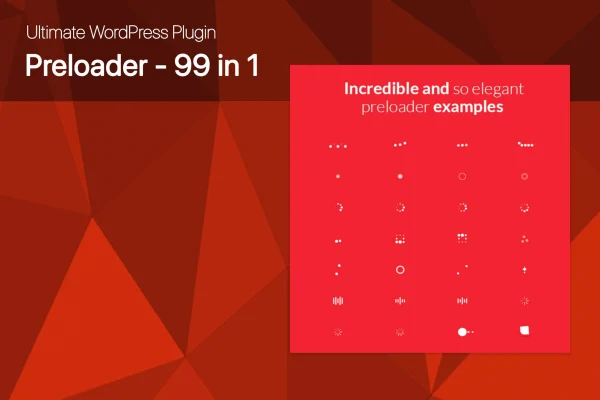
When a page takes a moment to appear, visitors often see a blank or half-drawn screen. A preloader covers that gap with a short animation that runs until the page is ready. This plugin gives you a large set of ready-made animations to choose from, including 53 pure CSS3 styles and 29 animated GIF options. If none of them suit your brand, you can upload your own image and use it as the preloader instead.
All the settings live in a single control panel with a live preview, so you can see changes as you make them. You pick one of 7 preloader sizes and set any color you like for the animation and for the background behind it. The preloaders are responsive and retina ready, work across modern browsers and run on phones and tablets. The plugin is described as compatible with any WordPress theme, and it is translation ready with PO/MO files included.
Best for
- Brand-focused business sites wanting a custom loading screen
- Portfolio and creative sites with image-heavy pages
- Multilingual WordPress sites needing translatable plugins
Features
Large preloader library
Choose from 99 preloader styles, including 53 pure CSS3 animations and 29 animated GIFs, covering a range of looks from minimal to playful.
Control panel with live preview
Adjust the preloader size, colors and background from one settings panel and watch the result update in real time before you save.
Seven preloader sizes
Pick from 7 different sizes so the loading animation sits comfortably on your page, whether you want a small spinner or a larger graphic.
Unlimited color choices
Set any color for the preloader elements and a separate color for the background, making it simple to match your brand palette.
Custom image upload
Upload your own image to use as the preloader when you want a branded loading screen, such as a logo, instead of a built-in style.
Responsive and retina ready
Preloaders scale to different screen sizes and stay sharp on high-resolution displays, and they work on smartphones and touch devices.
Translation ready
PO/MO files are included, so the plugin's text can be translated for sites that serve visitors in other languages.
Questions about Ultimate WordPress Preloader PRO
Can I use my company logo as the loading animation?
Yes. Besides the built-in CSS3 and GIF styles, the plugin lets you upload your own image and use it as the preloader. You can still set the background color behind it so it fits the rest of your site.
Will the preloader work with my current theme?
The plugin is described as compatible with any WordPress theme. It also works across modern browsers and on mobile and touch devices, so the loading screen should display consistently for visitors on phones, tablets and desktops.
How much can I change the look of each preloader?
From the control panel you can choose one of 7 sizes, set unlimited colors for both the animation and the background, and preview your changes live. That lets you tune any of the included styles to your color scheme.
Does Ultimate WordPress Preloader PRO look sharp on high-resolution screens?
Yes. The preloaders are retina ready and responsive, so they stay crisp on high-resolution displays and adjust to different screen sizes, from small phones up to large desktop monitors.
Is Ultimate WordPress Preloader PRO free?
The code of Ultimate WordPress Preloader PRO is licensed under the GPL, so anyone may use, change and share it. GPL Feast is a paid service: a plan or a single purchase gives you the download and automatic updates. The developer's own support, licence key and online services are not included.
Which version of Ultimate WordPress Preloader PRO is this?
Version 1.1.1, released May 26, 2021. New versions appear here when the developer publishes them, and members get them as automatic updates.
How do I update Ultimate WordPress Preloader PRO?
Install the free GPL Feast Updater on your site and connect it with your API key. It installs new versions of Ultimate WordPress Preloader PRO automatically and keeps a backup, so you can roll back.
You might also like






