
Plugin
Updated
Universal Video Player - YouTube, Vimeo and Self-Hosted Videos
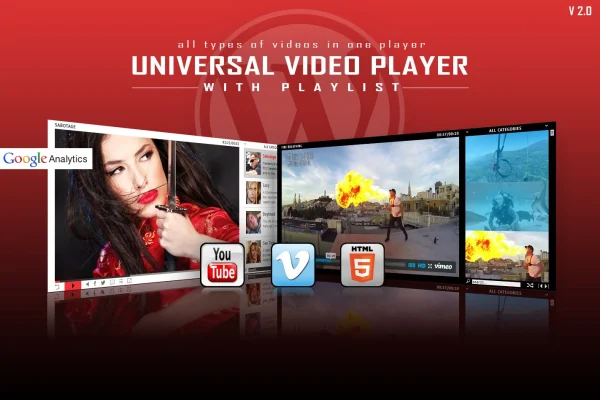
Universal Video Player - YouTube, Vimeo and Self-Hosted Videos is a WordPress plugin by LambertGroup. It gives your site one video player that handles YouTube, Vimeo and your own video files, with adjustable colors and a responsive layout that works on phones, tablets and desktops.
- Version
- 3.8.6
- Released
- Dec 29, 2025
- Type
- WordPress plugin
- Licence
- GPL
- Included in
- Every plan, or $3.99 on its own
What’s new in Universal Video Player - YouTube, Vimeo and Self-Hosted Videos 3.8.6
Version 3.8.6 · Dec 29, 2025
Latest
What it does
Sites that mix video sources often end up with a patchwork of embeds that look different from one another. This plugin puts YouTube, Vimeo and self-hosted videos into the same player, so every clip on your pages shares one look. You can adjust the player's colors and design settings to fit your branding, and the player resizes itself to the screen it is viewed on. If your site uses a fixed layout, you can turn the responsive behavior off.
For YouTube videos, you enter the video ID and the plugin pulls in the thumbnail, title and description for you, which saves copying details by hand. The player works on iOS and Android devices, and you can switch on Google Analytics tracking to count how many times each video is played. It suits bloggers, businesses, creatives and marketers who publish video regularly and want a consistent player across their WordPress site.
Best for
- Blogs that embed YouTube and Vimeo videos
- Businesses hosting their own product or promo videos
- Creatives and marketers who want a branded video player
Features
Three video sources
Play videos from YouTube, Vimeo or files you host yourself, all inside the same player, so you can use whichever source suits each video.
Responsive player layout
The player adapts to desktop, tablet and smartphone screens automatically, and an optional setting lets you disable responsiveness for sites with a fixed layout.
Works on iOS and Android
Videos play on iOS and Android devices, so visitors browsing on their phones or tablets can watch your content without switching to another app.
Google Analytics play tracking
Turn on Google Analytics tracking to see how many times each video has been played and get a clearer picture of what your visitors watch.
Custom colors and design
Adjust the player's colors and design parameters so it matches your site's branding instead of looking like a default embed.
Automatic YouTube details
Enter a YouTube video ID and the plugin fetches the thumbnail, title and description automatically, keeping video information consistent across your pages.
Editable source files
The package includes HTML, JS, PSD and CSS files, giving developers and designers material to customize the player or extend how it works.
Universal Video Player - YouTube, Vimeo and Self-Hosted Videos older versions
- 3.8.3Feb 19, 2024
Members and buyers of this product can download older versions.
Questions about Universal Video Player - YouTube, Vimeo and Self-Hosted Videos
Can I mix YouTube, Vimeo and my own video files on one site?
Yes. The plugin supports YouTube, Vimeo and self-hosted videos in the same player, so you can use different sources across your pages while keeping one consistent player design.
Will the player look right on mobile devices?
The player is responsive and adapts to desktop, tablet and smartphone screens. It is built to work on iOS and Android devices. If your site uses a fixed layout, you can disable the responsive setting.
Do I have to type in titles and thumbnails for YouTube videos?
No. When you enter a YouTube video ID, the plugin automatically retrieves the video's thumbnail, title and description, so you do not need to copy those details in yourself.
Can I see how often my videos are watched?
You can enable Google Analytics tracking in the plugin. It records how many times each video is played, which helps you understand which videos your visitors watch most.
Is Universal Video Player - YouTube, Vimeo and Self-Hosted Videos free?
The code of Universal Video Player - YouTube, Vimeo and Self-Hosted Videos is licensed under the GPL, so anyone may use, change and share it. GPL Feast is a paid service: a plan or a single purchase gives you the download and automatic updates. The developer's own support, licence key and online services are not included.
Which version of Universal Video Player - YouTube, Vimeo and Self-Hosted Videos is this?
Version 3.8.6, released Dec 29, 2025. New versions appear here when the developer publishes them, and members get them as automatic updates.
How do I update Universal Video Player - YouTube, Vimeo and Self-Hosted Videos?
Install the free GPL Feast Updater on your site and connect it with your API key. It installs new versions of Universal Video Player - YouTube, Vimeo and Self-Hosted Videos automatically and keeps a backup, so you can roll back.
You might also like







Universal Video Player - YouTube, Vimeo and Self-Hosted Videosv3.8.6 · From $14/month or $3.99
See plans