
Plugin
Updated
Unlimited Timeline
Unlimited Timeline is a WordPress plugin that displays your posts, stories and historical events as timelines. It pulls content from any post type, category, tag or taxonomy, then lays it out in a responsive design you can place anywhere with a shortcode.
- Version
- 1.4.1
- Released
- Jan 8, 2026
- Type
- WordPress plugin
- Licence
- GPL
- Included in
- Every plan, or $3.99 on its own
What’s new in Unlimited Timeline 1.4.1
Version 1.4.1 · Jan 8, 2026
Latest
What it does
Many sites have content that makes more sense in order: company milestones, project roadmaps, personal journals or event histories. A standard blog archive lists those items, but it rarely shows how they connect over time. This plugin takes existing WordPress content and arranges it along a timeline, so visitors can follow a sequence of events from start to finish. Because it works with posts, custom post types, categories, tags and taxonomies, you can build timelines around the way your content is already organized.
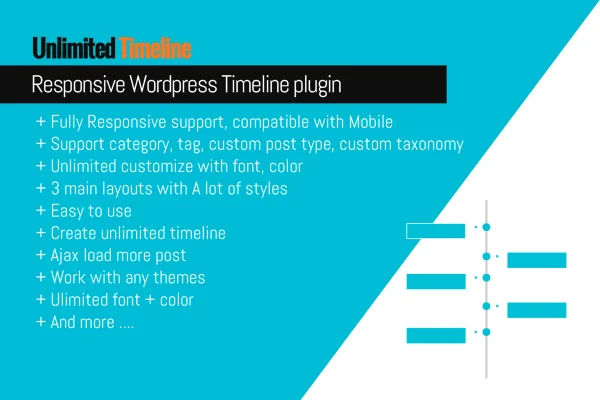
You can create as many timelines as you need, pick from three main layouts and a range of styles, then adjust fonts, colors and other styling to suit your site. Each timeline goes into a page or post through a shortcode. An Ajax load more button brings in additional entries without reloading the page. The layouts respond to phones and tablets, graphics are retina ready, and developers get CSS and JS files to make their own changes.
Best for
- Businesses presenting company history or milestones
- Bloggers and journal writers sharing stories in order
- Developers building custom timelines for client sites
Features
Works with any content type
Build timelines from posts, custom post types, categories, tags and taxonomies, so the timeline follows your existing content structure.
Unlimited timelines
Create as many separate timelines as you want to organize different kinds of content or historical records across your site.
Three layouts with many styles
Choose from three main timeline layouts and a range of style variations to match the look of your website.
Ajax load more button
Visitors can load additional timeline entries without refreshing the page, which keeps longer timelines tidy on first view.
Font and color controls
Adjust fonts, colors and other styling elements so each timeline fits your site's design and branding.
Shortcode placement
Embed any timeline in a page, post or other area of your site by adding its shortcode where you want it to appear.
Responsive and retina ready
Timelines adapt to smartphones and tablets, and the graphics stay sharp on high-resolution screens.
CSS and JS for developers
Included CSS and JS files give advanced users room to customize the appearance and behavior of timelines further.
Questions about Unlimited Timeline
Can I build a timeline from my custom post types?
Yes. The plugin supports posts, custom post types, categories, tags and taxonomies, so you can create a timeline from whatever content type or grouping your site already uses.
How do I add a timeline to a page?
Each timeline is placed with a shortcode. You paste the shortcode into a page, post or other area that accepts shortcodes, and the timeline appears there. You can create as many timelines as you need.
Will the timelines work with my theme and on mobile?
The plugin is built to work with WordPress themes generally, and its layouts are responsive, adjusting to phones and tablets. Graphics are retina ready, so they stay clear on high-resolution displays.
What happens when a timeline has a lot of entries?
An Ajax load more feature shows a set of entries first, then lets visitors load additional ones without refreshing the page. This keeps long timelines manageable for readers.
Is Unlimited Timeline free?
The code of Unlimited Timeline is licensed under the GPL, so anyone may use, change and share it. GPL Feast is a paid service: a plan or a single purchase gives you the download and automatic updates. The developer's own support, licence key and online services are not included.
Which version of Unlimited Timeline is this?
Version 1.4.1, released Jan 8, 2026. New versions appear here when the developer publishes them, and members get them as automatic updates.
How do I update Unlimited Timeline?
Install the free GPL Feast Updater on your site and connect it with your API key. It installs new versions of Unlimited Timeline automatically and keeps a backup, so you can roll back.
You might also like






