
Plugin
Updated
User Role Editor Pro
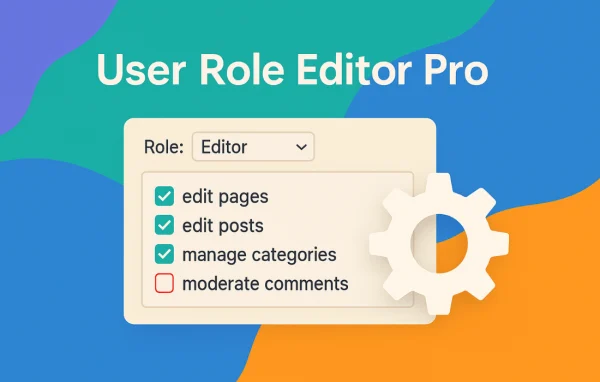
User Role Editor Pro by Vladimir Garagulia is a WordPress plugin for controlling who can do what on your site. You can edit existing roles, create new ones and limit access to admin menus, widgets, meta boxes, plugins and content on a per-role basis.
- Version
- 4.66.3
- Released
- Sep 25, 2026
- Developer
- Vladimir Garagulia
- Type
- WordPress plugin
- Licence
- GPL
- Included in
- Every plan, or $4.79 a year on its own
What’s new in User Role Editor Pro 4.66.3
Version 4.66.3 · Sep 25, 2026
Latest
- SecuritySecurity Fix: administrator-role protection (URE_Protect_Admin::exclude_admin_role()) only excluded the "administrator" role from the assignable-roles list on the classic user edit screens, not on the plugin's own admin-ajax.php actions; a user holding the "promote_users" capability (without the plugin's own key capability) could therefore grant themselves or another user the "administrator" role via the "Add Role"/"Grant Roles" AJAX action, bypassing the same protection the classic Users screen correctly enforced. Discovered and responsibly reported by Humberto (SVO, https://svo.com.br).
- FixedThe "Grant Roles" dialog's AJAX request (get_grant_roles) incorrectly required the plugin's own key capability instead of "promote_users", refusing users who only had "promote_users" - the capability the Grant Roles feature is designed for - with an "Insufficient permissions" error.
- Fixed"Posts Edit Access" add-on: a user restricted (Allow model) to a specific category, post ID list, or author no longer could create a new post/page once they already had at least one matching item, because the "just clicked Add New" bypass in URE_Posts_Edit_Access::block_edit_post() only recognized the classic-editor save request, not the plain page load that immediately follows creating the new auto-draft; the brand-new post, having no category/author of its own yet, then failed the restriction check like any other non-matching item.
What it does
Default WordPress roles are broad, and they rarely match how a real team works. A contributor may need to edit one category, or a client may only need a few admin screens. This plugin gives you a visual editor for roles and capabilities, so you can adjust permissions without writing code. It suits membership sites, multi-author blogs, online stores and any site where several people log in with different responsibilities.
Beyond editing capabilities, you can hide admin menu items, dashboard and post meta boxes, and widget or sidebar access for chosen roles. Content editing rules can narrow access to specific post IDs, taxonomies or authors. On multisite networks, the network admin can edit, replicate and assign roles across all subsites and limit what single site administrators can change. Roles can also be exported and imported to move settings between sites or keep a backup.
Best for
- Multi-author blogs with editors and contributors
- Membership sites that need tailored access levels
- Agencies managing WordPress multisite networks
Features
Edit and create roles
Modify the built-in WordPress roles or build custom roles with their own set of capabilities, all through a visual interface with no coding required.
Block admin menu items
Hide specific admin menu items for each role, giving users a simpler backend that only shows the screens they actually need.
Front-end menu visibility
Show or hide front-end navigation menu items based on whether a visitor is logged in and which role they hold.
Widget and meta box restrictions
Stop selected roles from editing widgets and sidebars, and limit which dashboard and post or page meta boxes they can see.
Per-plugin access control
Decide which plugins users or roles with plugin activation rights can manage, so plugin changes stay with the right people.
Granular content editing rules
Control who can create or edit posts, pages and custom post types, down to individual post IDs, taxonomy terms or author IDs.
Multisite network management
Edit, replicate and assign roles across every subsite from the network admin panel, and restrict what single site administrators can change.
Export and import roles
Move roles and capabilities between sites or save them as a backup, and use the admin page viewer to see which capabilities each backend page requires.
User Role Editor Pro older versions
- 4.66.2Sep 151 fix
- 4.66Aug 2517 improvements, 15 fixes, 2 security fixes
- 4.65May 216 improvements
- 4.64.6Dec 3, 2025
- 4.64.5Apr 18, 2025
- 4.64.4Dec 16, 2024
- 4.64.3Dec 4, 2024
- 4.64.2Mar 26, 2024
- 4.64.1Oct 31, 2023
- 4.64Aug 9, 2023
Members and buyers of this product can download older versions.
11 older versions in all. If you need one that is not listed, ask support.
Questions about User Role Editor Pro
Can I limit an author to editing only certain posts or categories?
Yes. The content editing permissions let you restrict who can create or edit posts, pages and custom post types by post ID, taxonomy or author ID. This is useful when a writer should only work within one category or on a fixed set of pages.
Does it work on a WordPress multisite network?
It does. From the network admin panel you can edit, replicate and assign roles and capabilities across all subsites. You can also limit what single site administrators are allowed to change regarding user capabilities and role management, which keeps network-wide settings under the superadmin's control.
Can I restrict access to Gravity Forms by role?
Yes. The plugin includes form-specific permission settings for Gravity Forms, so you can decide which roles can access and edit particular forms instead of giving everyone with form access the same rights.
Can I copy my role setup to another site?
Yes. Roles and their capabilities can be exported from one site and imported into another. The same feature works as a simple way to keep a backup of your permission settings before making larger changes.
Is User Role Editor Pro free?
The code of User Role Editor Pro is licensed under the GPL, so anyone may use, change and share it. GPL Feast is a paid service: a plan or a single purchase gives you the download and automatic updates. The developer's own support, licence key and online services are not included.
Which version of User Role Editor Pro is this?
Version 4.66.3, released Sep 25, 2026. New versions appear here when the developer publishes them, and members get them as automatic updates.
How do I update User Role Editor Pro?
Install the free GPL Feast Updater on your site and connect it with your API key. It installs new versions of User Role Editor Pro automatically and keeps a backup, so you can roll back.
You might also like






