
Plugin
Updated
Wauki, by Bonfire
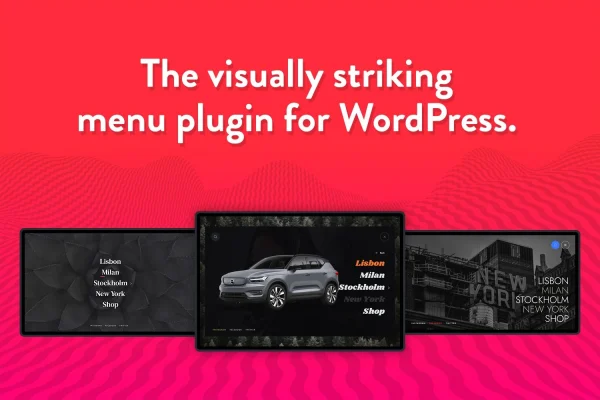
Wauki, by Bonfire is a WordPress plugin that replaces standard navigation with a fullscreen menu. It brings together a multi-level main menu, a footer menu and a search field in one overlay, and you can adjust colors, fonts and animations to match your brand.
- Version
- 1.1
- Released
- May 2, 2023
- Type
- WordPress plugin
- Licence
- GPL
- Included in
- Every plan, or $3.99 on its own
What’s new in Wauki, by Bonfire 1.1
Version 1.1 · May 2, 2023
Latest
What it does
Standard header menus can feel cramped on design-focused sites, especially once you add submenus, social links and a search box. This plugin moves all of that into a fullscreen layout that opens over the page, giving each part of your navigation room to breathe. It is built to work with any WordPress theme, so you can add it to an existing site without switching themes or rebuilding your header.
Inside the fullscreen view, visitors get a main menu that supports multiple submenu levels for larger site structures, plus a footer menu that works well for social media links or extra pages. A built-in search field lets people look for content right from the menu. The design is responsive and retina ready, so it adapts to phones, tablets and desktops. It fits portfolios, creative blogs and corporate sites that want bold, clean navigation.
Best for
- Portfolio sites for designers, photographers and creatives
- Blogs that want a bold, minimal navigation style
- Business and corporate sites with layered page structures
Features
Fullscreen menu layout
Navigation opens as a full-screen overlay, giving your links a bold, uncluttered presentation that covers the whole page while visitors browse your menu.
Multi-level main menu
The main menu supports several submenu levels, so sites with deeper page hierarchies can keep their content organized and easy for visitors to move through.
Footer menu
A separate footer menu sits inside the fullscreen layout in a compact design, which works well for social media links or a few extra navigation options.
Built-in search
An integrated search field lets visitors look for posts and pages directly from the menu, without having to leave the overlay to find a search box.
Style customization
You can adjust colors, fonts, animations and layout elements so the menu matches your site's branding and overall visual style.
Responsive and retina ready
The menu adapts to different screen sizes and displays crisp visuals on high-resolution screens, so it looks sharp on phones, tablets and desktops alike.
Works with any theme
The plugin is designed to be compatible with any WordPress theme, letting you add fullscreen navigation to an existing site without changing your theme.
Questions about Wauki, by Bonfire
Will this menu work with the theme I already use?
Yes. The plugin is described as compatible with any WordPress theme, so you can add the fullscreen menu to your current site and keep your existing theme and design in place.
Can the menu handle a site with lots of pages and submenus?
The main menu supports multiple levels, so you can nest submenu items under parent links. This makes it a good fit for sites with deeper hierarchies, such as business sites with several service or department pages.
How much can I change the look of the menu?
You can customize colors, fonts, animations and layout elements. That gives you enough control to match the overlay to your brand colors and typography so it feels like a natural part of your site.
Is Wauki, by Bonfire free?
The code of Wauki, by Bonfire is licensed under the GPL, so anyone may use, change and share it. GPL Feast is a paid service: a plan or a single purchase gives you the download and automatic updates. The developer's own support, licence key and online services are not included.
Which version of Wauki, by Bonfire is this?
Version 1.1, released May 2, 2023. New versions appear here when the developer publishes them, and members get them as automatic updates.
How do I update Wauki, by Bonfire?
Install the free GPL Feast Updater on your site and connect it with your API key. It installs new versions of Wauki, by Bonfire automatically and keeps a backup, so you can roll back.
You might also like






