Plugin
Updated
WhatsApp Chit Chat Plugin For WordPress
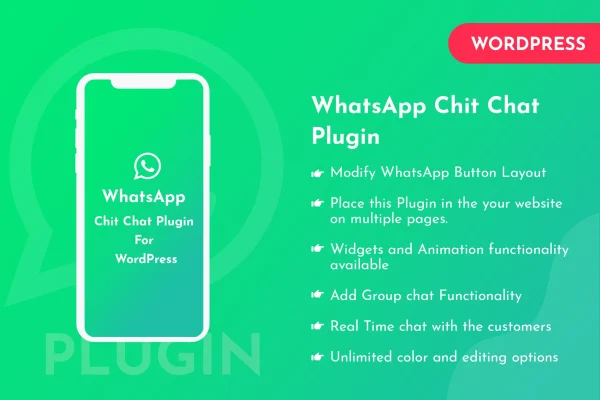
WhatsApp Chit Chat Plugin For WordPress is a plugin that adds WhatsApp chat buttons to your site. Visitors click a button and are sent to WhatsApp to start a conversation with you, which gives them a direct way to ask questions or get help.
- Version
- 1.0.3
- Released
- Oct 17, 2025
- Type
- WordPress plugin
- Licence
- GPL
- Included in
- Every plan, or $3.99 on its own
What’s new in WhatsApp Chit Chat Plugin For WordPress 1.0.3
Version 1.0.3 · Oct 17, 2025
Latest
What it does
Many visitors would rather send a quick message than fill out a contact form or wait on email. This plugin puts a WhatsApp chat button on your WordPress site so people can reach you in the messaging app they already use. When someone clicks the button, they are redirected to WhatsApp to begin chatting, on desktop or on mobile. That makes it a practical fit for businesses that answer customer questions, handle inquiries or offer support through WhatsApp.
Placement is handled with shortcodes, so you can drop a chat button into a blog post, a page or anywhere else on the site that shortcodes work. You can change how the button looks so it matches your branding. On mobile devices, visitors can also share your posts or product pages straight to their WhatsApp contacts. The plugin is built with CSS and JS and uses a responsive design that adapts to desktops, tablets and phones.
Best for
- Small businesses that handle customer questions over WhatsApp
- Blogs that want readers to share posts from mobile
- Online shops offering quick product support through chat
Features
WhatsApp chat buttons
Visitors can start a real-time WhatsApp conversation with you from your site, giving them a direct channel for questions and assistance.
Redirect to WhatsApp
Clicking the button sends users to the WhatsApp login page so they can start chatting, on both desktop and mobile devices.
Shortcode placement
Use a shortcode to place the WhatsApp chat button anywhere on your site or inside individual blog posts, so you decide where it appears.
Customizable button appearance
Adjust how the chat button looks so it fits your website's branding and overall design instead of standing out awkwardly.
Mobile sharing to WhatsApp
On mobile devices, visitors can share your posts or product pages directly with their WhatsApp contacts, helping your content travel further.
Responsive layout
The button and sharing features adapt to different screen sizes, so the experience stays consistent on desktops, tablets and smartphones.
Built with CSS and JS
The plugin is written with CSS and JS, keeping its footprint small on the pages where you add chat buttons.
WhatsApp Chit Chat Plugin For WordPress older versions
- 1.0.2Feb 14, 2024
Members and buyers of this product can download older versions.
Questions about WhatsApp Chit Chat Plugin For WordPress
What happens when a visitor clicks the WhatsApp button?
The visitor is redirected to the WhatsApp login page, where they can start a chat with you. This works on both desktop and mobile devices, so people can reach you from whichever device they are using.
Can I choose where the chat button appears?
Yes. The plugin uses shortcodes, so you can place the WhatsApp chat button anywhere on your site, including inside specific blog posts or pages. That lets you put it only where it makes sense for your visitors.
Can visitors share my content through WhatsApp?
Yes, on mobile devices. Visitors can share your posts or product pages directly with their WhatsApp contacts, which gives readers and shoppers an easy way to pass your content along to friends, family or colleagues who might find it useful.
Can I change the look of the button?
Yes. The WhatsApp button's appearance can be customized so it matches your site's branding and design, helping it blend in with the rest of your layout.
Is WhatsApp Chit Chat Plugin For WordPress free?
The code of WhatsApp Chit Chat Plugin For WordPress is licensed under the GPL, so anyone may use, change and share it. GPL Feast is a paid service: a plan or a single purchase gives you the download and automatic updates. The developer's own support, licence key and online services are not included.
Which version of WhatsApp Chit Chat Plugin For WordPress is this?
Version 1.0.3, released Oct 17, 2025. New versions appear here when the developer publishes them, and members get them as automatic updates.
How do I update WhatsApp Chit Chat Plugin For WordPress?
Install the free GPL Feast Updater on your site and connect it with your API key. It installs new versions of WhatsApp Chit Chat Plugin For WordPress automatically and keeps a backup, so you can roll back.
You might also like