
Plugin
Updated
Widget Manager
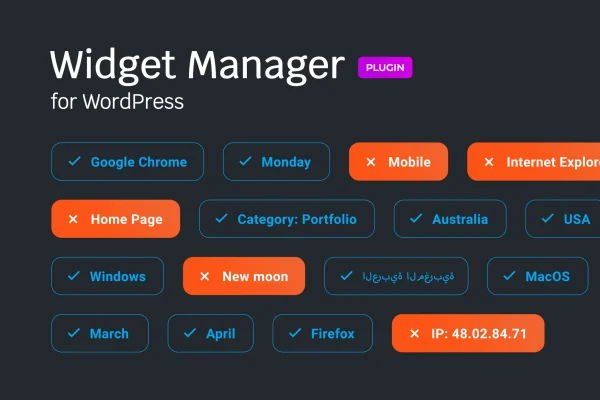
Widget Manager is a WordPress plugin that controls when and where your widgets appear. You set conditions based on pages, posts, categories, user roles, post types, taxonomies or schedules, so each sidebar, footer and widget area shows the content that fits its context.
- Version
- 1.0.2
- Released
- Jul 18, 2020
- Type
- WordPress plugin
- Licence
- GPL
- Included in
- Every plan, or $3.99 on its own
What’s new in Widget Manager 1.0.2
Version 1.0.2 · Jul 18, 2020
Latest
- FixedFixed plugin update and activation issues.
What it does
Standard WordPress widgets appear the same way everywhere a widget area is used. That makes it hard to show a promotion only on certain posts, hide a block from some visitors, or swap sidebar content for different sections of a site. This plugin adds display rules to your widgets so you decide exactly where each one shows up, including on specific pages, posts, categories, post types and custom taxonomies, or for chosen user roles.
Rules are managed through plain settings, so you can build most conditions without writing code. Time and date scheduling lets a widget appear only during certain hours or days, which suits seasonal notices or short-running offers. When the built-in options are not enough, developers can write custom PHP conditions. The plugin works with popular WordPress editors and themes and applies to sidebars, footers and any widget-ready area.
Best for
- Blogs needing different sidebars for different categories
- Sites running scheduled promotions or seasonal notices
- Developers who want custom PHP visibility rules for widgets
Features
Conditional widget display
Show or hide any widget based on pages, posts, categories, user roles and other criteria, so each widget area shows content that matches the current view.
Time and date scheduling
Set widgets to appear only during certain times or on certain days, which is useful for seasonal content or limited-time promotions in your sidebar or footer.
Custom PHP conditions
Write your own PHP conditions when the default rules do not cover your situation, giving developers full control over widget visibility logic.
Targeting by post type and taxonomy
Assign widgets to specific post types or custom taxonomies, so content sections of your site can each carry their own relevant widgets.
User role targeting
Display different widgets to different user groups based on their roles, such as showing one widget to logged-in editors and another to everyone else.
No-code settings
Manage widget conditions through straightforward settings that site owners of any skill level can use without touching code.
Editor and theme compatibility
Works with popular WordPress editors and themes, and applies to sidebars, footers and any other widget-ready area your theme provides.
Questions about Widget Manager
Can I show a widget only on certain pages or posts?
Yes. You can set a widget to appear on specific pages, posts or categories and hide it everywhere else. You can also target post types and custom taxonomies, which helps when different sections of your site need their own sidebar content.
Can widgets appear only at certain times?
Yes. Time and date scheduling lets you limit a widget to particular times or days. This works well for seasonal messages, event notices or short promotions that should show up automatically and then disappear from your widget areas.
Do I need to know how to code to use it?
No. The standard conditions for pages, posts, categories, user roles and schedules are set through the plugin settings without code. Custom PHP conditions are available as an option for developers who need rules the built-in choices do not cover.
Will it work with my theme and editor?
It is built to work with popular WordPress editors and themes. It applies to sidebars, footers and any widget-ready area your theme registers, and widgets it manages display on all devices.
Is Widget Manager free?
The code of Widget Manager is licensed under the GPL, so anyone may use, change and share it. GPL Feast is a paid service: a plan or a single purchase gives you the download and automatic updates. The developer's own support, licence key and online services are not included.
Which version of Widget Manager is this?
Version 1.0.2, released Jul 18, 2020. New versions appear here when the developer publishes them, and members get them as automatic updates.
How do I update Widget Manager?
Install the free GPL Feast Updater on your site and connect it with your API key. It installs new versions of Widget Manager automatically and keeps a backup, so you can roll back.
You might also like






