
Plugin
Updated
Wiloke Button Plus
Wiloke Button Plus is a WordPress plugin that adds styled, customizable buttons to the Elementor page builder. It gives you ready-made button templates with animation effects, plus controls for colors, fonts and icons, so you can build call-to-action buttons and links without writing code.
- Version
- 1.0.21
- Released
- May 2, 2023
- Type
- WordPress plugin
- Requires
- Elementor
- Licence
- GPL
- Included in
- Every plan, or $3.99 on its own
What’s new in Wiloke Button Plus 1.0.21
Version 1.0.21 · May 2, 2023
Latest
What it does
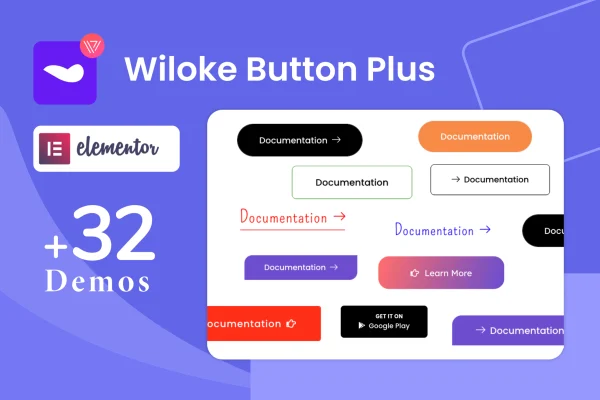
Elementor's default button works fine, but making it match a brand or stand out on a page can take a lot of manual styling. This plugin gives you a set of more than 10 button templates with animation effects as a starting point. You pick a style, then adjust the colors, fonts, icons and animations until the button fits your design. It requires Elementor, and it works inside the editor you already use for your layouts.
The buttons suit calls to action, links to other pages and any spot where you want a click to feel deliberate. Because the designs are responsive and retina ready, they display cleanly on phones, tablets and desktops. The editor is aimed at beginners as well as experienced builders, so designers, marketers and site owners can all create and edit buttons directly in their existing page layouts.
Best for
- Elementor sites that need styled call-to-action buttons
- Designers matching buttons to client brand identities
- Marketers building landing pages without code
Features
More than 10 button templates
Start from over 10 prebuilt button styles, each paired with animation effects, instead of designing every call-to-action button from a blank slate.
Color and font controls
Adjust button colors and typography so each button matches your brand palette and the rest of your page design.
Icon options
Add icons to your buttons and customize them, giving links and calls to action a clearer visual cue about what happens on click.
Animation effects
Apply and fine-tune animations on your buttons to draw attention to the actions you most want visitors to notice.
Responsive and retina ready
Buttons are built to look sharp on high-resolution screens and adapt across smartphones, tablets and desktop displays.
Works inside Elementor
Insert and edit buttons directly in the Elementor editor alongside your existing layouts, with no separate tool or custom code needed.
Beginner-friendly editor
A guided interface walks you through designing and customizing buttons, so people without coding experience can produce polished results.
Questions about Wiloke Button Plus
Do I need Elementor to use this plugin?
Yes. Wiloke Button Plus requires the Elementor page builder. It works within the Elementor editor, so you add and edit its buttons in the same place you build the rest of your page layouts.
How many button designs come with it?
The plugin includes more than 10 button templates, each with animation effects. You can use them as they are or customize the colors, fonts, icons and animations to suit your site.
Will the buttons look right on mobile devices?
The button designs are responsive and retina ready, so they are built to display cleanly on smartphones, tablets and desktops, including high-resolution screens.
Can I use it without any coding knowledge?
Yes. Customization happens through a beginner-friendly visual editor where you set colors, fonts, icons and animations. No code is required to create or edit the buttons.
Is Wiloke Button Plus free?
The code of Wiloke Button Plus is licensed under the GPL, so anyone may use, change and share it. GPL Feast is a paid service: a plan or a single purchase gives you the download and automatic updates. The developer's own support, licence key and online services are not included.
Which version of Wiloke Button Plus is this?
Version 1.0.21, released May 2, 2023. New versions appear here when the developer publishes them, and members get them as automatic updates.
How do I update Wiloke Button Plus?
Install the free GPL Feast Updater on your site and connect it with your API key. It installs new versions of Wiloke Button Plus automatically and keeps a backup, so you can roll back.
What does Wiloke Button Plus need?
Wiloke Button Plus needs Elementor installed and active.
You might also like






