
Plugin
Updated
Wiloke Counter
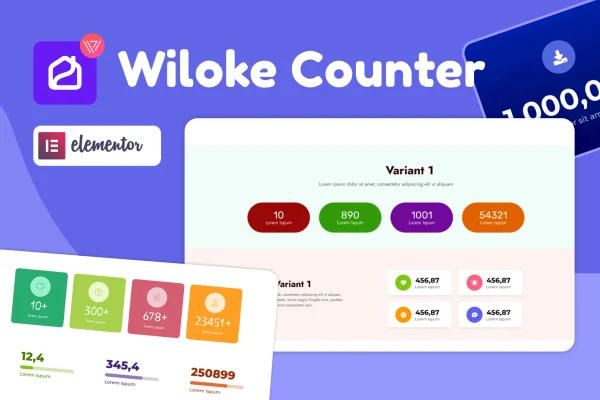
Wiloke Counter for Elementor is a WordPress plugin for Elementor that adds animated number counters to your pages. You can use it to display figures such as visitor counts, customers, completed projects or sales, and style each counter with your own colors, fonts, icons and text.
- Version
- 1.0.23
- Released
- May 2, 2023
- Type
- WordPress plugin
- Requires
- Elementor
- Licence
- GPL
- Included in
- Every plan, or $3.99 on its own
What’s new in Wiloke Counter 1.0.23
Version 1.0.23 · May 2, 2023
Latest
What it does
Many sites have numbers worth sharing, like projects finished, clients served or years in business. Typed out as plain text, those figures are easy to scroll past. This plugin turns them into counters that animate on the page and carry icons and labels, so the numbers read as part of the design. It needs Elementor, and you work with it inside the Elementor drag-and-drop editor alongside the rest of your layout.
Setup takes no coding. You place a counter in a section, enter the number and label, then adjust colors, fonts, icons and text until it matches your brand. The counters are responsive and retina ready, so they display cleanly on desktops, tablets, phones and high-resolution screens. The plugin suits portfolios, business sites and personal blogs that want a tidy way to present key figures on an about page, a homepage or a landing section.
Best for
- Business sites displaying customer or project numbers
- Portfolios highlighting completed work and milestones
- Elementor users adding statistics sections to pages
Features
Works inside Elementor
Add counters from the Elementor drag-and-drop editor and arrange them in your sections like any other element, without leaving the page builder.
Animated numbers
Counters animate as they appear, giving your statistics movement on the page instead of showing as static figures.
Custom colors and fonts
Adjust the colors and typography of each counter so it matches your brand and the rest of your site design.
Icons and text labels
Pair each number with an icon and descriptive text so visitors can see at a glance what the figure represents.
Responsive and retina ready
Counters adapt to different screen sizes and display sharply on desktops, smartphones and high-resolution retina displays.
No coding needed
Configure every counter through visual settings, which makes the plugin usable for site owners at any skill level.
Questions about Wiloke Counter
Do I need Elementor to use this counter plugin?
Yes. The plugin requires Elementor and works inside its drag-and-drop editor. You add and style the counters there, the same way you build the rest of your page layout.
What kinds of numbers can I display with it?
You can present any figure you want to highlight, such as visitor counts, customers, completed projects, sales or other milestones and achievements. Each counter can include an icon and text to explain the number.
Can I match the counters to my site's design?
Yes. You can change colors, fonts, icons and text for your counters, so they fit your brand and sit naturally alongside the other elements on your pages.
Will the counters look right on phones?
The counters are responsive and retina ready. They adjust to different screen sizes, from desktops to smartphones, and stay sharp on high-resolution displays.
Is Wiloke Counter free?
The code of Wiloke Counter is licensed under the GPL, so anyone may use, change and share it. GPL Feast is a paid service: a plan or a single purchase gives you the download and automatic updates. The developer's own support, licence key and online services are not included.
Which version of Wiloke Counter is this?
Version 1.0.23, released May 2, 2023. New versions appear here when the developer publishes them, and members get them as automatic updates.
How do I update Wiloke Counter?
Install the free GPL Feast Updater on your site and connect it with your API key. It installs new versions of Wiloke Counter automatically and keeps a backup, so you can roll back.
What does Wiloke Counter need?
Wiloke Counter needs Elementor installed and active.
You might also like






