
Plugin
Updated
Wiloke Flipbox
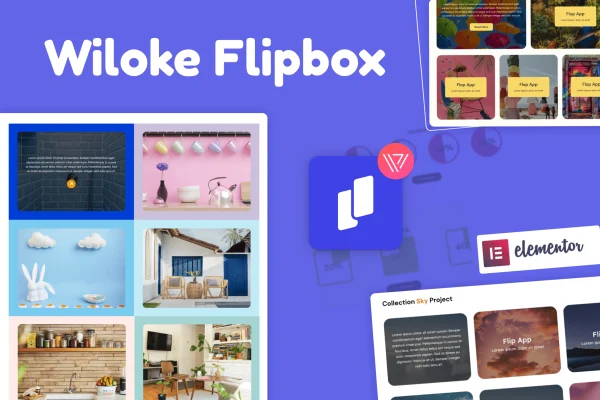
Wiloke Flipbox for Elementor is a plugin that adds interactive flip boxes to the Elementor page builder. Each box shows content on the front and flips to reveal more on the back, such as a description, an image or a call-to-action button. It gives you a compact way to present services, products or portfolio items.
- Version
- 1.0.24
- Released
- May 2, 2023
- Type
- WordPress plugin
- Requires
- Elementor
- Licence
- GPL
- Included in
- Every plan, or $3.99 on its own
What’s new in Wiloke Flipbox 1.0.24
Version 1.0.24 · May 2, 2023
Latest
What it does
Many pages need to present several offerings in a small space without turning into a wall of text. Flip boxes solve this by keeping the front of each card simple and placing the details on the back, which visitors see when the card flips. This plugin brings that element into Elementor, so you can build flip boxes in the same editor you already use for your pages, with no coding needed. It requires Elementor to work.
You start from one of the included pre-designed templates, which cover different layouts and animation styles, then adjust the text, image overlays, backgrounds and buttons to match your brand. The boxes are responsive and retina ready, so they adapt to desktop and mobile screens. If you are comfortable with code, you can add your own HTML, CSS and JS to change how the boxes look or behave. It fits product grids, service sections and portfolio pages.
Best for
- Business sites presenting services in a compact grid
- Designers building portfolio pages in Elementor
- Marketers highlighting product features on landing pages
Features
Built for Elementor
Add flip boxes directly inside the Elementor editor and configure them with visual controls, so no coding knowledge is needed to place them on a page.
Pre-designed templates
Pick from a set of ready-made flip box designs with different layouts and animation styles, then adapt the one you choose to your site's look.
Front-to-back flip animation
Each box flips from front to back to reveal extra content, letting you keep the visible card clean while holding more detail on the reverse side.
Customizable content and styling
Adjust text, image overlays, background styles and call-to-action buttons so every flip box carries your own wording, colors and visuals.
Call-to-action buttons
Place a button on the flip box so visitors who read the revealed details can move on to a related page, product or contact section.
Responsive and retina ready
Flip boxes adapt to different screen sizes, from desktop monitors to phones, and display sharply on high-resolution retina screens.
Custom HTML, CSS and JS
Advanced users can add their own code snippets to change the styling or behavior of flip boxes beyond what the built-in settings offer.
Questions about Wiloke Flipbox
Do I need Elementor to use this plugin?
Yes. The plugin works as an Elementor add-on and requires Elementor to be active. The flip boxes are built and edited inside the Elementor editor alongside the rest of your page content.
What can I put on the back of a flip box?
The back side can reveal additional content such as text descriptions, images and call-to-action buttons. You can style the text, image overlays, backgrounds and buttons to match your brand.
Will the flip boxes work on mobile devices?
The flip boxes are responsive and retina ready, so they adjust to screens of different sizes, from desktop monitors to mobile phones, and display sharply on high-resolution displays.
Can I customize the boxes with my own code?
Yes. Along with the visual style controls, the plugin supports custom HTML, CSS and JS snippets, so users who know code can adjust the appearance or behavior further.
Is Wiloke Flipbox free?
The code of Wiloke Flipbox is licensed under the GPL, so anyone may use, change and share it. GPL Feast is a paid service: a plan or a single purchase gives you the download and automatic updates. The developer's own support, licence key and online services are not included.
Which version of Wiloke Flipbox is this?
Version 1.0.24, released May 2, 2023. New versions appear here when the developer publishes them, and members get them as automatic updates.
How do I update Wiloke Flipbox?
Install the free GPL Feast Updater on your site and connect it with your API key. It installs new versions of Wiloke Flipbox automatically and keeps a backup, so you can roll back.
What does Wiloke Flipbox need?
Wiloke Flipbox needs Elementor installed and active.
You might also like






