
Plugin
Updated
Wiloke Grid 3D for Elementor
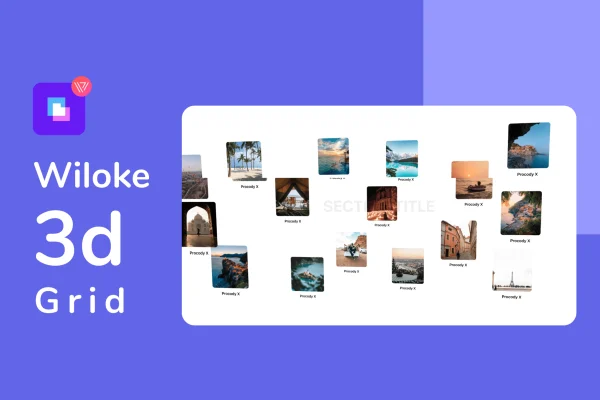
Wiloke Grid 3D for Elementor is an Elementor addon plugin by Wiloke that displays your content as a three-dimensional grid. Visitors move through the grid like a virtual exhibition, and each item can open a dedicated landing page with a clear button.
- Version
- 2.0.1
- Released
- May 2, 2023
- Type
- WordPress plugin
- Requires
- Elementor
- Licence
- GPL
- Included in
- Every plan, or $3.99 on its own
What’s new in Wiloke Grid 3D for Elementor 2.0.1
Version 2.0.1 · May 2, 2023
Latest
What it does
Standard grids lay everything out flat, which can make a portfolio or gallery feel like every other site. This plugin presents grid items with depth, so the page reads more like a small exhibition that visitors explore. You can place up to 16 grids in a single view and give each one its own colors, fonts, images and layout. That makes it practical for showing several products, services or projects side by side while keeping each one visually distinct.
The addon requires Elementor and works inside the page builder you already use, so building and managing grids stays part of your normal editing routine. From any grid item, a single click takes visitors to a matching landing page with a visible call-to-action button. The grids are responsive and retina ready, and the plugin is built with HTML, CSS and JavaScript. It fits sites where visual presentation matters, such as portfolios, galleries and interactive content pages.
Best for
- Designers and photographers building portfolio websites
- Agencies presenting services or client projects visually
- Galleries and creative studios wanting interactive displays
Features
3D grid display
Presents your content as a three-dimensional grid so visitors explore items with depth instead of scrolling past a flat, static layout.
Up to 16 grids per view
Place as many as 16 personalized grids in one view, letting you present a range of products, projects or services together on a single page.
Per-grid styling
Set the colors, fonts, images and animations for each grid individually so every item can match your brand or stand apart from the others.
Click-through landing pages
Each grid links with a single click to its own landing page, which includes a visible call-to-action button for the next step you want visitors to take.
Built for Elementor
Works alongside the Elementor page builder, so you design and manage your 3D grids within the editor and workflow you already know.
Responsive and retina ready
Grids adapt to different devices and screen sizes and are prepared for high-resolution displays, keeping images and layouts crisp.
Questions about Wiloke Grid 3D for Elementor
Do I need Elementor to use this plugin?
Yes. The addon requires the Elementor page builder. It works inside Elementor, so you create and manage your 3D grids from the same editor you use to build the rest of your pages.
How many grids can I show on one page?
You can display up to 16 grids per view. Each grid can be customized separately with its own colors, fonts, images and layout, so a single page can present many different items clearly.
Can visitors click a grid item to see more details?
Yes. A single click on any grid takes visitors to a matching landing page. These pages include a visible call-to-action button, which helps guide people toward the next step you want them to take.
Will the 3D grids work on phones and high-resolution screens?
The grids are responsive and retina ready, so they adjust to different devices and screen sizes and stay sharp on high-resolution displays.
Is Wiloke Grid 3D for Elementor free?
The code of Wiloke Grid 3D for Elementor is licensed under the GPL, so anyone may use, change and share it. GPL Feast is a paid service: a plan or a single purchase gives you the download and automatic updates. The developer's own support, licence key and online services are not included.
Which version of Wiloke Grid 3D for Elementor is this?
Version 2.0.1, released May 2, 2023. New versions appear here when the developer publishes them, and members get them as automatic updates.
How do I update Wiloke Grid 3D for Elementor?
Install the free GPL Feast Updater on your site and connect it with your API key. It installs new versions of Wiloke Grid 3D for Elementor automatically and keeps a backup, so you can roll back.
What does Wiloke Grid 3D for Elementor need?
Wiloke Grid 3D for Elementor needs Elementor installed and active.
You might also like






