
Plugin
Updated
Wiloke Hotspot
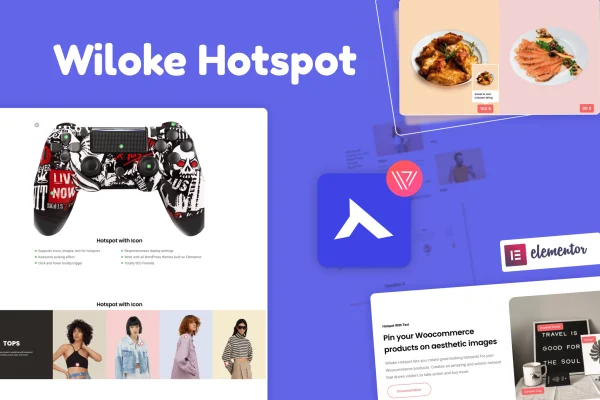
Wiloke Hotspot for Elementor is a WordPress plugin from Wiloke that lets you place clickable hotspots on images. Each hotspot opens a tooltip with extra details, such as a product's image, price and title, so visitors can explore a picture without leaving the page.
- Version
- 1.0.23
- Released
- May 2, 2023
- Type
- WordPress plugin
- Requires
- Elementor
- Licence
- GPL
- Included in
- Every plan, or $3.99 on its own
What’s new in Wiloke Hotspot 1.0.23
Version 1.0.23 · May 2, 2023
Latest
What it does
A single product photo or lifestyle shot often holds more than one item worth pointing out, and visitors rarely know where to look. This plugin lets you pin markers onto specific spots in an image and attach information to each one. For WooCommerce stores, that means a styled room photo or an outfit shot can link each visible item to its product details. It also works for tutorials and explainers where you want to label parts of a diagram or screenshot.
The plugin runs inside Elementor, which it requires, so you build hotspot images in the same editor you already use for your pages, without writing code. You choose an image, add hotspots, then decide what each tooltip shows. Hotspots can point to WooCommerce products, text or YouTube videos, and the markers themselves can carry custom icons, short labels or price tags. Layouts are responsive and retina ready, so hotspots and tooltips stay usable on phones, tablets and high resolution screens.
Best for
- WooCommerce stores selling fashion, furniture or electronics
- Elementor sites that need labeled product or lifestyle photos
- Tutorial and guide pages explaining images or diagrams
Features
WooCommerce product hotspots
Add clickable hotspots to images and galleries that link to WooCommerce products, letting shoppers see items in context while they browse a photo.
Product details in tooltips
Tooltips can display a product's image, price and title on hover, giving visitors quick information without sending them to another page.
Custom hotspot icons and labels
Personalize hotspot markers with text or price tags, such as a short label like "Trending Shoes" or a price, so each point stands out.
Several content types
Pin hotspots to images, WooCommerce products, text and YouTube videos, which gives you options beyond product listings for guides and feature tours.
Built for Elementor
Create and edit hotspot images directly in the Elementor editor, with no coding or separate setup needed to place markers and configure tooltips.
Responsive and retina ready
Hotspots and tooltips adapt to different screen sizes and display sharply on high resolution screens, keeping the interaction consistent across devices.
Questions about Wiloke Hotspot
Do I need Elementor to use this plugin?
Yes. The plugin is built for Elementor and requires it. You add and configure hotspots inside the Elementor editor, so it fits into the page building workflow you already use.
Can the tooltips show WooCommerce product information?
They can. A hotspot can be tied to a WooCommerce product, and the tooltip can display that product's image, price and title when a visitor hovers over the marker.
Is it only useful for online stores?
No. Besides WooCommerce products, hotspots can show text or YouTube videos. That makes the plugin handy for tutorials, product feature tours and any image where you want to label specific areas.
Will the hotspots work on mobile devices?
The plugin is responsive and retina ready, so hotspots and tooltips adjust to smaller screens and stay sharp on high resolution displays, giving visitors a consistent experience across devices.
Is Wiloke Hotspot free?
The code of Wiloke Hotspot is licensed under the GPL, so anyone may use, change and share it. GPL Feast is a paid service: a plan or a single purchase gives you the download and automatic updates. The developer's own support, licence key and online services are not included.
Which version of Wiloke Hotspot is this?
Version 1.0.23, released May 2, 2023. New versions appear here when the developer publishes them, and members get them as automatic updates.
How do I update Wiloke Hotspot?
Install the free GPL Feast Updater on your site and connect it with your API key. It installs new versions of Wiloke Hotspot automatically and keeps a backup, so you can roll back.
What does Wiloke Hotspot need?
Wiloke Hotspot needs Elementor installed and active.
You might also like






