
Plugin
Updated
Wiloke Icon Box Lune
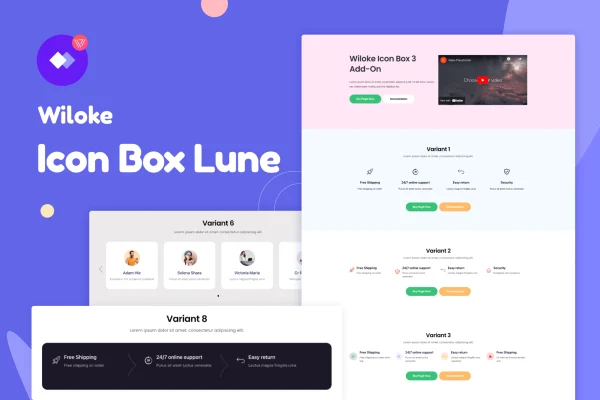
Wiloke Icon Box Lune for Elementor is a WordPress plugin that adds icon boxes to the Elementor page builder. It is made for presenting features, services or main points in clear blocks that pair an icon with text, and you can style each one to fit your site.
- Version
- 1.0.1
- Released
- May 2, 2023
- Type
- WordPress plugin
- Requires
- Elementor
- Licence
- GPL
- Included in
- Every plan, or $3.99 on its own
What’s new in Wiloke Icon Box Lune 1.0.1
Version 1.0.1 · May 2, 2023
Latest
What it does
Most sites need a tidy way to list what they offer, whether that is a set of services, product features or reasons to choose a business. Building those sections by hand in Elementor can take a lot of fiddling with columns and spacing. This plugin gives you ready icon box elements that you drag onto a page and configure without writing code. It requires Elementor, and it works inside the editor you already use.
You pick a layout first: a carousel, tabs, a list or a full-screen format, with as many columns as the content needs. Then you choose icons from the included library or upload your own, and adjust colors, typography, spacing and animations. The boxes are responsive and retina ready, so they adapt to different screens. It fits service pages, feature sections on landing pages and any page where short ideas read better with a visual cue.
Best for
- Business sites listing services or offerings
- Landing pages with feature sections
- Freelancers and agencies building Elementor sites for clients
Features
Several layout formats
Display icon boxes as a carousel, tabs, a list or a full-screen layout, depending on how much content you have and how you want visitors to move through it.
Built-in icon library
Choose from an included collection of icons to represent services, features or ideas without hunting for separate icon files.
Custom icon uploads
Upload your own icons when you want the boxes to match your branding or use artwork the library does not include.
Unlimited columns
Set as many columns as you need, so the same element works for a simple three-item row or a larger grid of services.
Style controls
Adjust colors, typography, spacing and animations for each icon box so the section matches the rest of your site design.
Responsive and retina ready
Icon boxes adapt to different devices and screen sizes, and they are prepared for high-resolution displays so icons stay sharp.
Works in Elementor
Built for Elementor, so you add and configure icon boxes with drag and drop in the familiar editor, no coding required.
Questions about Wiloke Icon Box Lune
Do I need Elementor to use this plugin?
Yes. Wiloke Icon Box Lune is built specifically for the Elementor page builder and requires it. The icon boxes are added and edited inside Elementor using drag and drop.
Can I use my own icons instead of the included ones?
Yes. Along with the built-in icon library, you can upload your own icons. This is useful when you have brand artwork or need symbols that match a specific style.
What layouts can the icon boxes use?
You can arrange icon boxes as a carousel, tabs, a list or a full-screen layout. The number of columns is unlimited, so you can build anything from a short row to a larger grid.
Will the icon boxes look right on phones?
The plugin is described as fully responsive and retina ready. The boxes adapt to different devices and screen resolutions, and icons are meant to stay crisp on high-resolution screens.
Is Wiloke Icon Box Lune free?
The code of Wiloke Icon Box Lune is licensed under the GPL, so anyone may use, change and share it. GPL Feast is a paid service: a plan or a single purchase gives you the download and automatic updates. The developer's own support, licence key and online services are not included.
Which version of Wiloke Icon Box Lune is this?
Version 1.0.1, released May 2, 2023. New versions appear here when the developer publishes them, and members get them as automatic updates.
How do I update Wiloke Icon Box Lune?
Install the free GPL Feast Updater on your site and connect it with your API key. It installs new versions of Wiloke Icon Box Lune automatically and keeps a backup, so you can roll back.
What does Wiloke Icon Box Lune need?
Wiloke Icon Box Lune needs Elementor installed and active.
You might also like






